WebStorm 2021.1.2怎么关闭启用系统通知

 时间:2024-10-28 00:53:47

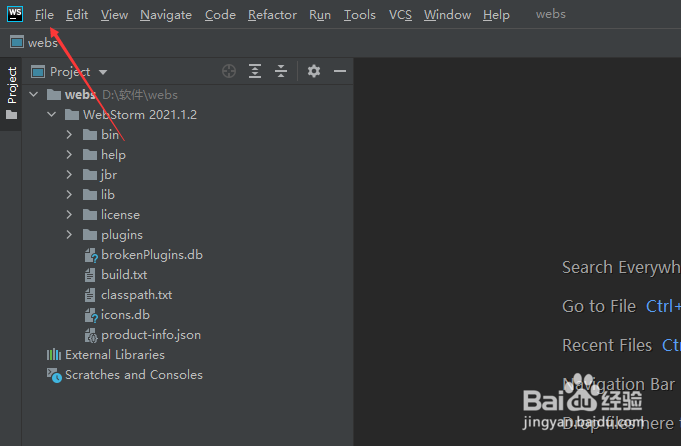
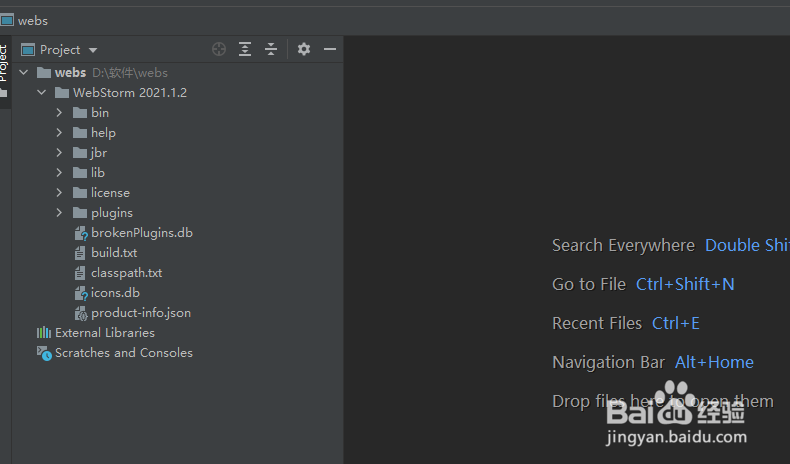
1、在设置之前需要来打开一个 WebStorm 的界面中
WebStorm 2021.1.2怎么关闭启用系统通知

2、打开到 WebStorm界面中之后,然后点击 WebStorm 菜单中的 file 菜单

WebStorm 2021.1.2怎么关闭启用系统通知

3、在点击了 file 菜单完之后,会弹出下拉菜单,然后选中为 settings 选项

WebStorm 2021.1.2怎么关闭启用系统通知

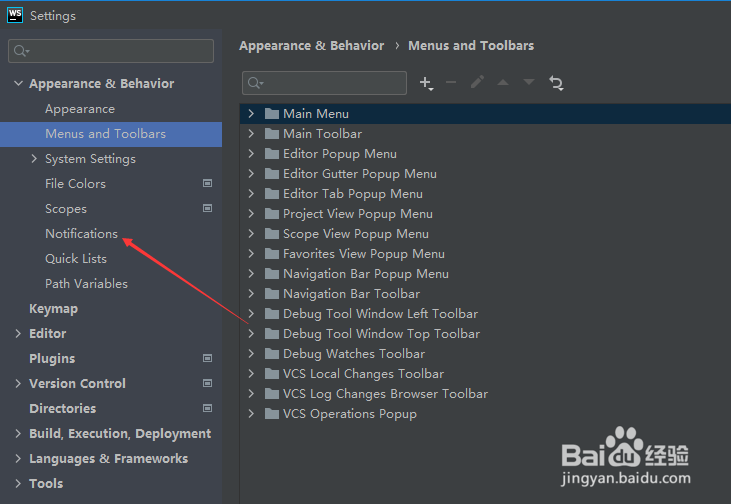
4、会进入到了 settings 界面中,点击左侧中的 notification 菜单选项
WebStorm 2021.1.2怎么关闭启用系统通知

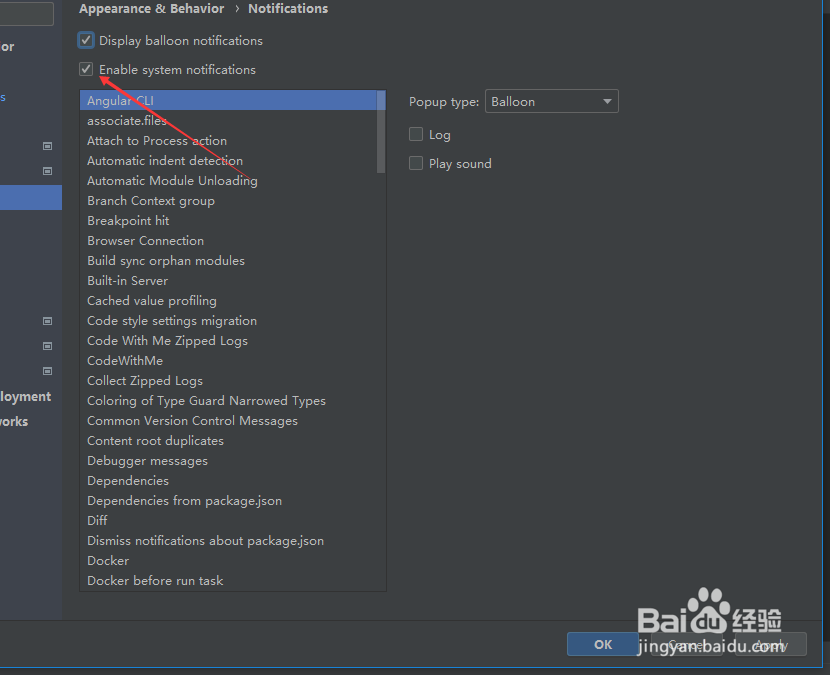
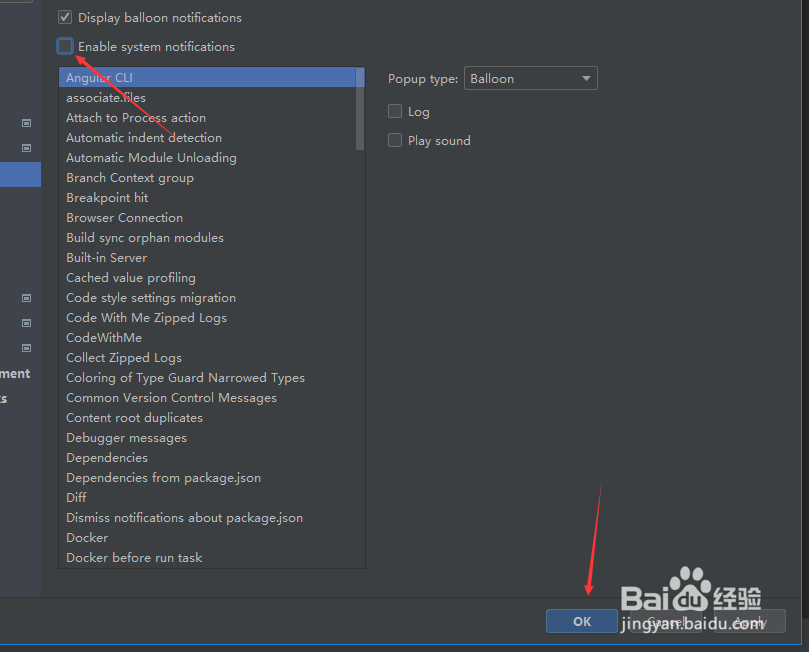
5、进入到了 notification 界面中,然后去掉勾选上 enable system notification 选项
WebStorm 2021.1.2怎么关闭启用系统通知

6、去掉勾选上 enable system notification 选项之后,需要点击ok ,对当前设置做保存。
WebStorm 2021.1.2怎么关闭启用系统通知
  • WebStorm 2021.1.2怎么关闭检查ide更新
  • WebStorm 2021.1.2怎么设置代码完成时
  • WebStorm 2021.1.2怎么关闭播放声音
  • WebStorm 2021.1.2怎么启用文件颜色
  • WebStorm 2021.1.2怎么设置启用系统通知
  • 热门搜索
    法国著名旅游城市 大连旅游景点门票 来宾旅游景点大全 去土耳其旅游 天津周边旅游景点 现在去哪旅游最合适 厦门旅游包车 日照旅游景点介绍 台湾自由行旅游攻略 锦江国际旅游