eclipse安装git插件

 时间:2026-02-12 06:27:05

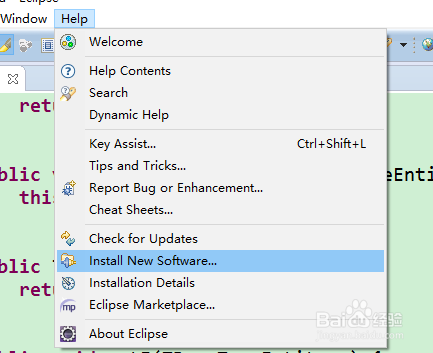
1、首先打开eclipse,点击help--Install New Software,打开界面如图
eclipse安装git插件

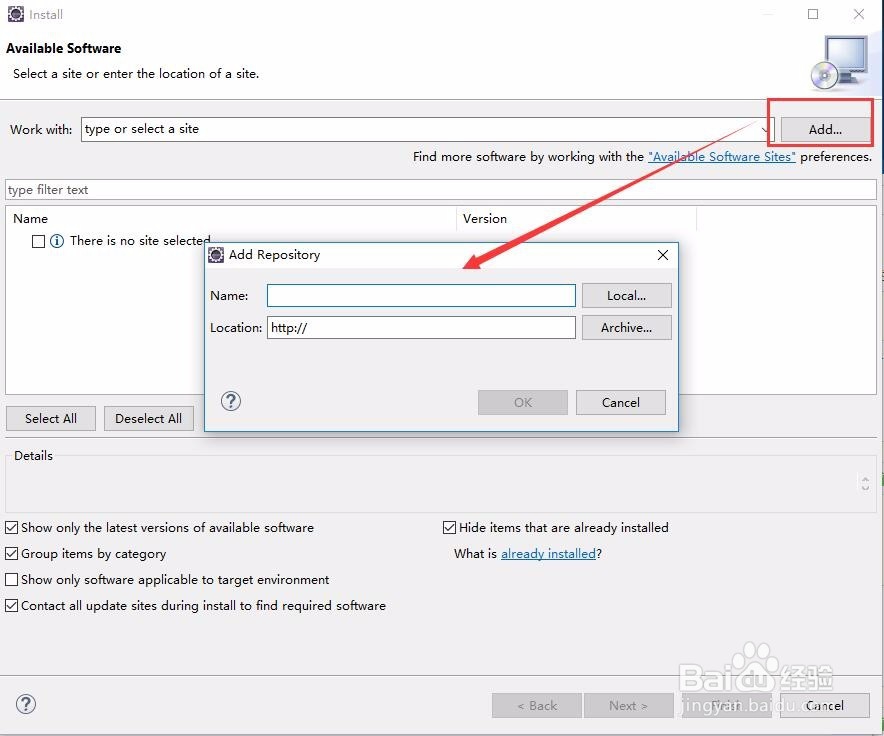
2、点击Add添加Name与地址,EGit----http://download.eclipse.org/egit/updates-4.6  ,如果不行,打开连接http://wiki.eclipse.org/EGit/FAQ#Where_can_I_find_older_releases_of_EGit.3F   查看最新的版本,点击Ok
eclipse安装git插件

eclipse安装git插件

eclipse安装git插件

3、点击Select All,然后一路点击Next.

eclipse安装git插件

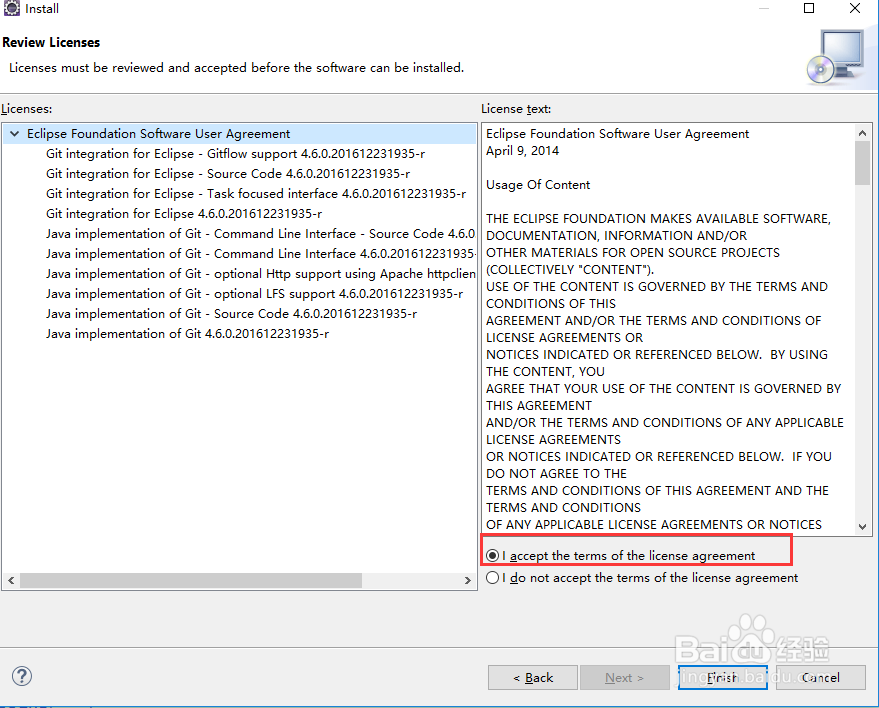
4、勾选accept接受

eclipse安装git插件

eclipse安装git插件

5、最后安装完之后进行重启eclipse即可

eclipse安装git插件

  • 阅读量:98
  • 阅读量:114
  • 阅读量:186
  • 阅读量:49
  • 阅读量:143
  • 热门搜索
    尼泊尔旅游要多少钱 中山旅游攻略 广西阳朔旅游攻略 去澳门旅游注意事项 江苏有哪些旅游景点 江西户外旅游网 连南旅游 浙江磐安旅游 江门飞扬旅游官网 旅游科学