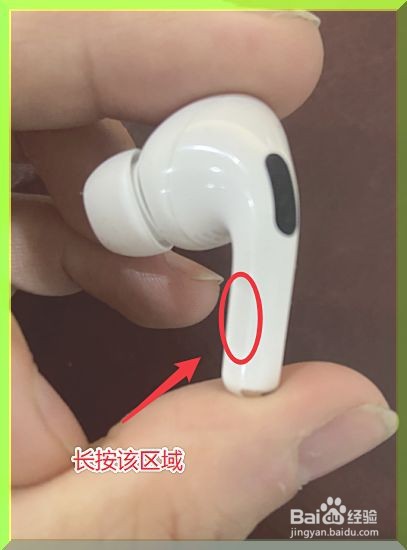
1、在佩戴AirPods Pro时,可以长按左侧的区域,长按3秒左右,即可在通透模式和降噪模式间切换。
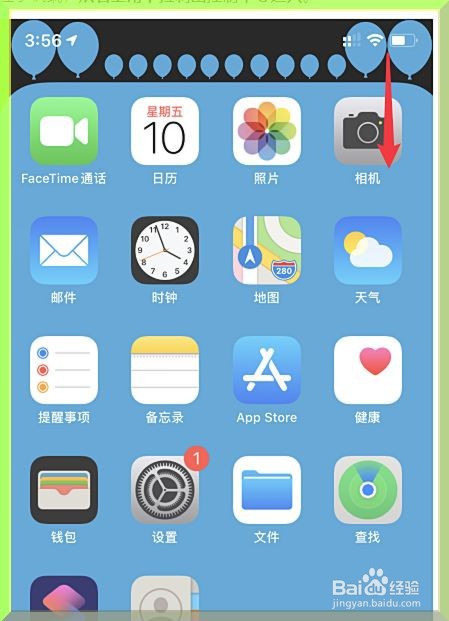
2、进入手机,然后从右上角下拉调出控制中心进入。
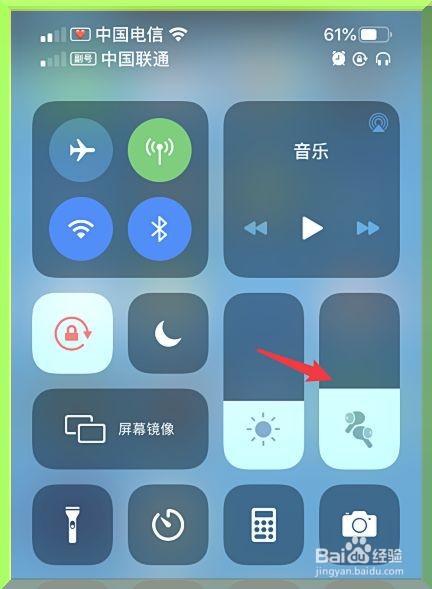
3、如图,此时调出后,长按AirPods Pro的区域。
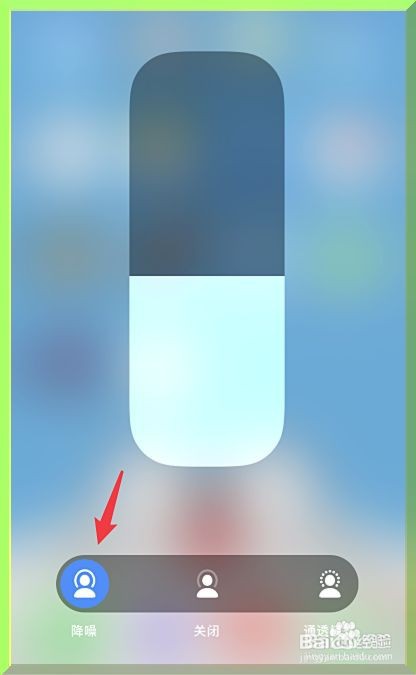
4、当我们长按后,点击左侧的降噪图标。

5、点击后,即可开启AirPods Pro的降噪模式。
时间:2026-04-22 10:59:15
1、在佩戴AirPods Pro时,可以长按左侧的区域,长按3秒左右,即可在通透模式和降噪模式间切换。
2、进入手机,然后从右上角下拉调出控制中心进入。
3、如图,此时调出后,长按AirPods Pro的区域。
4、当我们长按后,点击左侧的降噪图标。
5、点击后,即可开启AirPods Pro的降噪模式。
