PSPad editor怎么开启全部关闭前确认对话框

 时间:2026-02-11 22:35:31

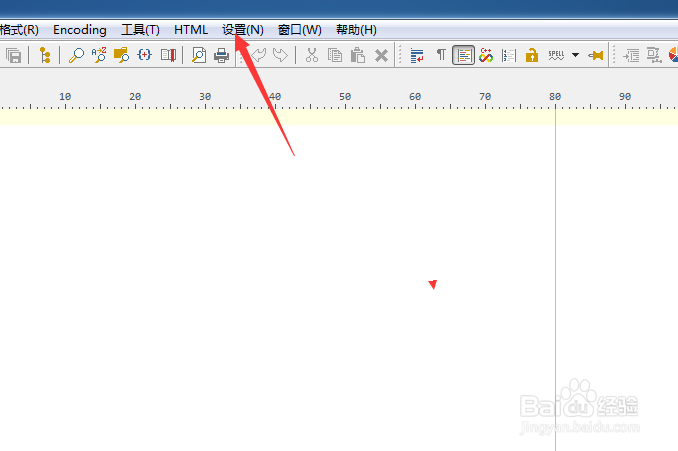
1、点击菜单中的设置菜单

PSPad editor怎么开启全部关闭前确认对话框

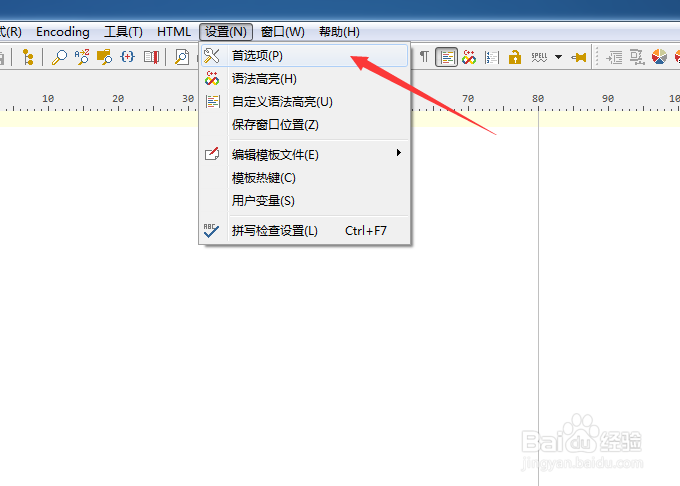
2、弹出了下拉菜单选中为首选项

PSPad editor怎么开启全部关闭前确认对话框

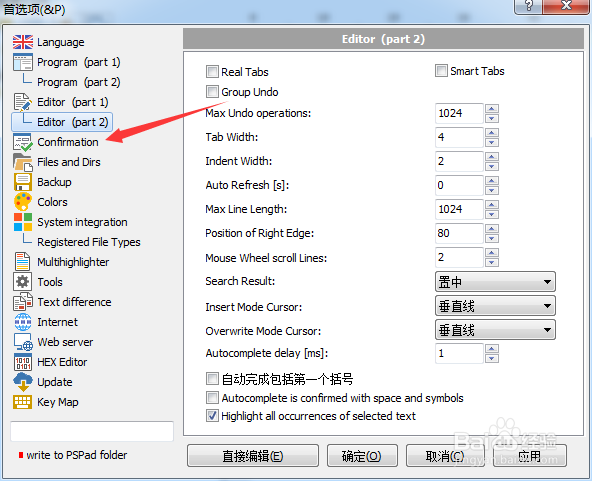
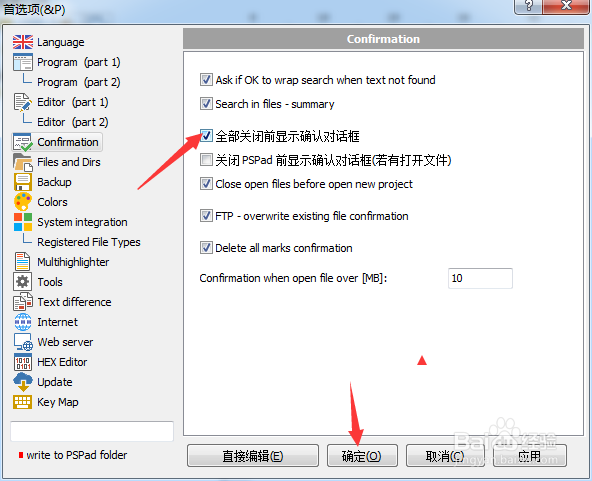
3、点击左侧中confirmation选项

PSPad editor怎么开启全部关闭前确认对话框

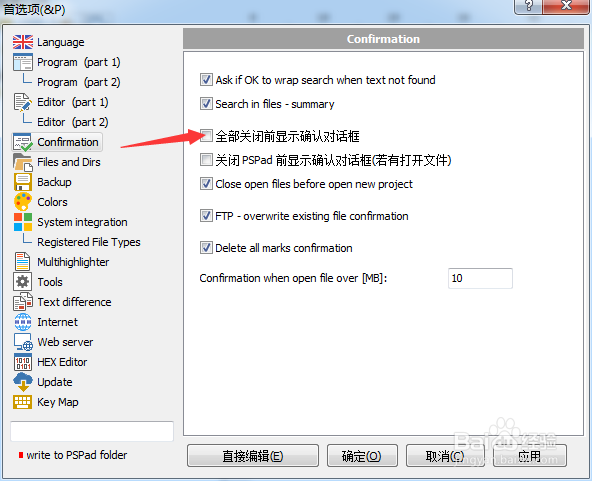
4、勾选上全部关闭前确认对话框选项

PSPad editor怎么开启全部关闭前确认对话框

5、勾选上全部关闭前确认对话框选项之后,点击确定

PSPad editor怎么开启全部关闭前确认对话框

  • PSPad editor怎么关闭显示启动屏幕
  • PSPad editor怎么关闭循环浏览书签
  • PSPad editor怎么开启删除所有确认标记
  • PSPad editor怎么工具栏图标集为pspad
  • PSPad editor怎么关闭在菜单中显示图标
  • 热门搜索
    香港旅游购物 南方旅游城市 连江旅游景点大全 银川旅游团 广东旅游胜地 广东国际旅游文化节 清徐旅游 金华旅游团 两天一夜旅游景点 国内旅游景点介绍