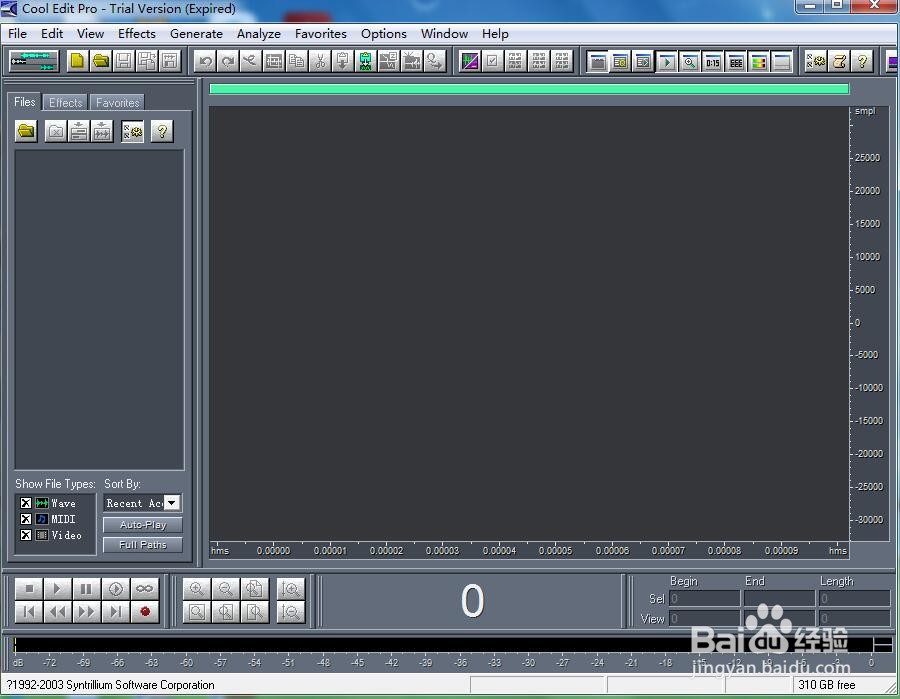
1、打开cool edit pro ,进入软件的主界面;
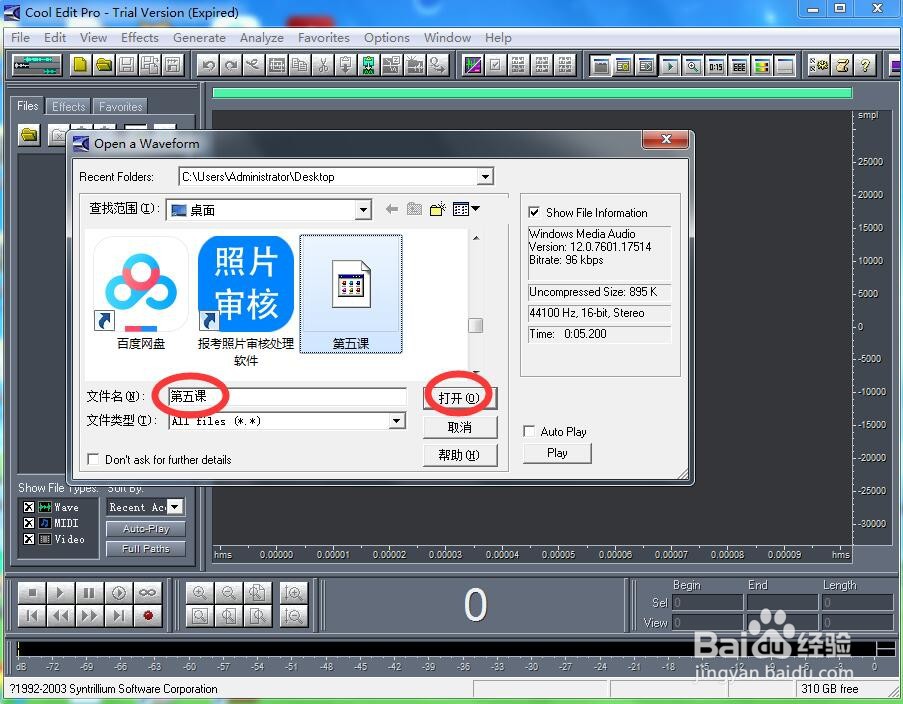
2、按ctrl+o,选中录制好的声音文件,按打开;
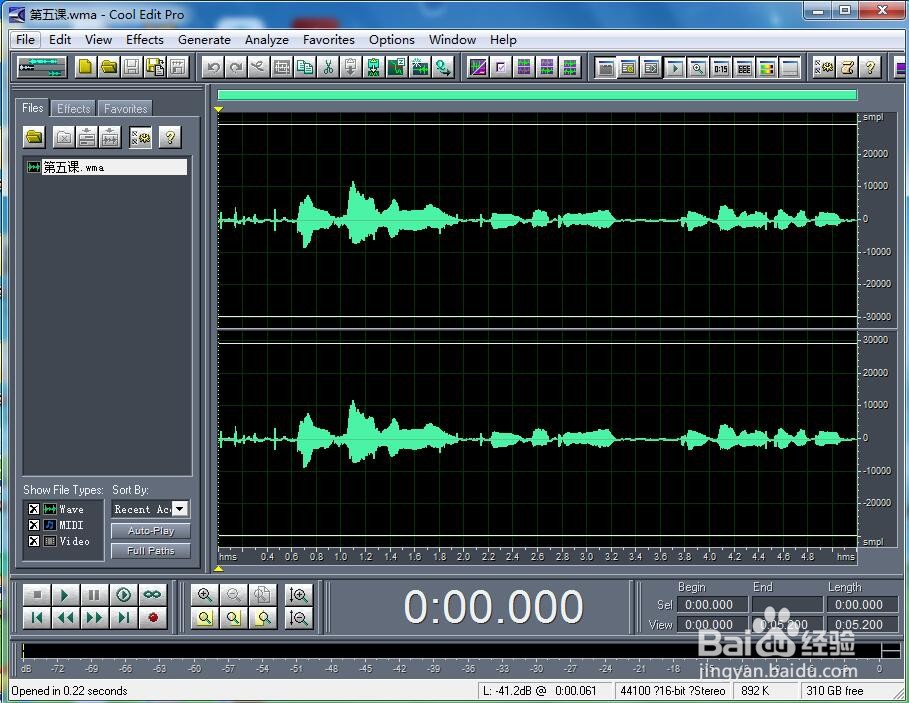
3、将声音导入到cool edit pro中;
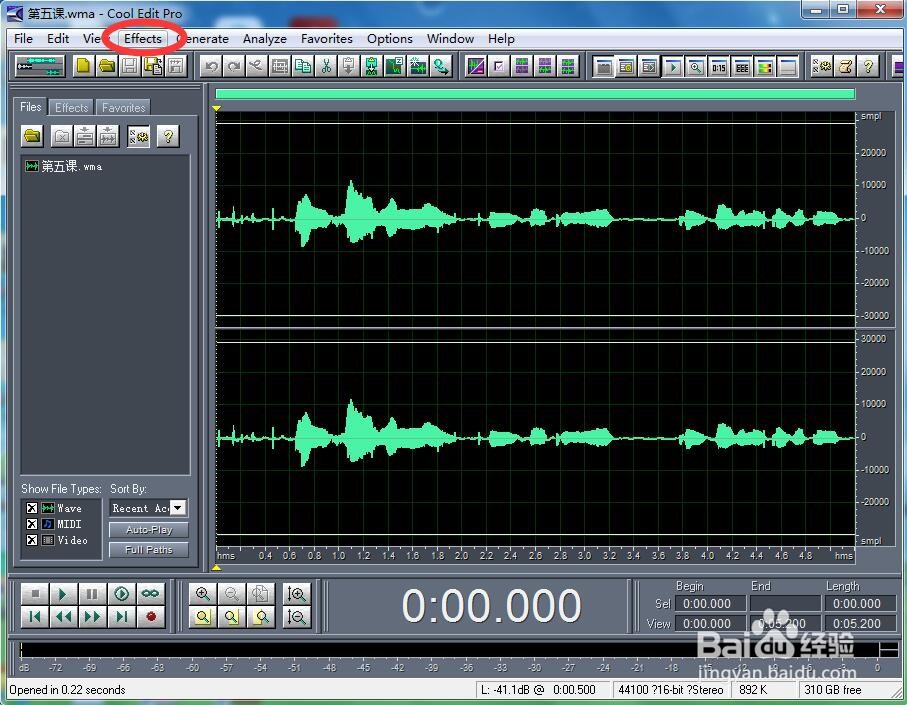
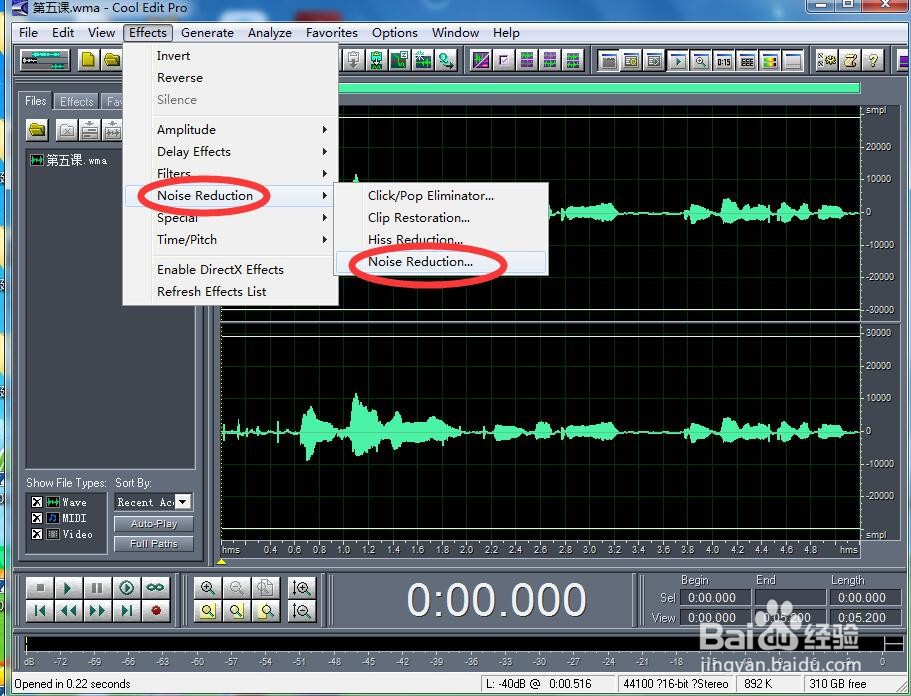
4、点击效果菜单;
5、选择降噪下的降低噪声;
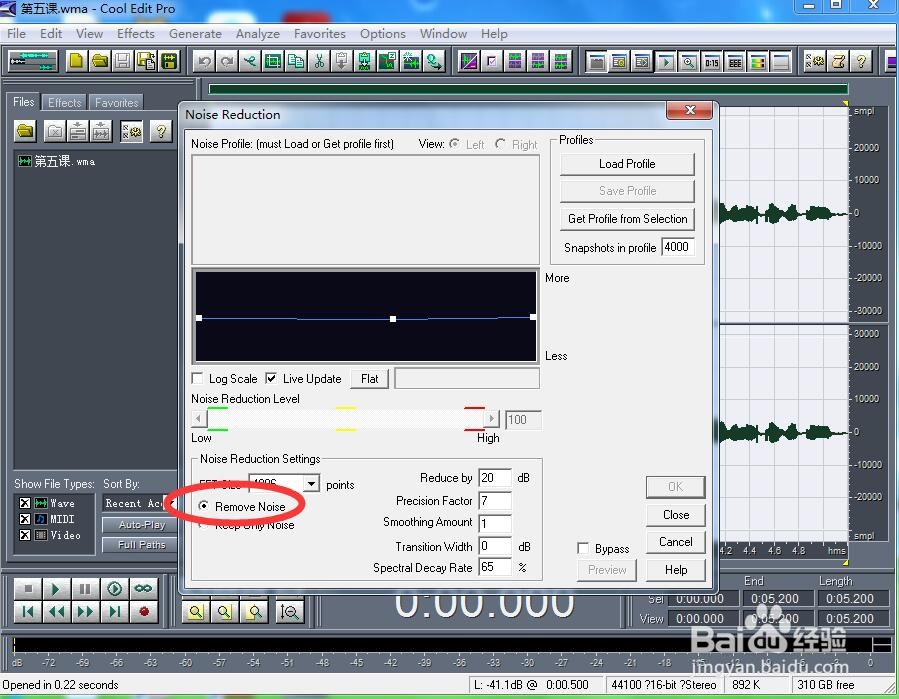
6、选择去除噪声,按ok;
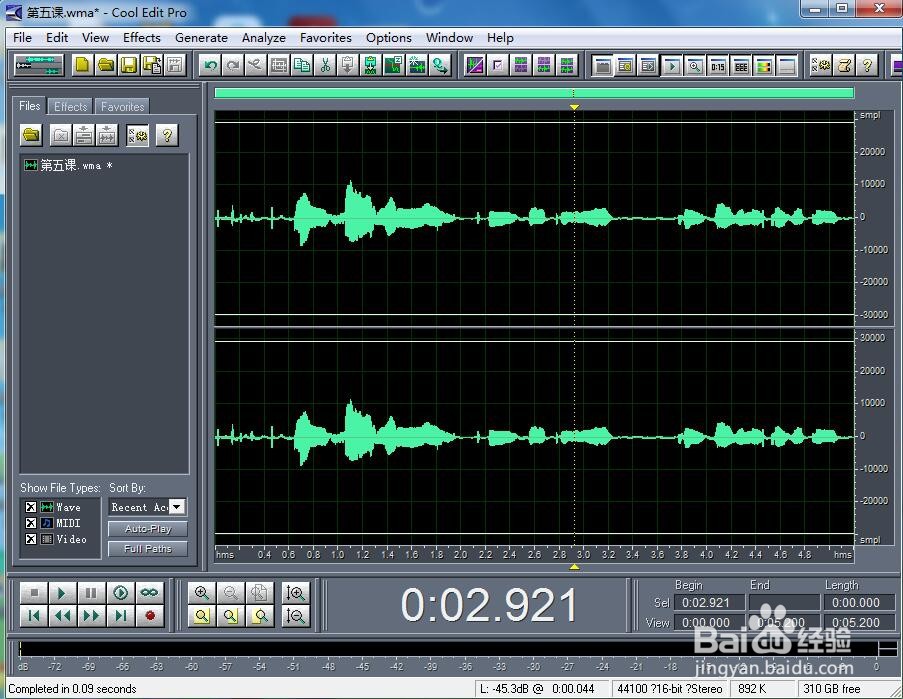
7、我们就给声音进行了降噪处理。
时间:2026-04-23 10:45:19
1、打开cool edit pro ,进入软件的主界面;
2、按ctrl+o,选中录制好的声音文件,按打开;
3、将声音导入到cool edit pro中;
4、点击效果菜单;
5、选择降噪下的降低噪声;
6、选择去除噪声,按ok;
7、我们就给声音进行了降噪处理。
