1、在Manjaro桌面上点左上角的whisker菜单按钮。

2、打开whisker菜单后点【设置】按钮。

3、在【设置】窗口,单击【鼠标和触摸板】。

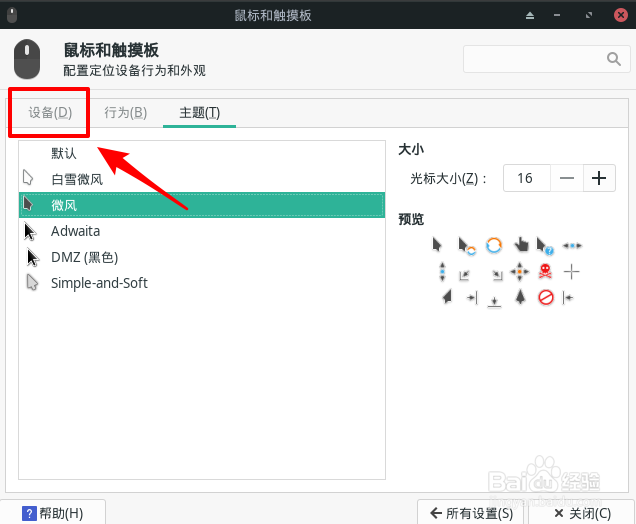
4、在【鼠标和触摸板】中,切换到【设备】选项卡。
5、找到【光标速度】。
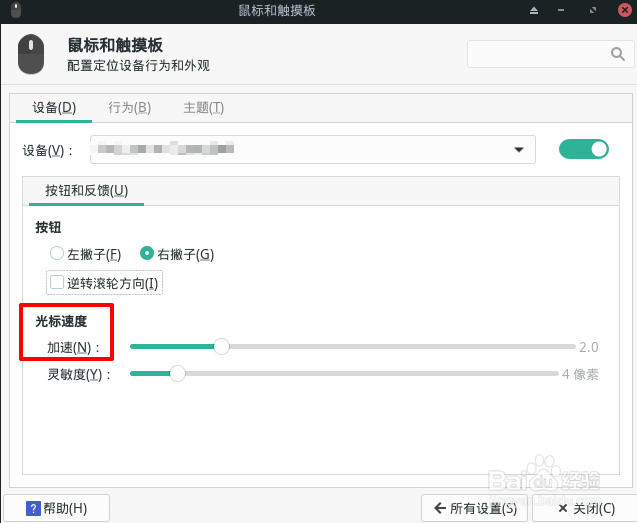
6、用鼠标拖动滑块设置光标速度。

时间:2026-05-03 11:44:54
1、在Manjaro桌面上点左上角的whisker菜单按钮。
2、打开whisker菜单后点【设置】按钮。
3、在【设置】窗口,单击【鼠标和触摸板】。
4、在【鼠标和触摸板】中,切换到【设备】选项卡。
5、找到【光标速度】。
6、用鼠标拖动滑块设置光标速度。
