PotPlayer怎么设置不使用平滑滤镜

 时间:2026-02-15 16:28:18

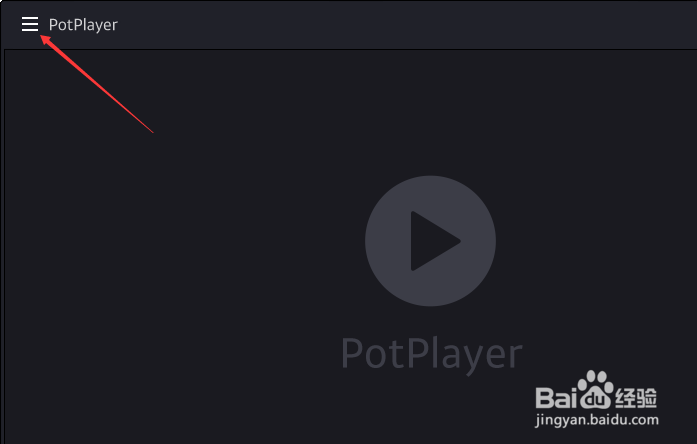
1、点击左上角中更多选项

PotPlayer怎么设置不使用平滑滤镜

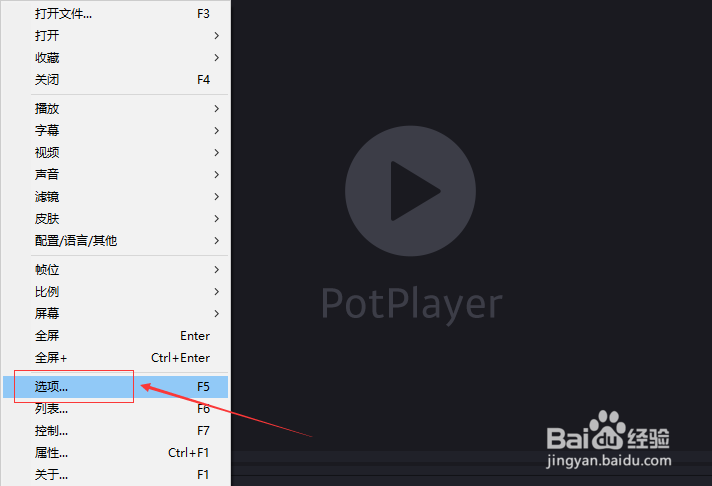
2、弹出了下拉菜单选中选项

PotPlayer怎么设置不使用平滑滤镜

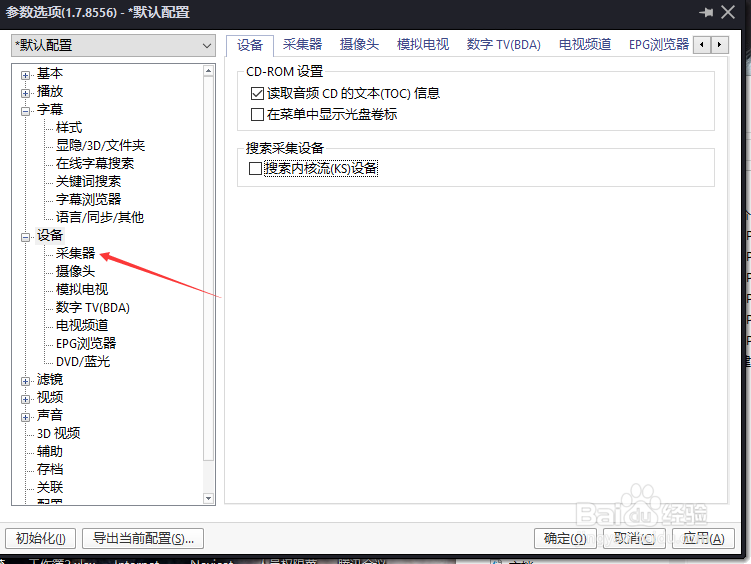
3、点击左侧中的采集器选项

PotPlayer怎么设置不使用平滑滤镜

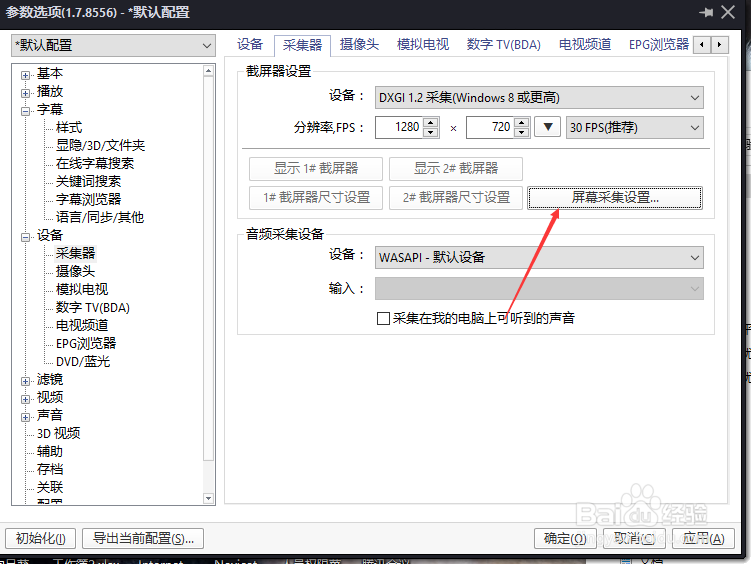
4、点击屏幕采集设置按钮

PotPlayer怎么设置不使用平滑滤镜

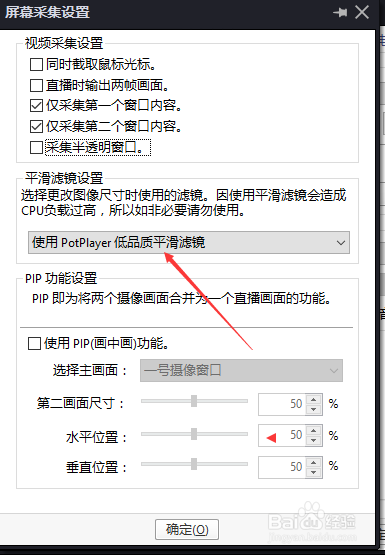
5、点击平滑滤镜设置选项

PotPlayer怎么设置不使用平滑滤镜

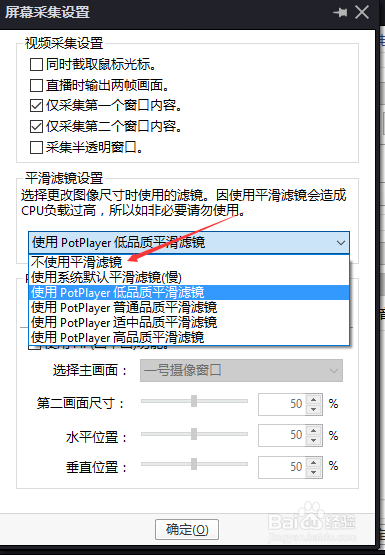
6、弹出了下拉菜单选中不使用平滑滤镜选项

PotPlayer怎么设置不使用平滑滤镜

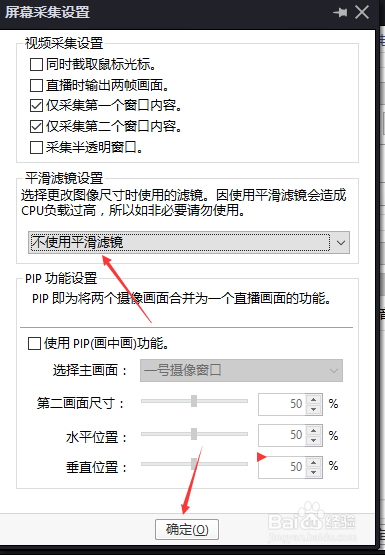
7、选中不使用平滑滤镜选项之后,点击确定

PotPlayer怎么设置不使用平滑滤镜

  • PotPlayer反交错设置怎么使用为不使用
  • PotPlayer怎么不使用时间跳移功能
  • PotPlayer怎么不使用新的连接方式
  • PotPlayer怎么设置显示文件名
  • PotPlayer怎么不使用Microsoft默认调谐器
  • 热门搜索
    辽宁周边旅游景点大全 旅游计划ppt 北京凯撒旅游官网 海南旅游景点介绍 螺髻山旅游攻略 临潼旅游 日本旅游购物 蒙特利尔旅游 毕棚沟旅游 欣欣旅游网首页