1、打开nvidiaInspector,点击Show Overclocking;
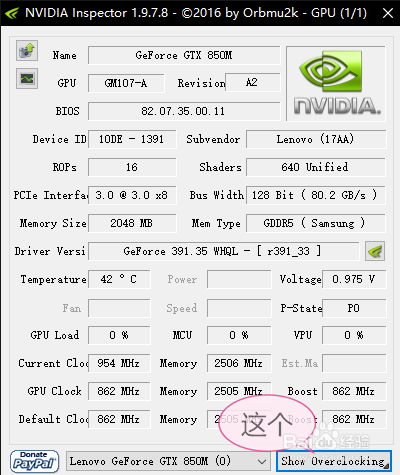
2、会有个关键操作提示,点击是就好;

3、接下来照着图片步骤操作就行;
这里解释一下:算了字数太多不想打了。。
看下面百科吧
https://baike.baidu.com/item/NvidaInspector/5063262?fr=aladdin

4、只是设置一次是不能保证Current Clock不会超过Default Clock,所以打两把记得切出来看一下,超了就再点一下Apply Clocks就行
时间:2026-04-23 06:08:09
1、打开nvidiaInspector,点击Show Overclocking;
2、会有个关键操作提示,点击是就好;
3、接下来照着图片步骤操作就行;
这里解释一下:算了字数太多不想打了。。
看下面百科吧
https://baike.baidu.com/item/NvidaInspector/5063262?fr=aladdin
4、只是设置一次是不能保证Current Clock不会超过Default Clock,所以打两把记得切出来看一下,超了就再点一下Apply Clocks就行
