1、点击键盘上的windows功能键+r键,打开“运行”窗口,如下图所示:

2、在运行的输入框中,输入Services.msc,点击回车

3、打开服务窗口,找到服务Shell Hardware Detection(为自动播放硬件事件提供通知)

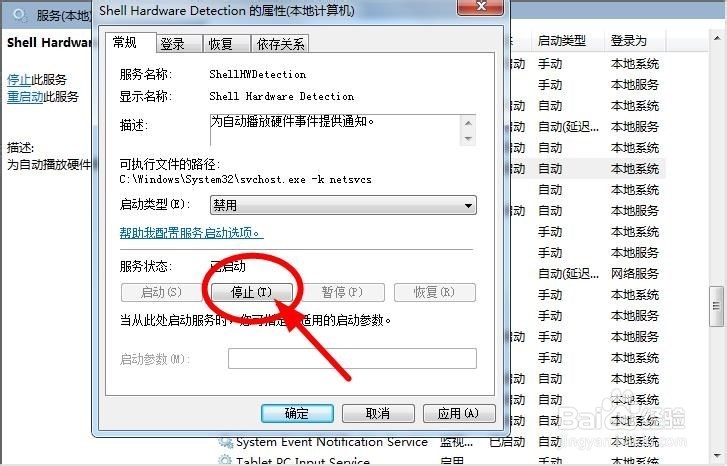
4、双击此服务Shell Hardware Detection,弹出服务Shell Hardware Detection的选项窗口
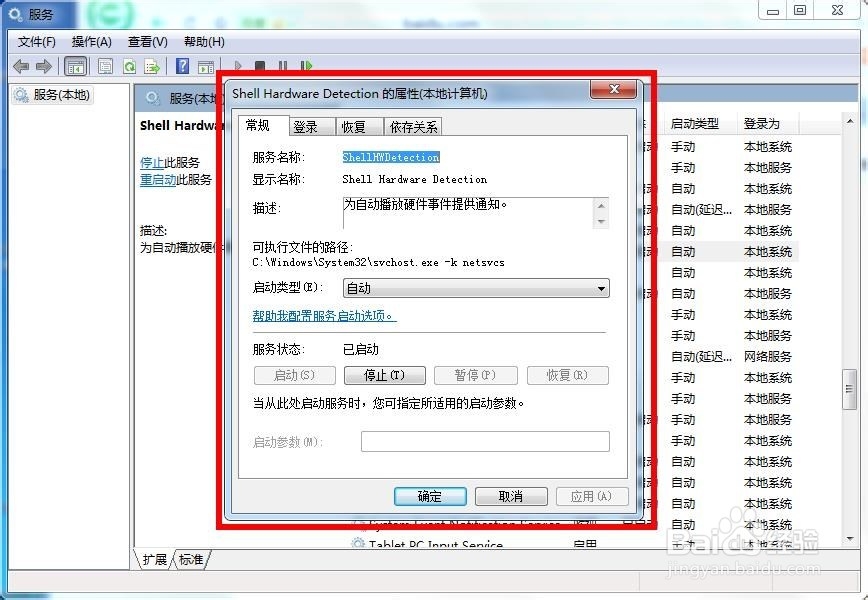
5、在服务Shell Hardware Detection的选项窗口上将“启动类型”设置为“禁用” 如图所示

6、在服务Shell Hardware Detection的选项窗口上单击下方“停止”按钮,将在服务Shell Hardware Detection停止运行,重新启动电脑即可