1、打开Visual Studio,新建一个控轿关炼制台应独愁用程序。打开“解决方案资源管理器”,鼠标右键点击“引用”,“管理NuGet包”:

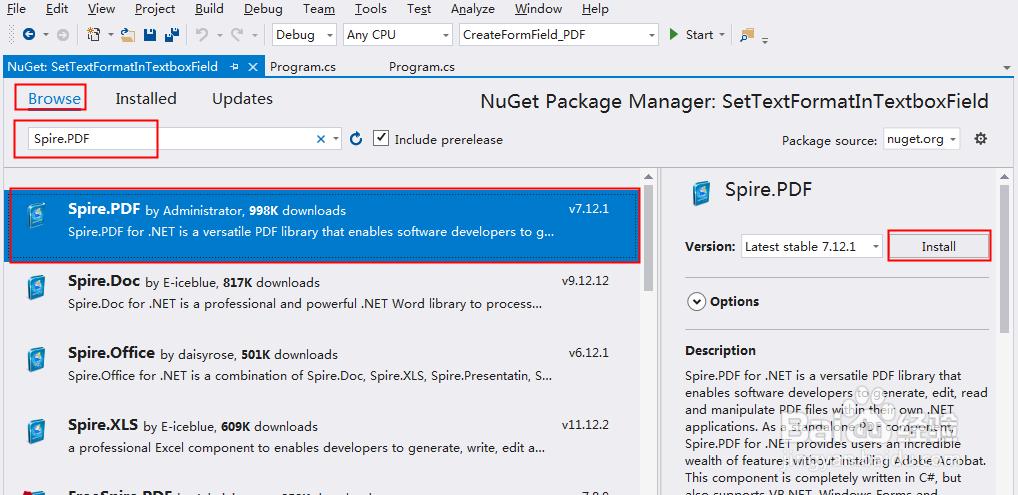
2、选择“浏览”-在搜索框中输入“Spire.PDF”,选择搜索结果,点击“安装”:
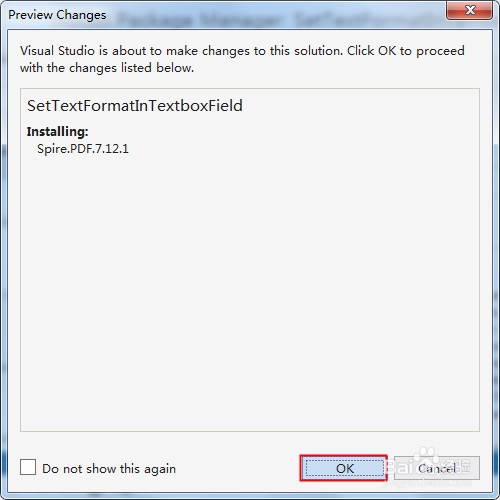
3、点击“ok”,等待程序安装完成。特牢
1、using Spire.Pdf;
using Spire.Pdf.Actions;
using Spire.Pdf.Fields;
using System.Drawing;
namespace SetTextFormatInTextboxField
{
class Program
{
static void Main(string[] args)
{
//新建PDF文档,并添加空白页
PdfDocument pdf = new PdfDocument();
PdfPageBase page = pdf.Pages.Add();
//定义坐标变量
float X = 10;
float Y = 10;
float width = 100;
float height = 20;
//实例化一个文本域对象,并设置它的位置和边框样式
PdfTextBoxField textbox = new PdfTextBoxField(page, "Number-TextBox");
textbox.Bounds = new RectangleF(X, Y, width, height);
textbox.BorderWidth = 0.75f;
textbox.BorderStyle = PdfBorderStyle.Solid;
//给文本域的键盘击键事件设置一个JavaScript动作用于验证输入内容是否符合要求
string js = PdfJavaScript.GetNumberKeystrokeString(2, 0, 0, 0, "$", true);
PdfJavaScriptAction jsAction = new PdfJavaScriptAction(js);
textbox.Actions.KeyPressed = jsAction;
//设置文本域内容显示为数字货币
js = PdfJavaScript.GetNumberFormatString(2, 0, 0, 0, "$", true);
jsAction = new PdfJavaScriptAction(js);
textbox.Actions.Format = jsAction;
//添加文本域到PDF中,并保存文档
pdf.Form.Fields.Add(textbox);
//添加文本框,设置文本内容显示为日期格式
PdfTextBoxField textbox1 = new PdfTextBoxField(page, "DateFormat-TextBox");
textbox1.Bounds = new RectangleF(X+200, Y, width, height);
textbox1.BorderWidth = 0.75f;
textbox1.BorderStyle = PdfBorderStyle.Solid;
string js1 = PdfJavaScript.GetDateKeystrokeString("mm/dd/yyyy");
PdfJavaScriptAction jsAction1 = new PdfJavaScriptAction(js1);
textbox1.Actions.KeyPressed = jsAction1;
js1 = PdfJavaScript.GetDateFormatString("mm/dd/yyyy");
jsAction1 = new PdfJavaScriptAction(js1);
textbox1.Actions.Format = jsAction1;
pdf.Form.Fields.Add(textbox1);
//添加文本框,设置文本内容显示为邮政编码格式
PdfTextBoxField textbox2 = new PdfTextBoxField(page, "SpecialFormat0-1-TextBox");
textbox2.Bounds = new RectangleF(X + 400, Y, width, height);
textbox2.BorderWidth = 0.75f;
textbox2.BorderStyle = PdfBorderStyle.Solid;
//string js2 = PdfJavaScript.GetSpecialKeystrokeString(0);
string js2 = PdfJavaScript.GetSpecialKeystrokeString(1);
PdfJavaScriptAction jsAction2 = new PdfJavaScriptAction(js2);
textbox2.Actions.KeyPressed = jsAction2;
//js2 = PdfJavaScript.GetSpecialFormatString(0);
js2 = PdfJavaScript.GetSpecialFormatString(1);
jsAction2 = new PdfJavaScriptAction(js2);
textbox2.Actions.Format = jsAction2;
pdf.Form.Fields.Add(textbox2);
//添加文本框,设置文本内容显示为百分数
PdfTextBoxField textbox3 = new PdfTextBoxField(page, "SpecialFormat2-TextBox");
textbox3.Bounds = new RectangleF(X, Y+50, width, height);
textbox3.BorderWidth = 0.75f;
textbox3.BorderStyle = PdfBorderStyle.Solid;
string js3 = PdfJavaScript.GetPercentKeystrokeString(1,0);
PdfJavaScriptAction jsAction3 = new PdfJavaScriptAction(js3);
textbox3.Actions.KeyPressed = jsAction3;
js3 = PdfJavaScript.GetPercentFormatString(1, 0);
jsAction3 = new PdfJavaScriptAction(js3);
textbox3.Actions.Format = jsAction3;
pdf.Form.Fields.Add(textbox3);
//添加文本框,设置数据验证
PdfTextBoxField textbox4 = new PdfTextBoxField(page, "RangeValidate-TextBox");
textbox4.Bounds = new RectangleF(X+200, Y + 50, width, height);
textbox4.BorderWidth = 0.75f;
textbox4.BorderStyle = PdfBorderStyle.Solid;
string js4 = PdfJavaScript.GetRangeValidateString(true, -18, true, 18);
PdfJavaScriptAction jsAction4 = new PdfJavaScriptAction(js4);
textbox4.Actions.Format = jsAction4;
pdf.Form.Fields.Add(textbox4);
//保存文档
pdf.SaveToFile("FormatField.pdf", FileFormat.PDF);
}
}
}
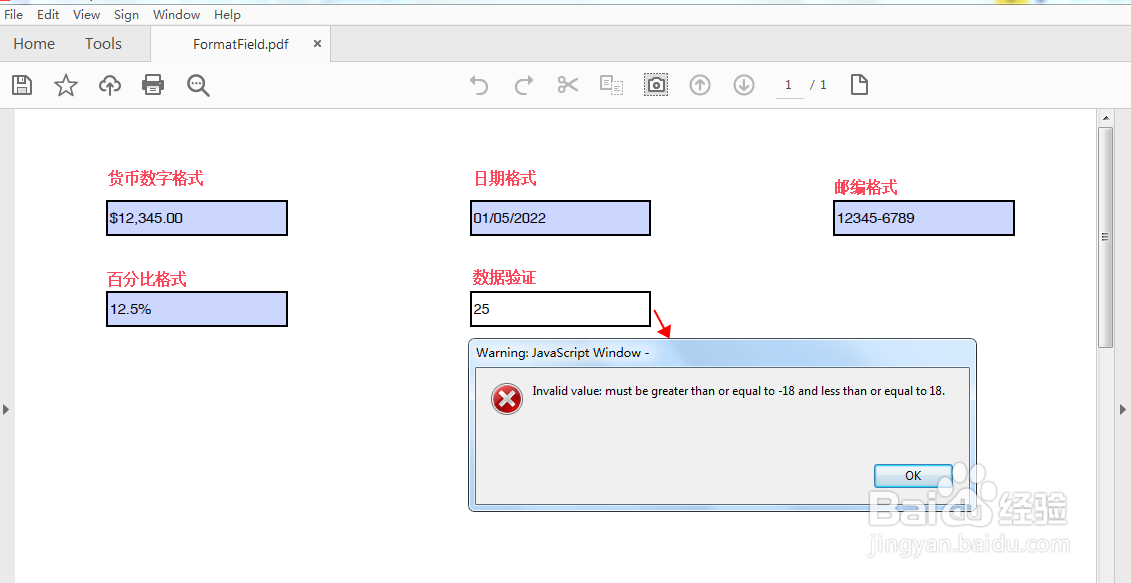
2、执行程序,生成PDF文档。设置后的文本框域填写效果如图: