PSPad editor怎么关闭保存最近的文件列表

 时间:2026-02-12 12:24:36

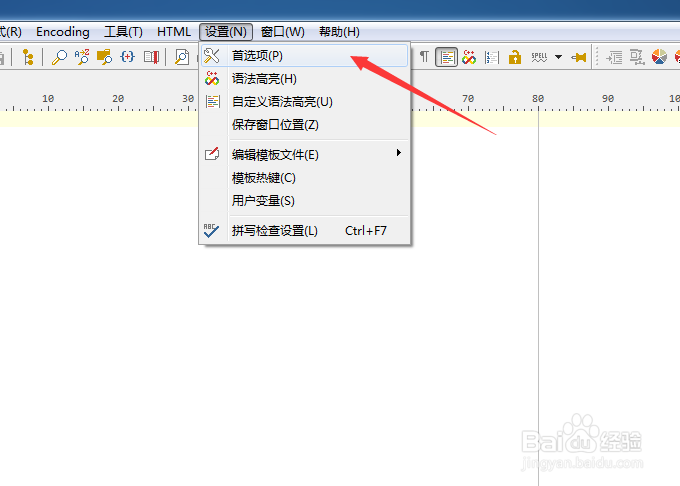
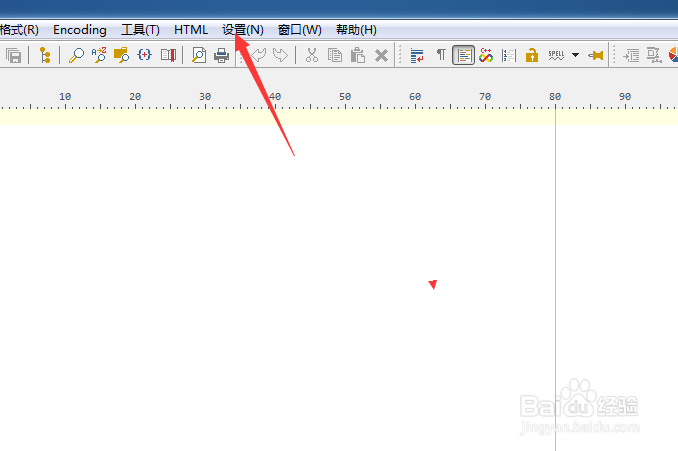
1、点击菜单中的设置菜单

PSPad editor怎么关闭保存最近的文件列表

2、弹出了下拉菜单选中为首选项

PSPad editor怎么关闭保存最近的文件列表

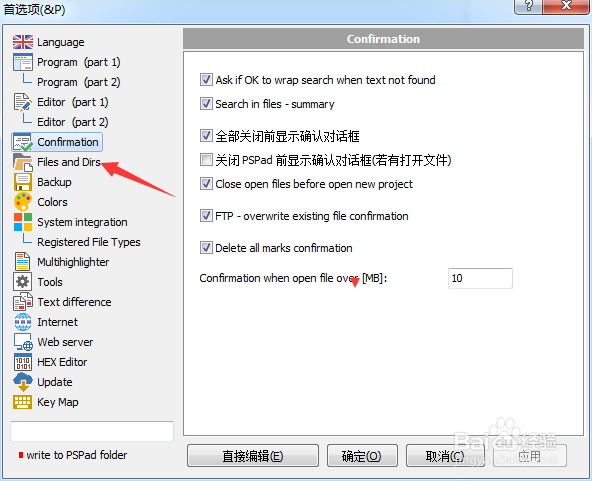
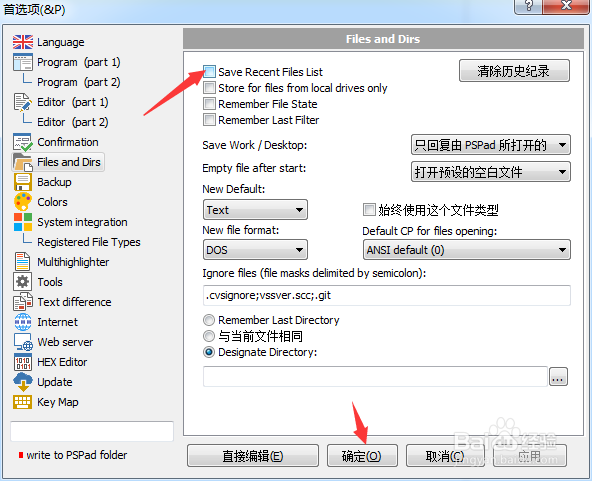
3、点击左侧中files and dirs选项

PSPad editor怎么关闭保存最近的文件列表

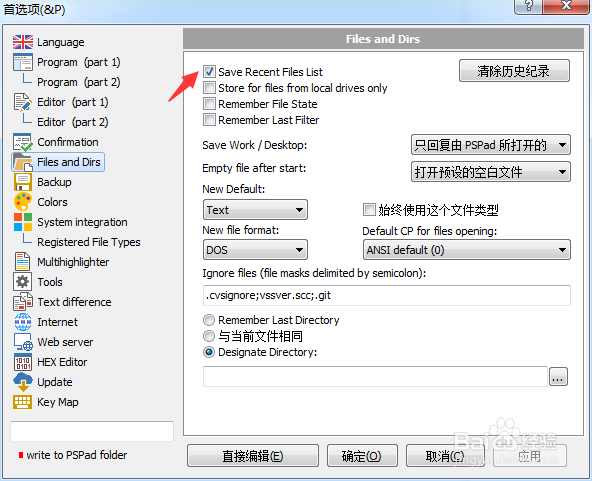
4、去掉勾选上save recent file list选项

PSPad editor怎么关闭保存最近的文件列表

5、去掉勾选上save recent file list选项之后,点击确定
PSPad editor怎么关闭保存最近的文件列表

  • PSPad editor怎么关闭后台编译
  • PSPad editor怎么关闭在菜单中显示图标
  • PSPad editor怎么关闭pspad前显示确认对话框
  • PSPad editor怎么关闭自动保存窗口位置
  • PSPad editor怎么关闭集成脚本支持
  • 热门搜索
    欣欣旅游网首页 大学生旅游网 江苏有哪些旅游景点 广西龙脊梯田旅游攻略 旅游结婚具体流程 沈阳到三亚旅游团 去迪拜旅游注意事项 旅游广告宣传语 昆明旅游线路 永泰云顶旅游攻略