1、Fog:
Fog is the effect of overlaying a color onto objects dependant on the distance from the camera. This is used to simulate fog or mist in outdoor environments and is also typically used to hide clipping of objects when a camera’s far clip plane has been moved forward for performance.
The Fog effect creates a screen-space fog based on the camera’s depth texture. It supports Linear, Exponential and Exponential Squared fog types. Fog settings should be set in the Scene tab of the Lighting window.
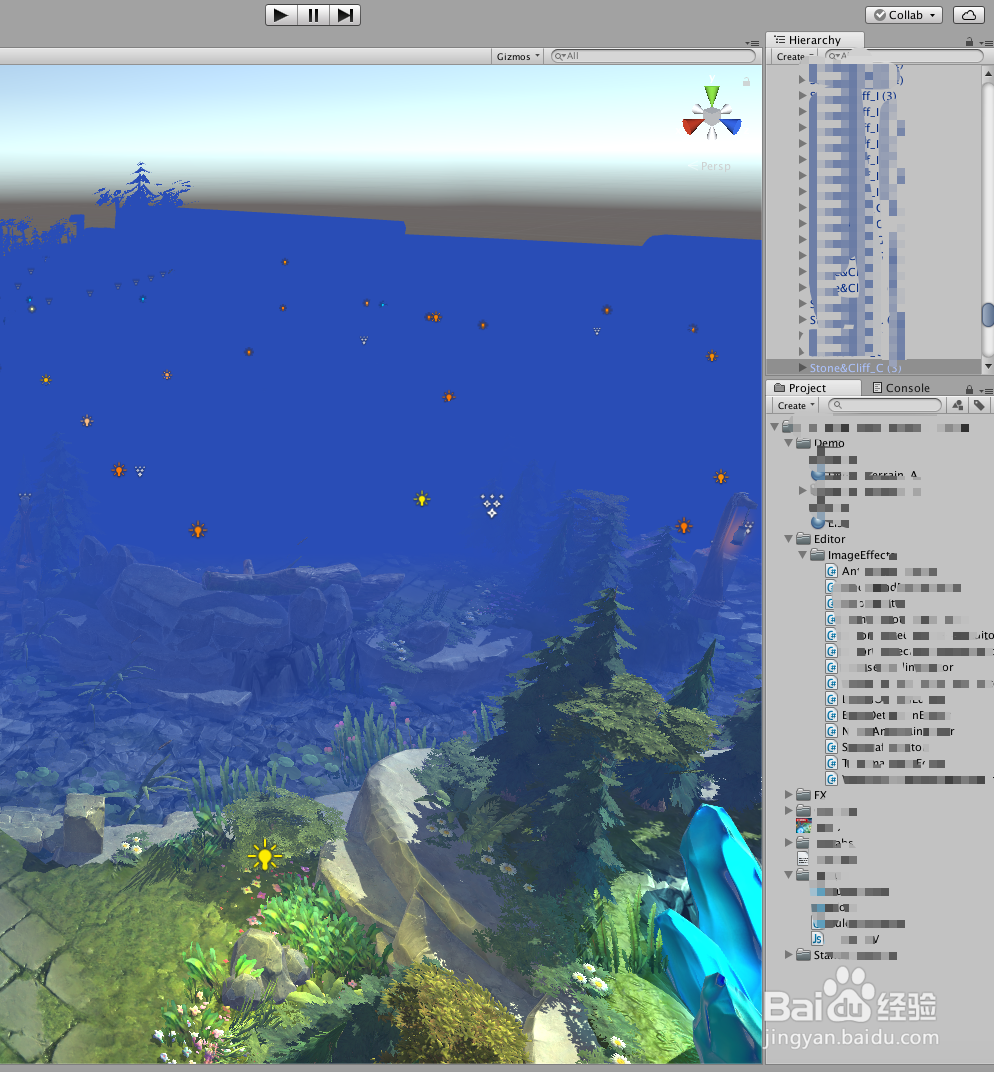
1、打开Unity,导入资源,明显的雾(Fog)效果,影响了视角观察,具体如下图
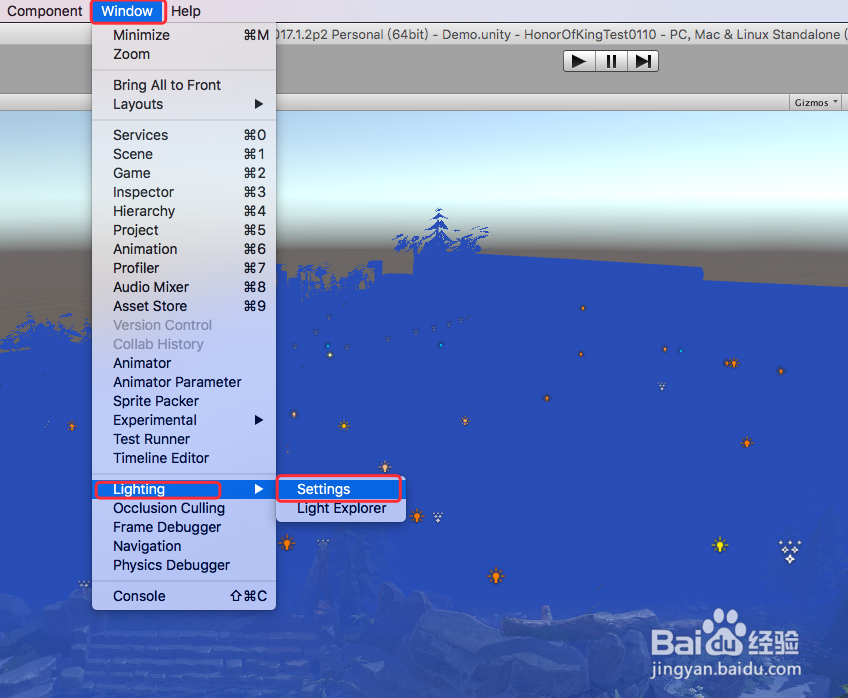
2、在Unity顶部菜单栏选中“Window”,展开下拉菜单,具体如下图

3、在“Window”下拉菜单中,找到“Lighting”-"Settings",具体如下图
4、弹出的“Lighting”选项框中,在“Scene”面板里,向下滑动界面,找到“Other Settings”一栏,即可看到“Fog”,具体如下图
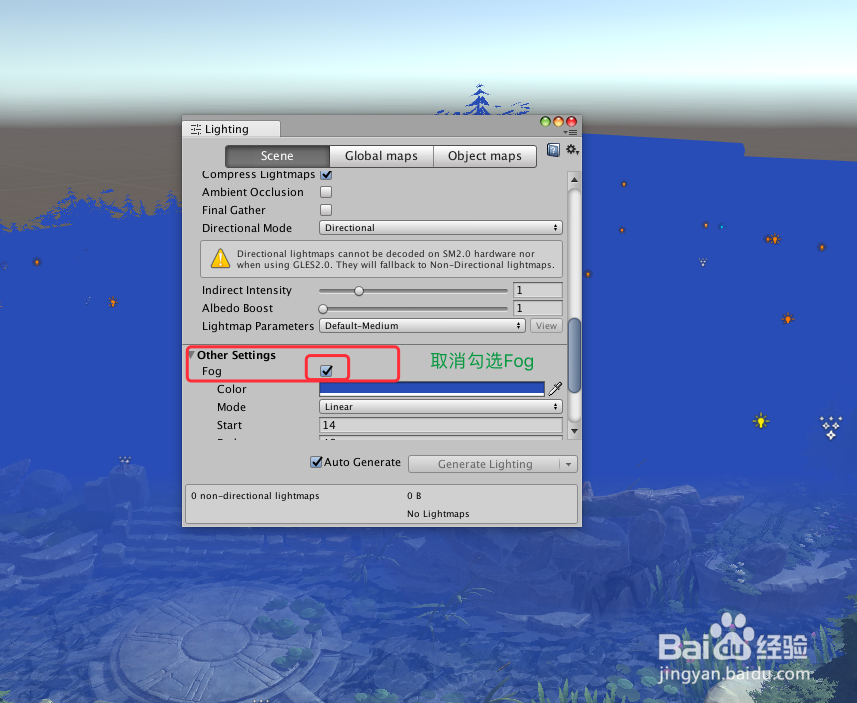
5、取消勾选“Fog”后面的勾选框,即可看到界面的雾效果消失了,世界感觉霎时清净了,效果具体如下图

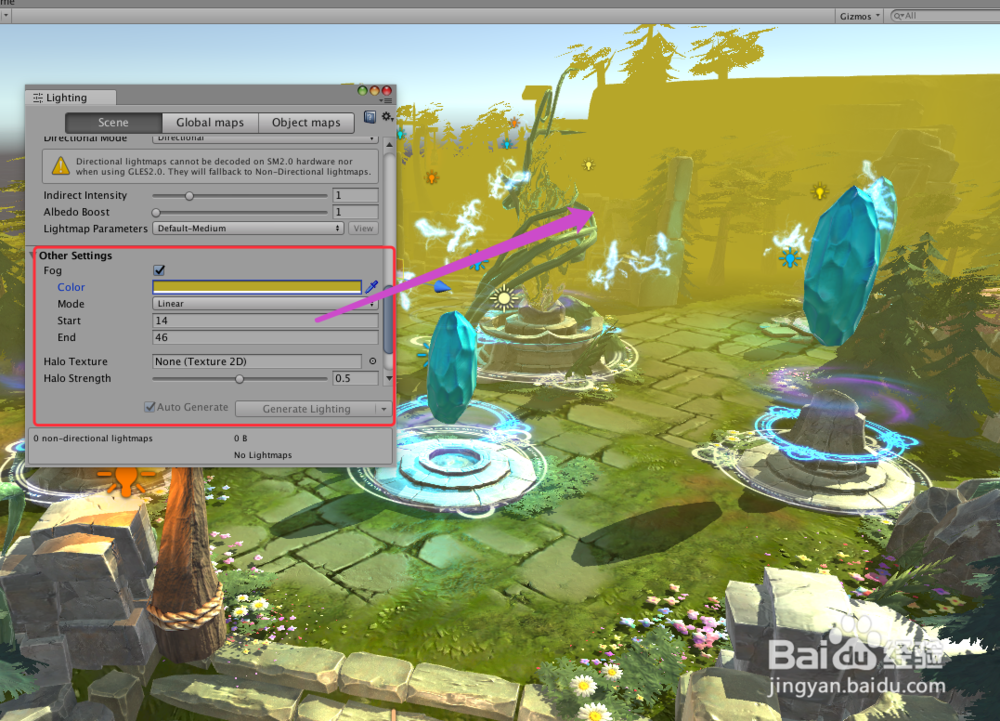
6、当然,设置雾,即是勾选上“Fog”后面的勾选框,再在下面的设置里面简单设置,即可设置雾的效果,具体如下图
7、到此,《Unity 使用技巧 之 如何关闭开启的场景的雾效果》讲解结束,谢谢
