GoodNotes怎么关闭使用iCloud

 时间:2026-04-21 15:49:46

1、打开GoodNotes首页,在右上角点开设置

GoodNotes怎么关闭使用iCloud

2、然后在页面上方点开设置

GoodNotes怎么关闭使用iCloud

3、在设置页面里点开iCloud设置

GoodNotes怎么关闭使用iCloud

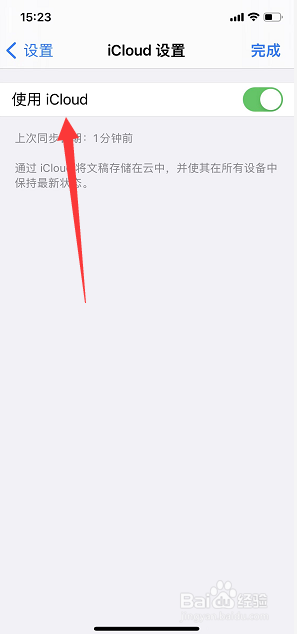
4、打开后在页面上方看到使用iCloud开关

GoodNotes怎么关闭使用iCloud

5、最后将使用iCloud关闭即可

GoodNotes怎么关闭使用iCloud

  • goodnotes如何使用套索工具?
  • goodnotes如何添加加便签
  • goodnotes如何导入文件?
  • GoodNotes怎么开启拖动添加页面?
  • 如何将GoodNotes上传到iCloud
  • 热门搜索
    旅游游记 海边旅游景点排行 鹤壁旅游 中国十大必去旅游城市 百度旅游攻略 丽江旅游股票 常州旅游景点 英国旅游攻略 云南丽江旅游景点 斯里兰卡旅游