1、进入电脑界面后
打开VMware Workstation虚拟机

2、进入VMware Workstation虚拟机界面后
打开Ubuntu

3、进入Ubuntu后
点击左下角的九宫格

4、点击下方的“全部”
往下滑


5、找到并打开“终端”
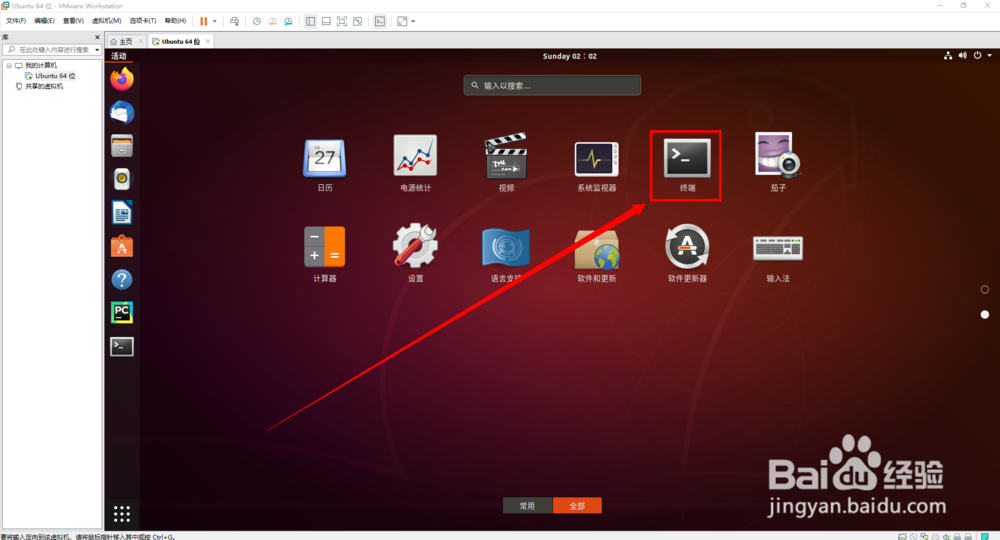
6、在终端中输入“sudo apt install python3-venv”
在安装的期间要输入“Y”,回车


时间:2026-04-28 21:25:49
1、进入电脑界面后
打开VMware Workstation虚拟机
2、进入VMware Workstation虚拟机界面后
打开Ubuntu
3、进入Ubuntu后
点击左下角的九宫格
4、点击下方的“全部”
往下滑
5、找到并打开“终端”
6、在终端中输入“sudo apt install python3-venv”
在安装的期间要输入“Y”,回车
