1、Step1:在Java程序中新建一个文件夹可命名为Lib。并将下载包中的jar文件(如下图)复制到新建的文件夹下。
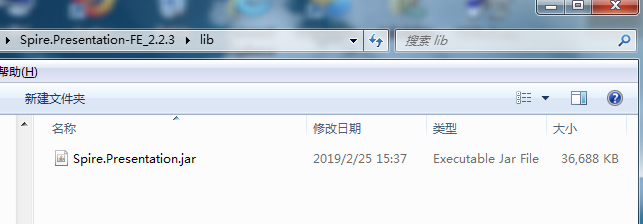
2、Step2:复制文件后,添加到引用类库:选中这个jar文件,点击鼠标右键,选择“Build Path” – “Add to Build Path”。完成引用。

1、测试文档如下:

2、import com.spire.presentation.*;
import com.spire.presentation.drawing.FillFormatType;
import java.awt.geom.Rectangle2D;
public class AddImg_PPT {
public static void main(String[] args) throws Exception {
//创建Presentation实例,并加载需要添加图片的文档
Presentation ppt = new Presentation();
ppt.loadFromFile("test.pptx");
Rectangle2D rect1 = new Rectangle2D.Double(ppt.getSlideSize().getSize().getWidth() / 2 - 180, 140, 400, 220);
Rectangle2D rect2 = new Rectangle2D.Double(ppt.getSlideSize().getSize().getWidth() / 2 - 120, 110, 280, 280);
//获取第一张幻灯片
ISlide slide = ppt.getSlides().get(0);
//插入图片
IEmbedImage image = slide.getShapes().appendEmbedImage(ShapeType.RECTANGLE, "img1.png", rect1);
image.getLine().setFillType(FillFormatType.NONE);
//添加一张新的幻灯片
slide = ppt.getSlides().append();
//插入图片到幻灯片
image = slide.getShapes().appendEmbedImage(ShapeType.RECTANGLE, "img2.png", rect2);
image.getLine().setFillType(FillFormatType.NONE);
//保存文档
ppt.saveToFile("AddImages.pptx", FileFormat.PPTX_2013);
}
}
3、图片添加结果:

