1、下载解压完成运行黑色手柄图标exe程序

2、点击“Open DS4W”

3、点击“finish”

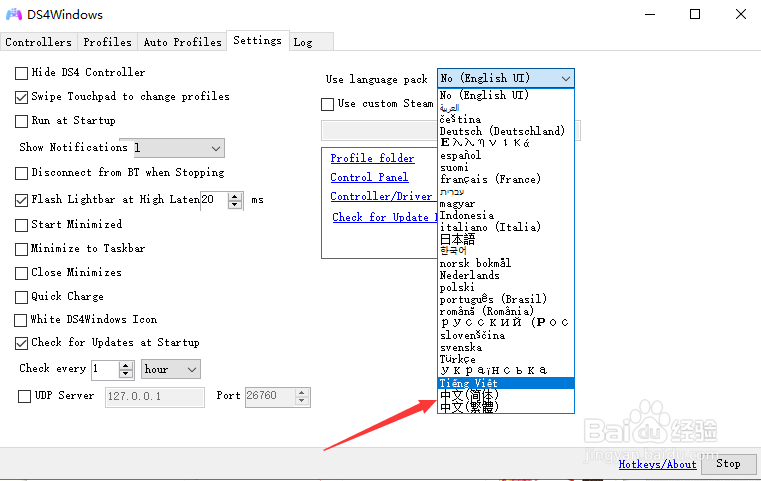
4、点击"settings"

5、点击“Use language pack”

6、下拉框中选择中文简体
7、点击“确定”
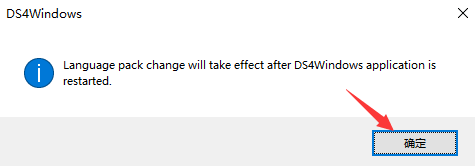
8、关闭重启便设置好了中文用户语言,效果如下

时间:2026-04-23 23:22:48
1、下载解压完成运行黑色手柄图标exe程序
2、点击“Open DS4W”
3、点击“finish”
4、点击"settings"
5、点击“Use language pack”
6、下拉框中选择中文简体
7、点击“确定”
8、关闭重启便设置好了中文用户语言,效果如下
