endnote怎么设置参考文献的第二行缩进一定距离

 时间:2026-02-14 21:12:44

1、打开endnote软件,选择Edit->Output Styles->Open Style Magement。

endnote怎么设置参考文献的第二行缩进一定距离

2、找到目标参考文献格式,双击已打开它。

endnote怎么设置参考文献的第二行缩进一定距离

3、单击layout,更改hanging  indent为all paragraphs,单击右上角的叉号保存退出。

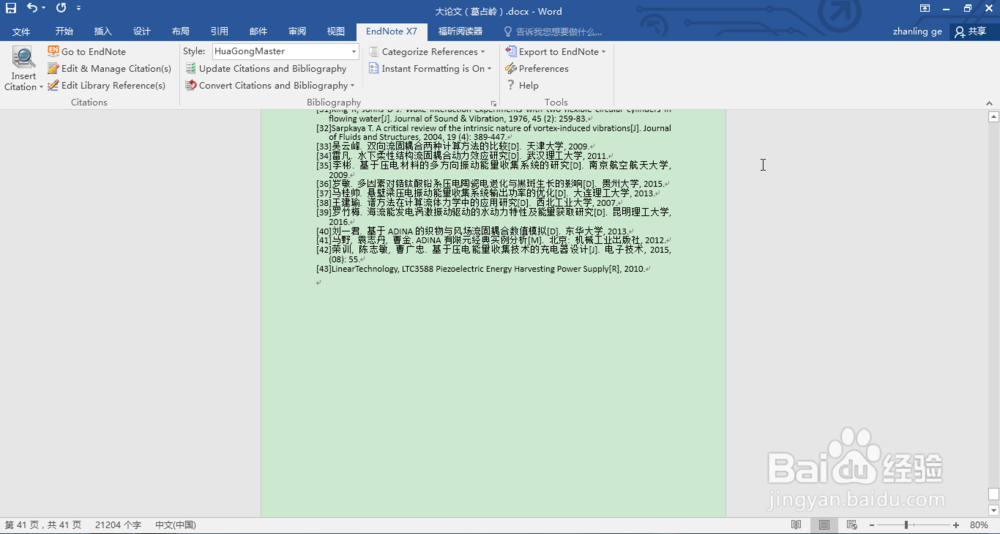
4、打开world2016程序,选择endnote x7,再选择左上角的Edit & Manage Citation(s)。
endnote怎么设置参考文献的第二行缩进一定距离

5、选择左下角tool里面的configure bibliography。

endnote怎么设置参考文献的第二行缩进一定距离

6、选择右边的Layout,修改Handing的值为0.598 cm。

endnote怎么设置参考文献的第二行缩进一定距离

7、单击确认,单击endnote x7下的Update Citation andBibliography,你讲发现参考文献将发生神奇的变化!

endnote怎么设置参考文献的第二行缩进一定距离

  • endnote导入参考文献格式
  • endnote插入文献时出现{,#}这样的乱码,怎么解
  • endnote怎么导入文献
  • Endnote中将期刊名称显示为缩写名
  • endnote怎么引用参考文献
  • 热门搜索
    梦想旅游 丹东旅游局 呼伦贝尔市旅游局 旅游卫视国学堂 玩家旅游网 承德旅游团 新马泰旅游价格 百里峡旅游 辽宁省旅游局官网 俄罗斯海参崴旅游