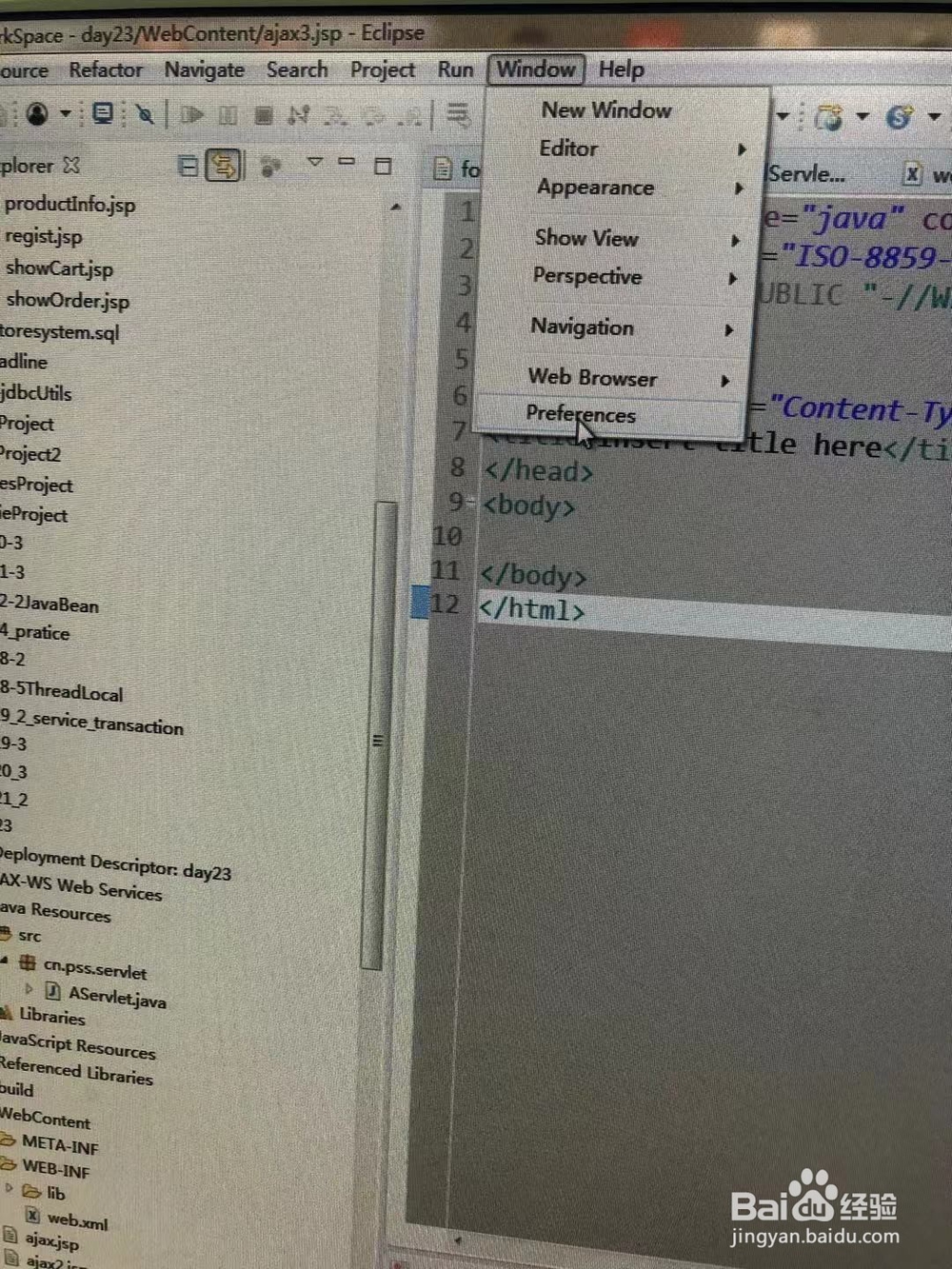
1、选择菜单-window,在下拉项中选择“preferences”。
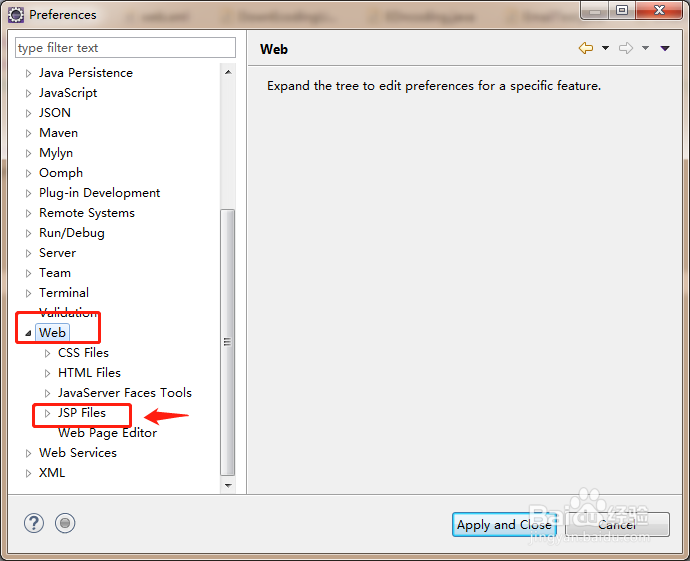
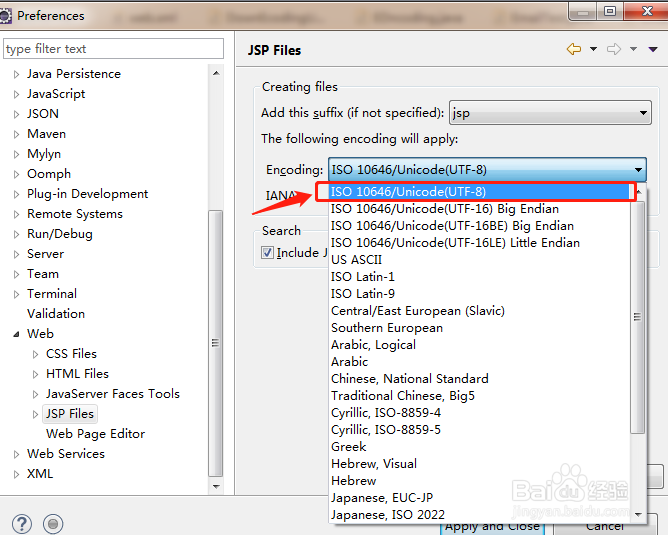
2、在preferences窗口左侧菜单中找到 “web”项,单击web项的子项“jsp Files”。然后在右侧窗找到 “Encoding”在下拉项中选择“ISO 10646/Unicode(UTF-8)”,选择好后“Apply and close”就可以了。
3、现在新建的JSP文件,就是默认为utf-8编码了。

时间:2026-05-01 02:41:36
1、选择菜单-window,在下拉项中选择“preferences”。
2、在preferences窗口左侧菜单中找到 “web”项,单击web项的子项“jsp Files”。然后在右侧窗找到 “Encoding”在下拉项中选择“ISO 10646/Unicode(UTF-8)”,选择好后“Apply and close”就可以了。
3、现在新建的JSP文件,就是默认为utf-8编码了。
