PowerShape 2017怎么设置拟合方法为内侧

 时间:2024-10-16 19:18:34

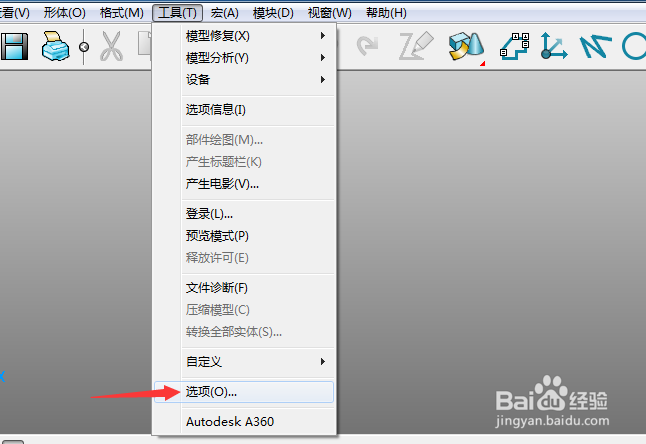
1、首先,点击菜单中的工具菜单,弹出了下拉菜单选中为选项

PowerShape 2017怎么设置拟合方法为内侧

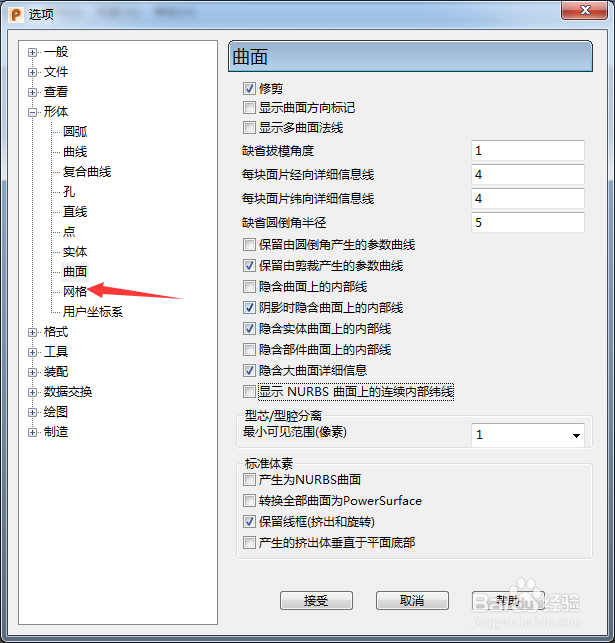
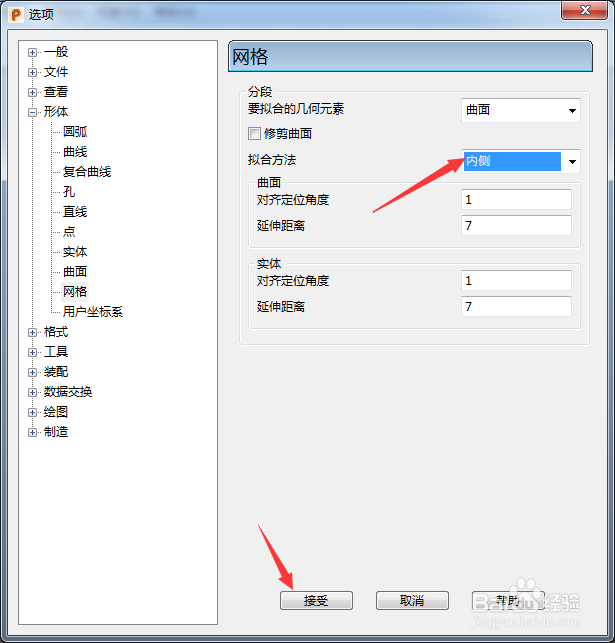
2、点击网格选项

PowerShape 2017怎么设置拟合方法为内侧

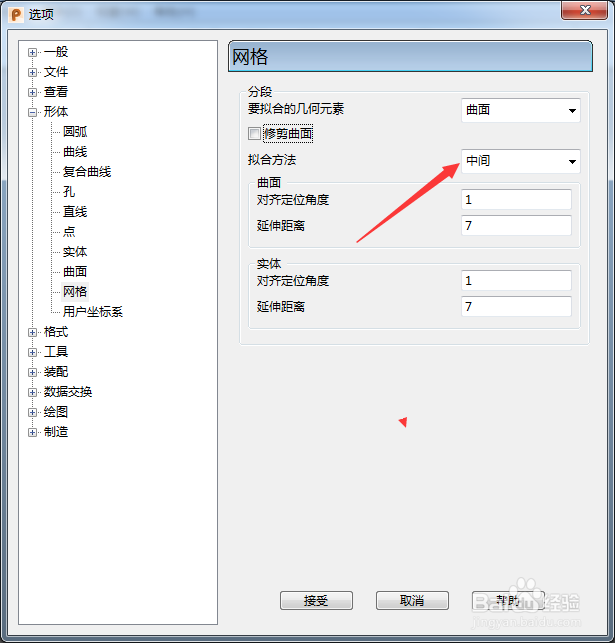
3、点击拟合方法选项

PowerShape 2017怎么设置拟合方法为内侧

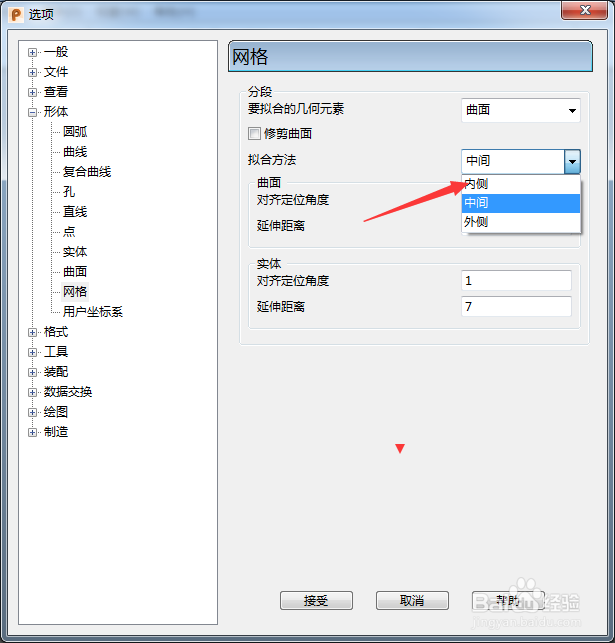
4、弹出了下拉菜单选择为内侧

PowerShape 2017怎么设置拟合方法为内侧

5、选择为内侧选项之后,点击接受按钮

PowerShape 2017怎么设置拟合方法为内侧
  • PowerShape 2017怎么设置最大不连续角度为30
  • PowerShape 2017怎么设置矩形
  • PowerShape 2017怎么设置要拟合几何元素为实体
  • PowerShape 2017怎么跟踪球颜色为明亮
  • PowerShape 2017怎么设置viewGube大小为极小
  • 热门搜索
    泰国旅游购物 福建海峡旅游人才网 同城旅游网站机票 云南瑞丽旅游 旅游书籍 三山岛旅游 芝加哥旅游 麦积山旅游攻略 日照旅游景点大全图片 成都峨眉山旅游攻略