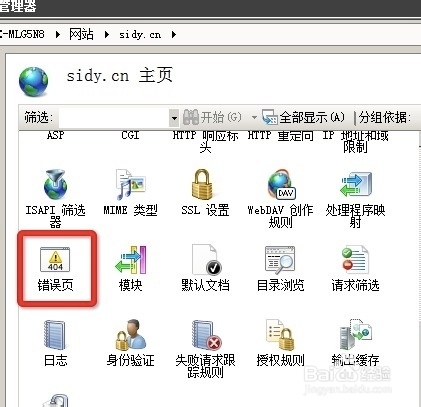
1、找到网站错误页
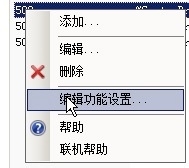
2、右键选中编辑功能设置
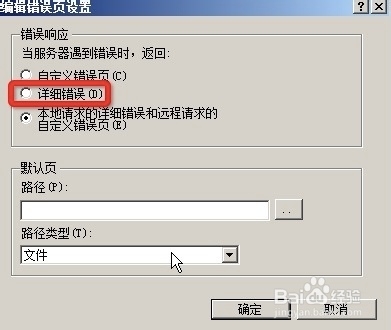
3、改为详细
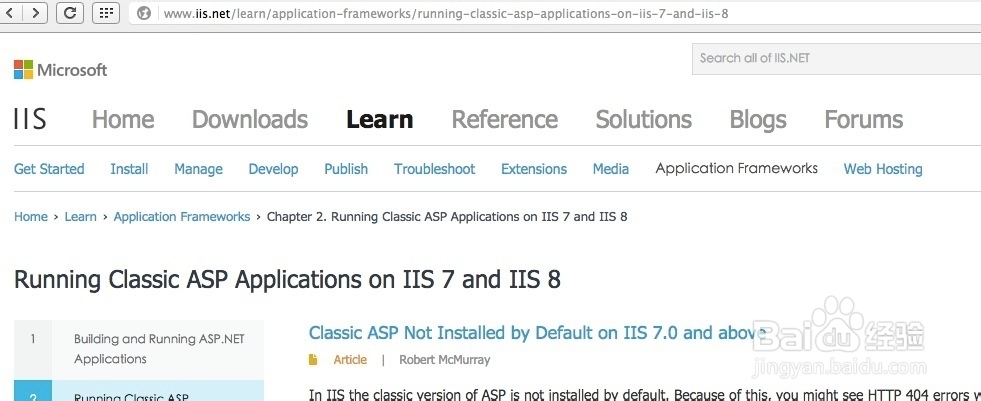
4、出现错误之后,点击here进入了这个页面。Running Classic ASP Applications on IIS 7 and IIS 8
5、看来直接在2008R2的IIS7里调试asp还需要一番设置。2008R2已经是纯64位了,因为要用到access数据库,首先要改程序池的这个地方:
刚才又查了一下,原来是微软没有出支持64位的oledb,IIS默认运行在64位下,因此不能连接到oledb数据库了。
Working with 64-bit Systems
Unfortunately there are no 64-bit ODBC drivers, so on 64-bit systems you will have to run your applications in 32-bit mode. To do so, use the following steps:
On the taskbar, click Start, point to Administrative Tools, and then click Internet Information Services (IIS) Manager.
In the Connections pane, click Application Pools.
Highlight the application pool for your application, then click Advanced Settings... in the Actions pane.
In the Advanced Settings dialog, specify True for Enable 32-Bit Applications.
Click OK to close the Advanced Settings dialog.
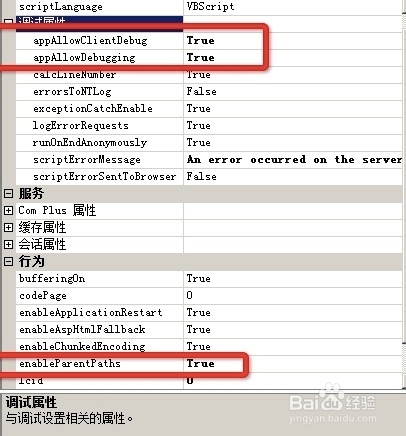
6、选中ill7的ASP,打开功能,把图中框出的值改为true,启用父路径,支持32位。