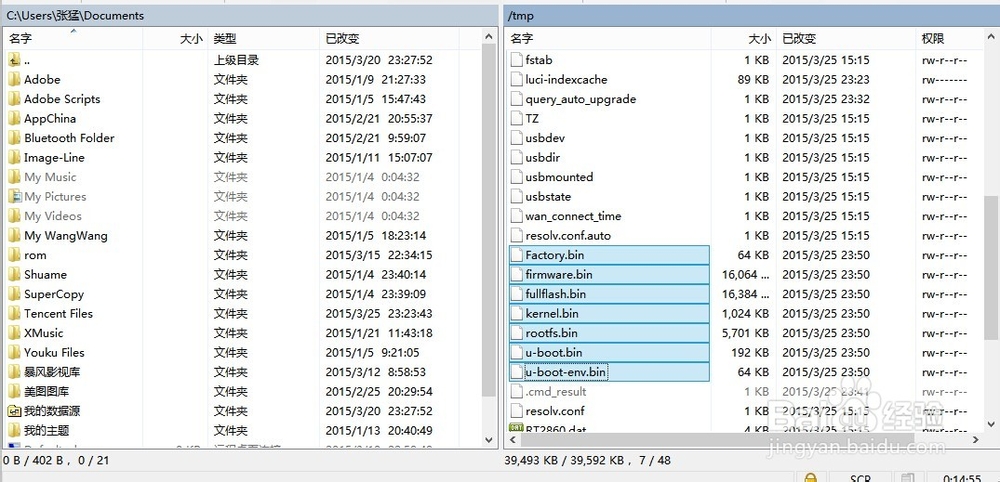
1、先打开Putty输入账户root及密码(使用putty时输入密码不显示),进入操作界面。
ip:192.168.31.1(小米),192.168.99.1(newifi),192.168.1.1(其他)

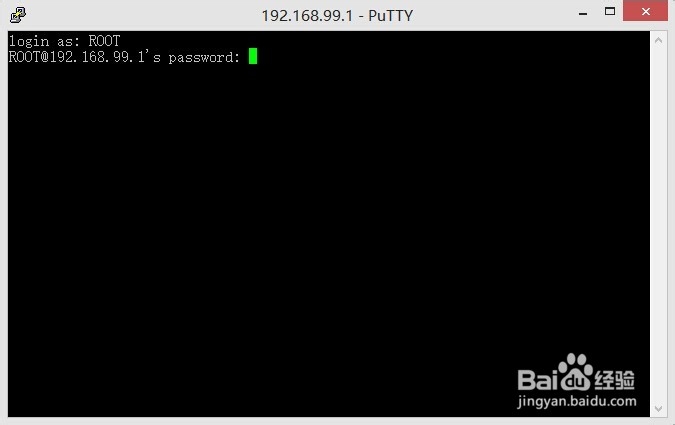

2、输入命令 cat /proc/mtd显示所有固件。
mtd0: 00030000 00010000 "u-boot"
mtd1: 00010000 00010000 "u-boot-env"
mtd2: 00010000 00010000 "Factory"
mtd3: 01000000 00010000 "fullflash"
mtd4: 00fb0000 00010000 "firmware"
mtd5: 00100000 00010000 "kernel"
mtd6: 00eb0000 00010000 "rootfs"
mtd7: 003d0000 00010000 "rootfs_data"
这些就是显示的固件。
3、备份固件到tmp文件夹。
命令
dd if=/dev/mtd0 of=/tmp/u-boot.bin
dd if=/dev/mtd1 of=/tmp/u-boot-env.bin
dd if=/dev/mtd2 of=/tmp/Factory.bin
dd if=/dev/mtd3 of=/tmp/fullflash.bin
dd if=/dev/mtd4 of=/tmp/firmware.bin
dd if=/dev/mtd5 of=/tmp/kernel.bin
dd if=/dev/mtd6 of=/tmp/rootfs.bin
dd if=/dev/mtd7 of=/tmp/rootfs_data.bin


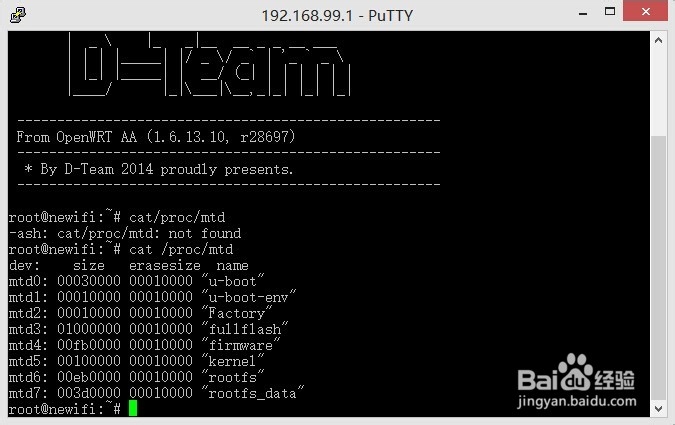
1、打开winscp输入root账户及密码,按下图的操作来进行。
ip:192.168.31.1(小米),192.168.99.1(newifi),192.168.1.1(其他)

2、进入刚才tmp目录拉取BIN固件到硬盘中就可以了。接下来就尽情的折腾你的路由器吧。