1、语法
<xsl:attribute-set
name = QName
use-attribute-sets = QNames>
</xsl:attribute-set>
2、属性
name(必需):
定义该属性集的名称
use-attribute-sets(可选):
在该属性由空格分隔,集中使用的其它属性集的列表。
3、示例
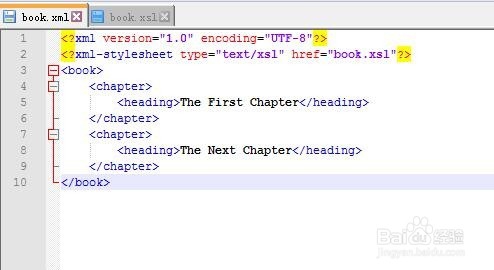
创建一个名为book.xml的XML文件
<?xml version="1.0" encoding="UTF-8"?>
<?xml-stylesheet type="text/xsl" href="book.xsl"?>
<book>
<chapter>
<heading>The First Chapter</heading>
</chapter>
<chapter>
<heading>The Next Chapter</heading>
</chapter>
</book>
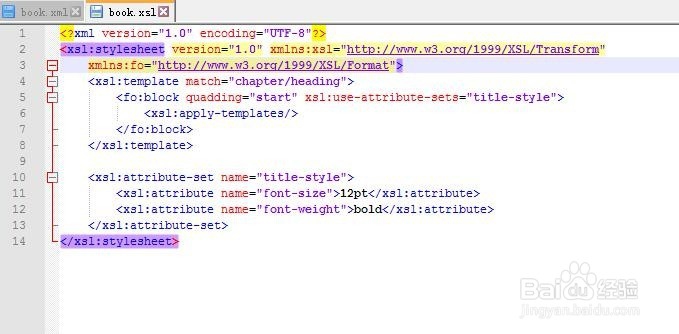
4、创建一个名为book.xsl的xsl文件
<?xml version="1.0" encoding="UTF-8"?>
<xsl:stylesheet version="1.0" xmlns:xsl="http://www.w3.org/1999/XSL/Transform" xmlns:fo="http://www.w3.org/1999/XSL/Format">
<xsl:template match="chapter/heading">
<fo:block quadding="start" xsl:use-attribute-sets="title-style">
<xsl:apply-templates/>
</fo:block>
</xsl:template>
<xsl:attribute-set name="title-style">
<xsl:attribute name="font-size">12pt</xsl:attribute>
<xsl:attribute name="font-weight">bold</xsl:attribute>
</xsl:attribute-set>
</xsl:stylesheet>
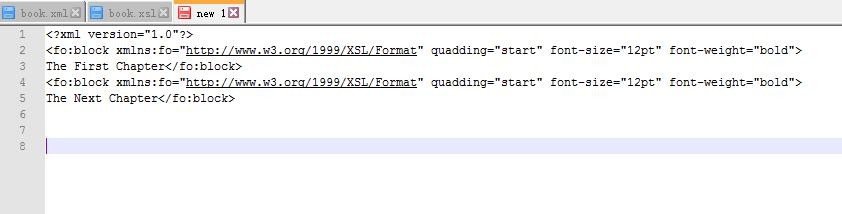
5、测试结果
运行XML Tools选择XSL Transformation
<?xml version="1.0"?>
<fo:block xmlns:fo="http://www.w3.org/1999/XSL/Format" quadding ="start" font-size="12pt" font-weight="bold">
The First Chapter
</fo:block>
<fo:block xmlns:fo="http://www.w3.org/1999/XSL/Format" quadding ="start" font-size="12pt" font-weight="bold">
The Next Chapter
</fo:block>