Powerpoint中绘制缺口圆形的方法

 时间:2026-02-16 06:30:46

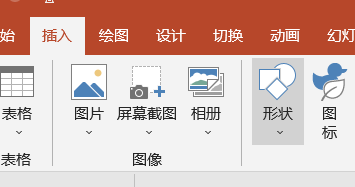
1、在Powerpoint页面中点击插入,然后点击形状。

Powerpoint中绘制缺口圆形的方法

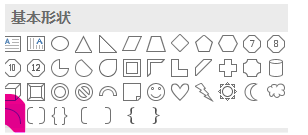
2、在形状菜单中点击弧形。

Powerpoint中绘制缺口圆形的方法

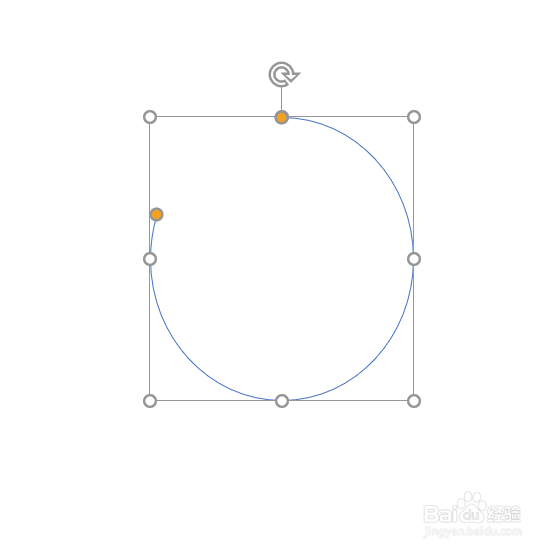
3、摁住鼠标左键在页面中绘制出一段弧形。

Powerpoint中绘制缺口圆形的方法

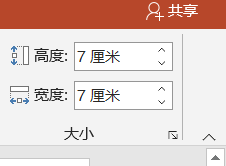
4、在大小菜单栏中设置高度和宽度相同。

Powerpoint中绘制缺口圆形的方法

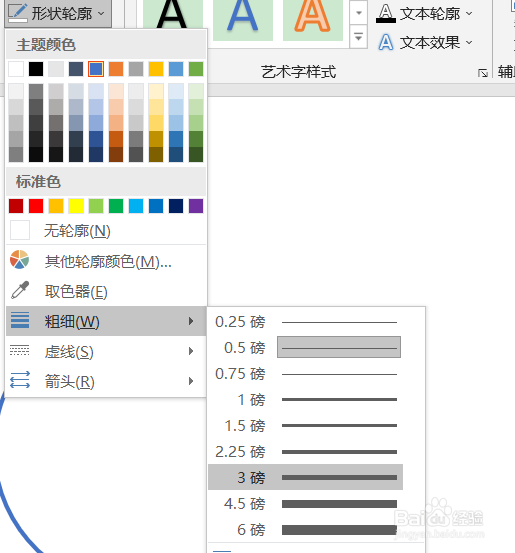
5、在形状轮廓中设置粗细和颜色。

Powerpoint中绘制缺口圆形的方法

6、一段有缺口的弧形。

Powerpoint中绘制缺口圆形的方法

  • ppt怎样快速画出盒子的形状
  • 怎样在PowerPoint中创建十二边形
  • PPT演示技巧—如何在PPT中画出曲线图形
  • PPT中形状对齐到参考线区域垂直中心的做法
  • PPT中插入连接符曲线
  • 热门搜索
    浙江千岛湖旅游攻略 深圳世界之窗旅游攻略 西塘旅游网 吉安旅游景点大全 梧州旅游景点大全 北京郊区旅游网 湘西凤凰旅游 旅游卫视广告 我国旅游业发展现状 7天旅游攻略