Altium Designer 2016 自定义PCB外形方法,

 时间:2026-02-14 02:32:00

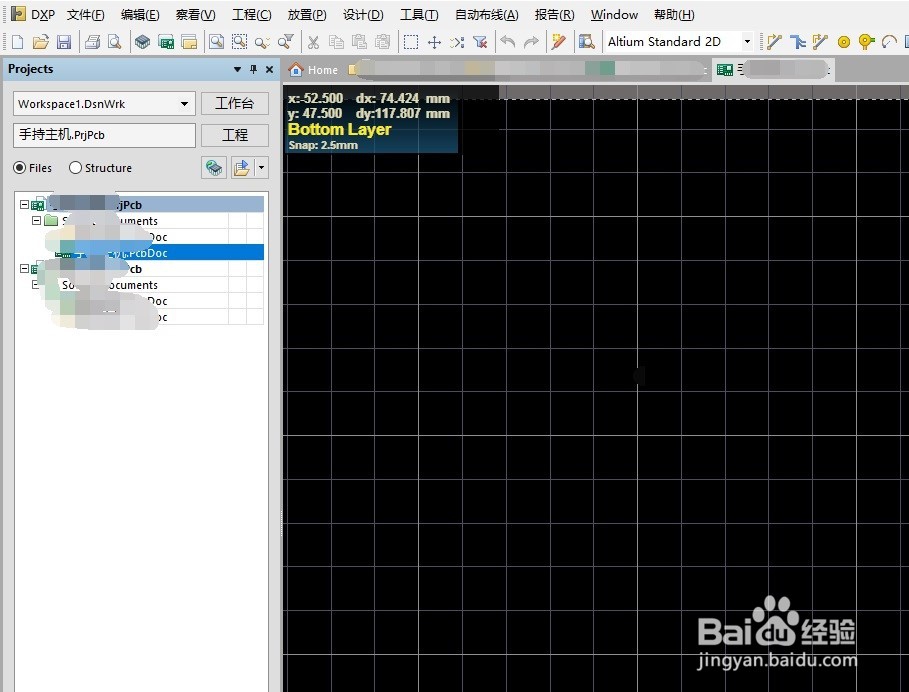
1、打开你的pcb ,常规情况下,是2d预览编辑界面,黑底白色网格

Altium Designer 2016 自定义PCB外形方法,

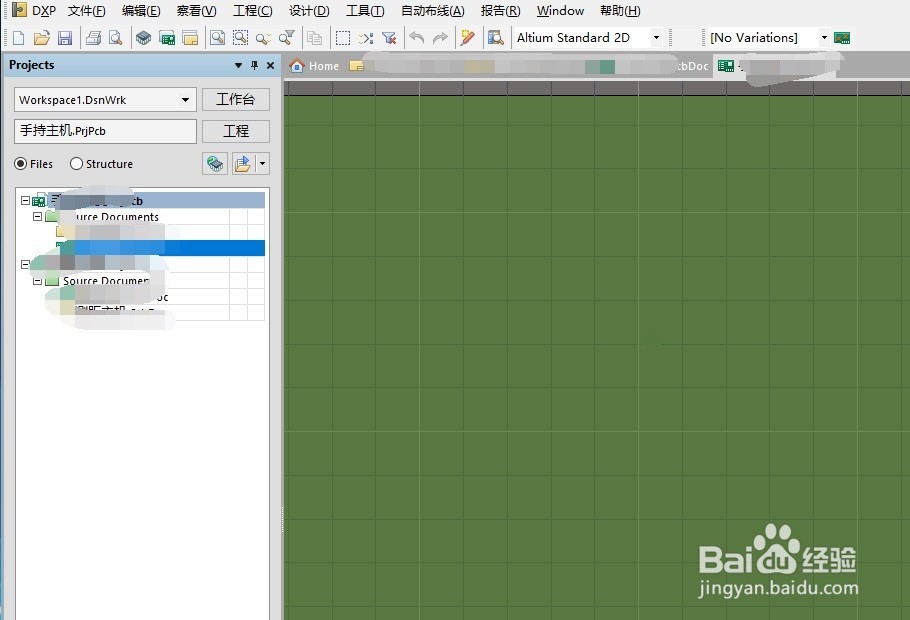
2、按下快捷键1 ,然后pcb界面编程草绿色

Altium Designer 2016 自定义PCB外形方法,

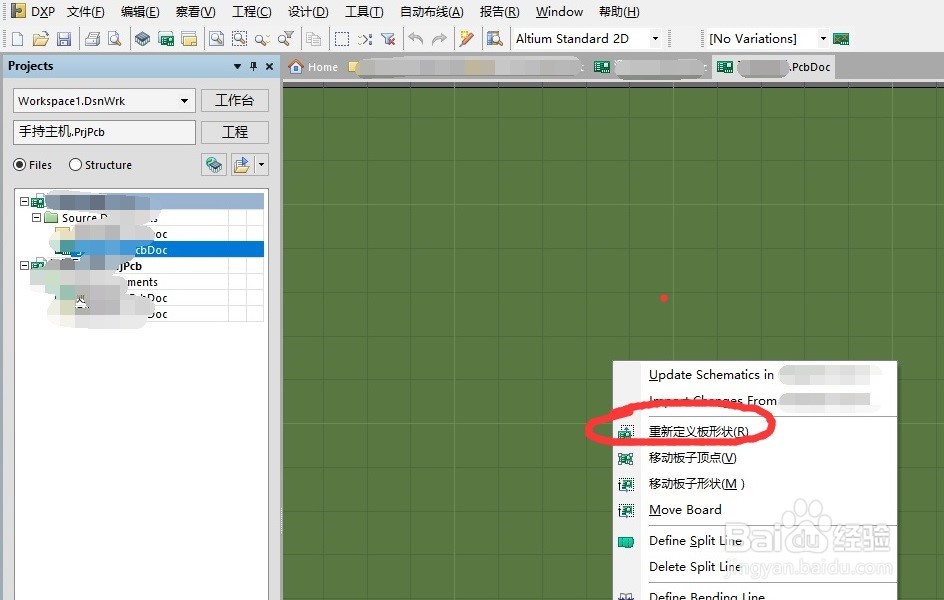
3、这时候按下dr快捷键就可以了

Altium Designer 2016 自定义PCB外形方法,

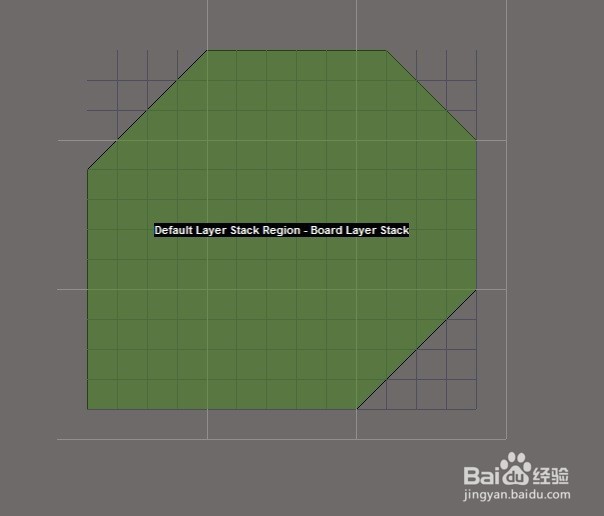
4、画好边框,裁剪完成

Altium Designer 2016 自定义PCB外形方法,

5、按下数字键2 ,切换回2d模式,就完成了

Altium Designer 2016 自定义PCB外形方法,

  • AD解决Failed to add class member 问题的方法
  • AD中, 如何快速定位某个器件的位置
  • Altium Designer中如何绘制禁止布线层
  • Altium Designer 16 自定义PCB外形方法
  • Altium Designer(AD)原理图中如何实现栅格设置
  • 热门搜索
    张家界旅游攻略网 黑龙江省旅游局政务网 清远旅游网 日本旅游购物 河南旅游局官网 港澳旅游注意事项 武汉到武当山旅游攻略 绵阳附近旅游景点 云南香格里拉旅游景点 香山公园旅游攻略