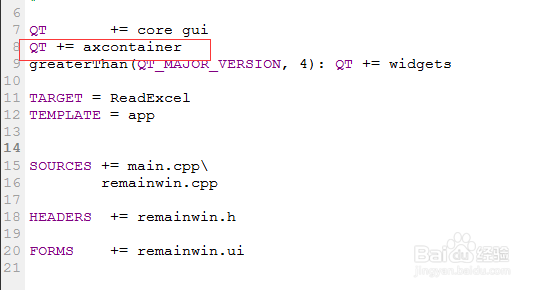
1、在工程文件(pro文件)中加入QT += axcontainer
2、在源文件中加入相关头文件
#include <QFileDialog>
#include <QAxObject>

3、获取Excel文件,代码如下:
QString strFile = QFileDialog::getOpenFileName(this,QStringLiteral("选择Excel文件"),"",tr("Exel file(*.xls *.xlsx)"));
if (strFile.isEmpty())
{
return;
}

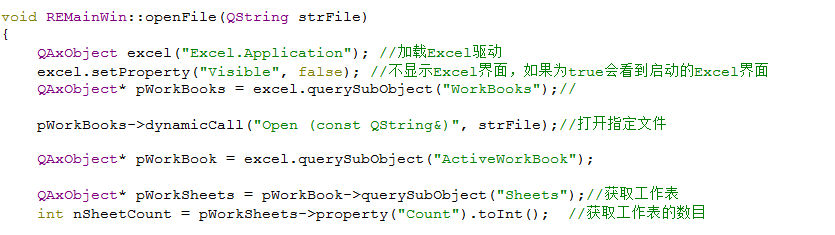
4、获取Excel驱动,以及表格信息。代码如下:
QAxObject excel("Excel.Application"); //加载Excel驱动
excel.setProperty("Visible", false); //不显示Excel界面,如果为true会看到启动的Excel界面
QAxObject* pWorkBooks = excel.querySubObject("WorkBooks");
pWorkBooks->dynamicCall("Open (const QString&)", strFile);//打开指定文
QAxObject* pWorkBook = excel.querySubObject("ActiveWorkBook")
QAxObject* pWorkSheets = pWorkBook->querySubObject("Sheets");//获取工作表
int nSheetCount = pWorkSheets->property("Count").toInt(); //获取工作表的数目
5、分区域获取Excel表格中的内容,最后一定要关闭Excel文件,不然该文件会一直处于“只读”状态。代码如下:
if(nSheetCount > 0)
{
QAxObject* pWorkSheet = pWorkBook->querySubObject("Sheets(int)", 1);//获取第一张表
int nSection = 20;
int nSectionEnd = 0;
QVariantList params;
int nRowEnd = 20;
QVariant varData; for (int i = 1; i <= nRowEnd; i += nSection)
{
nSectionEnd = i+nSection - 1;
if (nSectionEnd > nRowEnd)
{
nSectionEnd = nRowEnd;
}
char cZimu = 1 + 64; //1-26分别代表A-Z,符合Excel表的列标识
//Ai至Ai+nSectionEnd的数据,这里为了测试一次是读取20条
params <<QString("%1%2").arg(cZimu).arg(i)<<QString("%1%2").arg(cZimu).arg(nSectionEnd)
QAxObject* pCell = pWorkSheet->querySubObject("Range(QVariant,QVariant)",params);
varData = pCell->dynamicCall("Value2()"); qDebug()<<varData;
}
pWorkBooks->dynamicCall("Close()");

6、测试文档已经读出结果如图,可以发现我们读出的数据包含了三层外衣。前两层都是QVariantList。


7、为了取出正确的数据,我们需要剥开这些外衣。该代码写在for循环之后。代码如下:
QVariantList varList = varData.toList(); //解除第一层List
if(varList.count() <= 0)//防止内存溢出
{
qDebug()<<"无数据!";
pWorkBooks->dynamicCall("Close()");
return;
}
QVariantList varLstData = varList[0].toList(); //解除第二层List if(varLstData.count() <= 0)
{
qDebug()<<"无数据!";
pWorkBooks->dynamicCall("Close()");
return;
}
//判断数据类型,防止转化出错。
if(QString(varLstData[0].typeName()) == "QString")
{
QString str = varLstData[0].toString(); //取出数据
qDebug()<<"字符串:"+str;
}
if(QString(varLstData[0].typeName()) == "double")
{
double dData = varLstData[0].toDouble(); //取出数据
qDebug()<<dData; //注意,int型读出来也是double,所以一定要注意转化 }
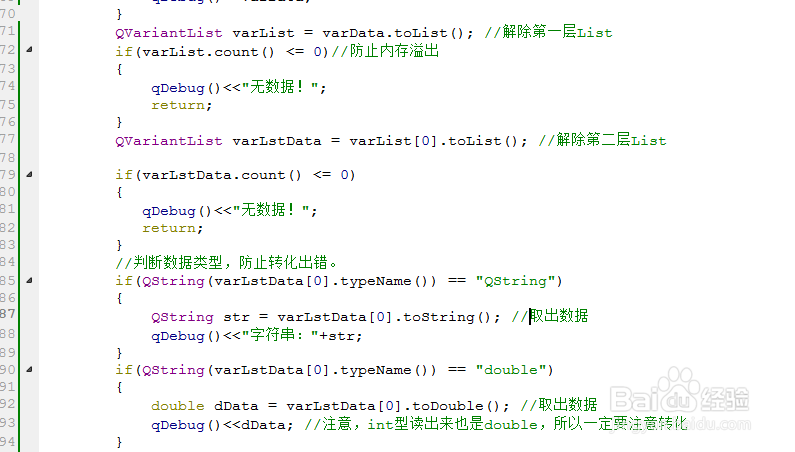
8、取出数据的结果如图。

