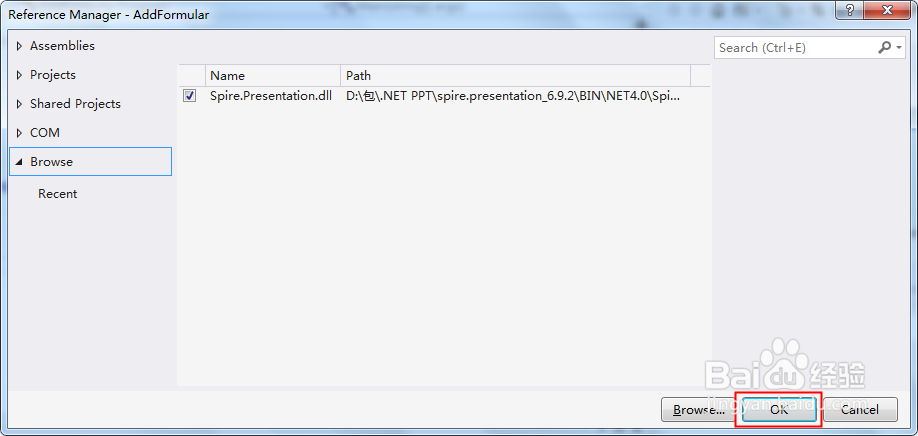
1、在VS中添加引用dll文件(需要将库手动下载至本地,然后解压,dll在Bin文件夹下):
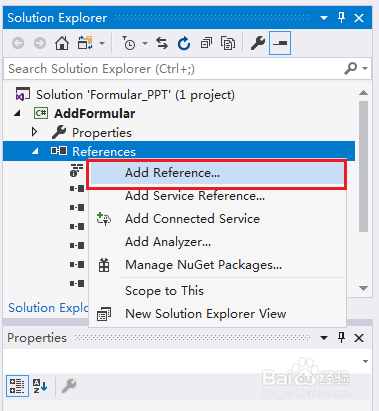
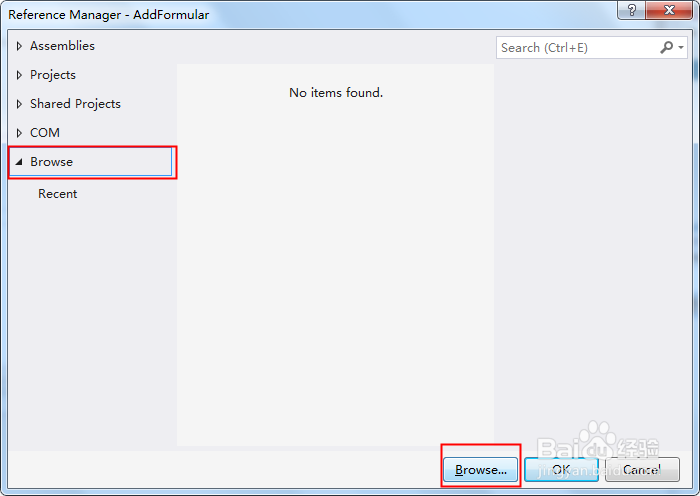
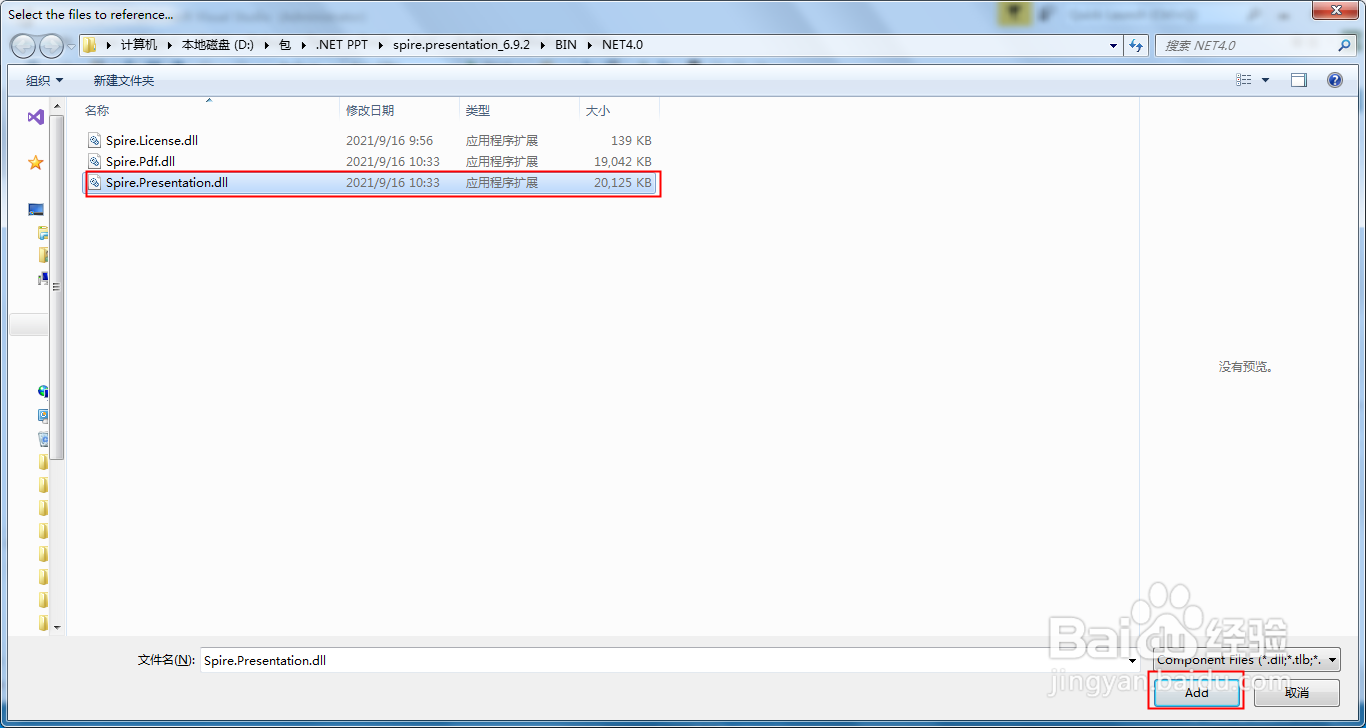
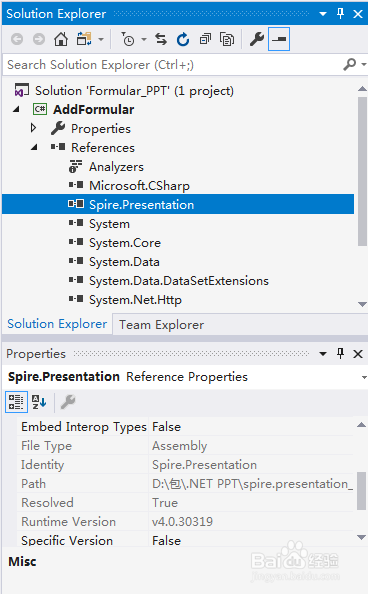
2、完成添加引用效果:
1、using Spire.Presentation;
using Spire.Presentation.Drawing;
using System.Drawing;
namespace AddFormular
{
class Program
{
static void Main(string[] args)
{
//新建一个PPT幻灯片文档,并获取第一张幻灯片(新建的PPT文档已默认包含一张幻灯片)
Presentation ppt = new Presentation();
ISlide slide = ppt.Slides[0];
//添加形状到幻灯片
IAutoShape shape = slide.Shapes.AppendShape(ShapeType.Rectangle, new RectangleF(30, 100, 400, 30));
shape.Fill.FillType = FillFormatType.None;
shape.ShapeStyle.LineColor.Color = Color.White;
shape.TextFrame.Paragraphs.Clear();
//添加公式
string latexMathCode = @"$ f(x,y) = \sqrt[n]{{x^2}{y^3}} $";
shape.TextFrame.Paragraphs.AddParagraphFromLatexMathCode(latexMathCode);
//保存
ppt.SaveToFile("AddLatexMathCode.pptx", FileFormat.Pptx2013);
}
}
}
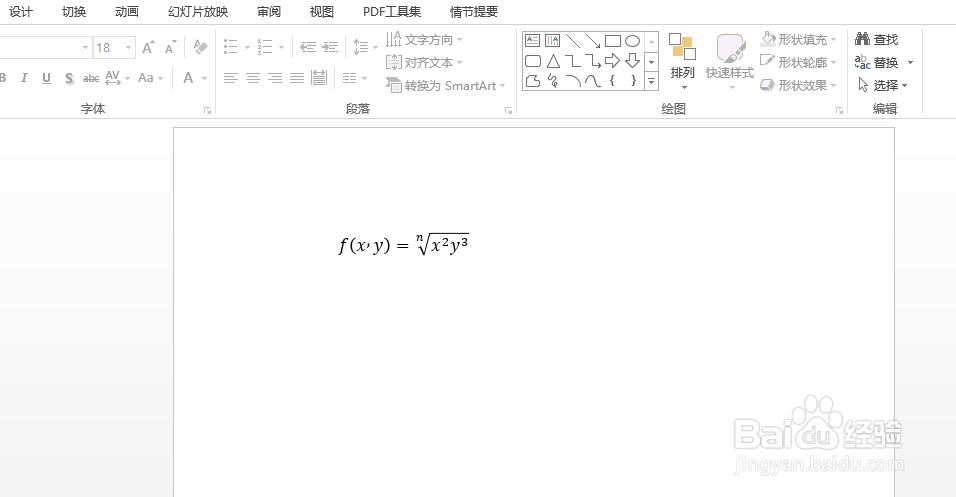
2、执行程序代码,生成PPT文档,按照代码中的文件路径,可在VS程序项目文件夹下查看,如图效果: