Win10 系统升级后 Windows Mobile 无法连接

 时间:2026-02-14 10:07:35

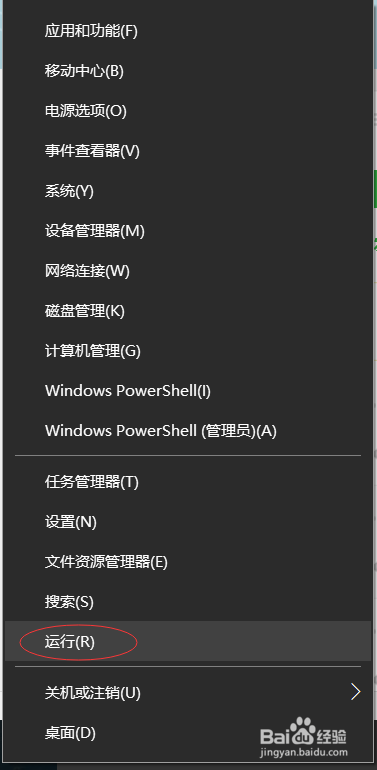
1、右击开始,点击运行

Win10 系统升级后 Windows Mobile 无法连接

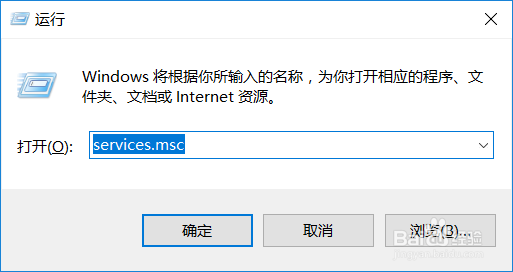
2、输入命令 services.msc 然后回车

Win10 系统升级后 Windows Mobile 无法连接

3、进入到服务

Win10 系统升级后 Windows Mobile 无法连接

4、找到 Windows Mobile 设备连接选项,双击进入属性菜单

Win10 系统升级后 Windows Mobile 无法连接

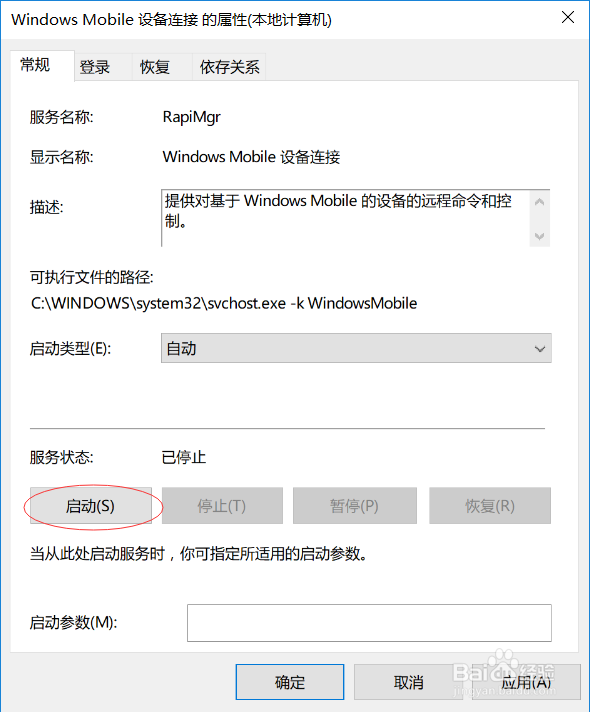
5、启动类型选择自动

Win10 系统升级后 Windows Mobile 无法连接

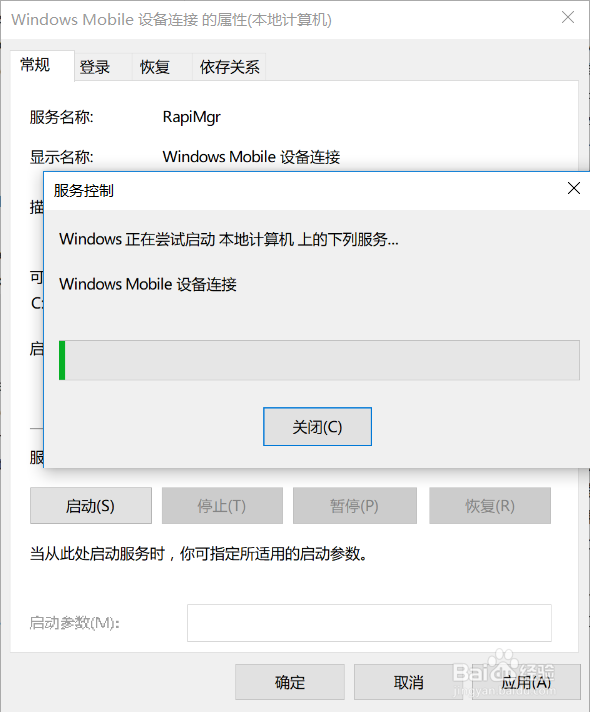
6、点击启动按钮

Win10 系统升级后 Windows Mobile 无法连接

7、等待服务启动成功,就可以正常连接了

Win10 系统升级后 Windows Mobile 无法连接

  • Win10在系统升级后就无法连接mobile了
  • windows mobile 无法连接的设置
  • Win10 系统经常会 Windows Moblie 无法连接
  • win10升级后无法打开图片
  • 如何在win10安装windows mobile设备中心
  • 热门搜索
    罗浮山旅游 苏州旅游节 旅游产品营销方案 泰格旅游网 海外旅游 碧峰峡旅游攻略 走四方旅游网 辽宁省内旅游景点 北京旅游点 亚布力旅游