PSPad editor怎么设置间隔自动刷新

 时间:2026-02-12 02:22:58

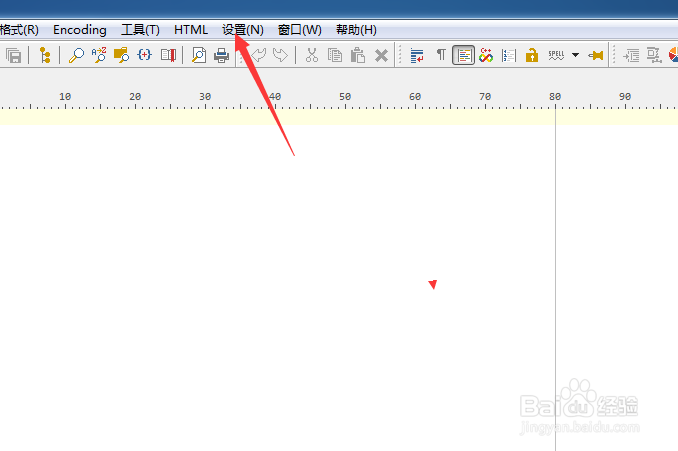
1、点击PSPad editor菜单中的设置菜单

PSPad editor怎么设置间隔自动刷新

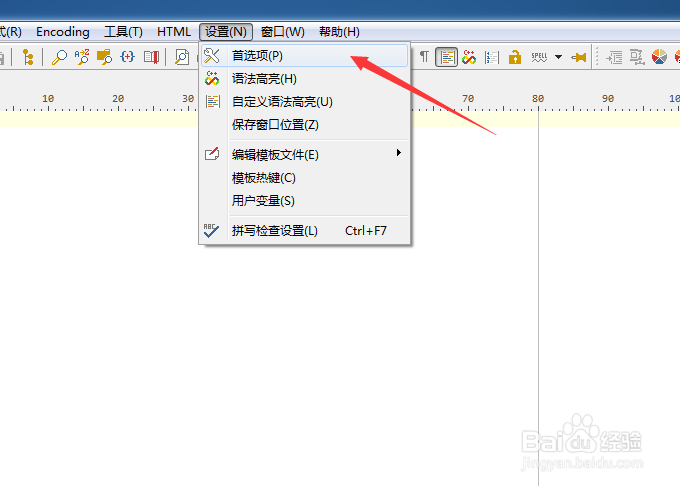
2、弹出了下拉菜单选中为首选项

PSPad editor怎么设置间隔自动刷新

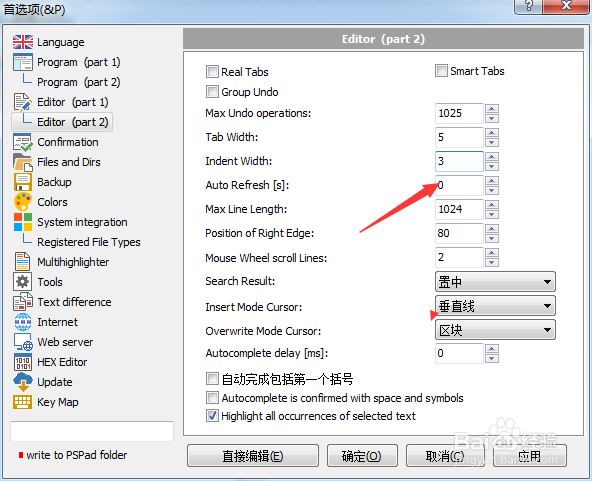
3、点击editor选项

PSPad editor怎么设置间隔自动刷新

4、在auto refresh中输入1

PSPad editor怎么设置间隔自动刷新

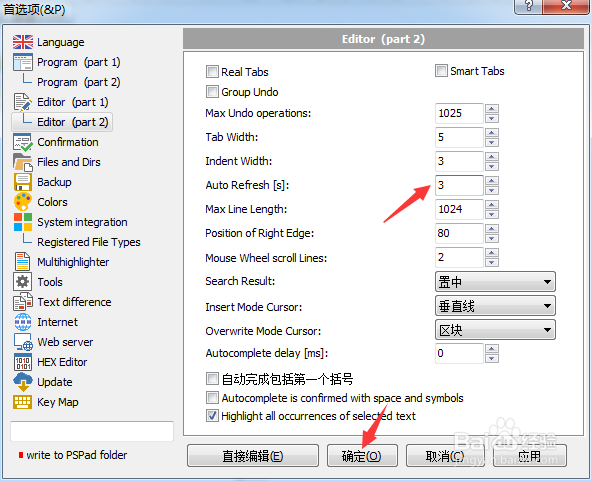
5、输入完成之后,点击确定

PSPad editor怎么设置间隔自动刷新

  • 如何设置PSPad程序行为使用工程内文件自动排序
  • PSPad editor怎么设置语言为中文
  • 如何设置PSPad编辑器启用自动缩排模式
  • PSPad editor怎么关闭Highlight url地址
  • PSPad editor怎么不显示文件扩展名
  • 热门搜索
    香港旅游攻略 营口旅游 东京旅游攻略 阆中旅游 驴妈妈旅游 黄果树瀑布旅游攻略 旅游圣地 怀化旅游 俄罗斯旅游报价 赤峰旅游