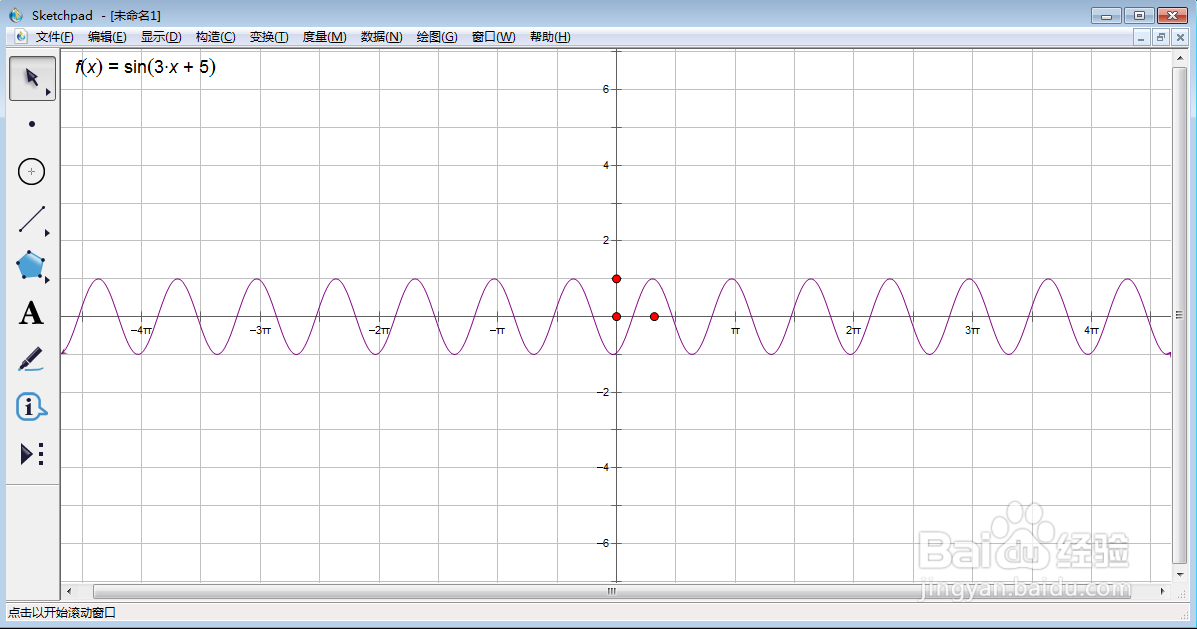
在sketchpad中创建f(x)=sin(3x+5)的函数图像

 时间:2026-02-13 15:07:58

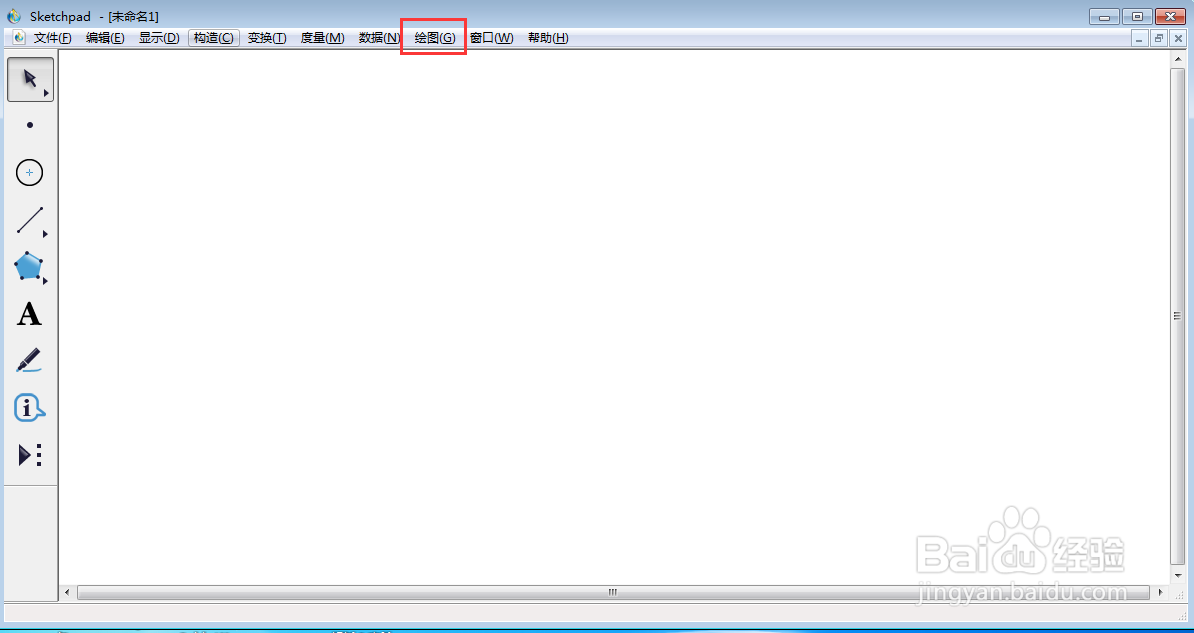
1、打开sketchpad,进入其主界面;

在sketchpad中创建f(x)=sin(3x+5)的函数图像

2、点击绘图;

在sketchpad中创建f(x)=sin(3x+5)的函数图像

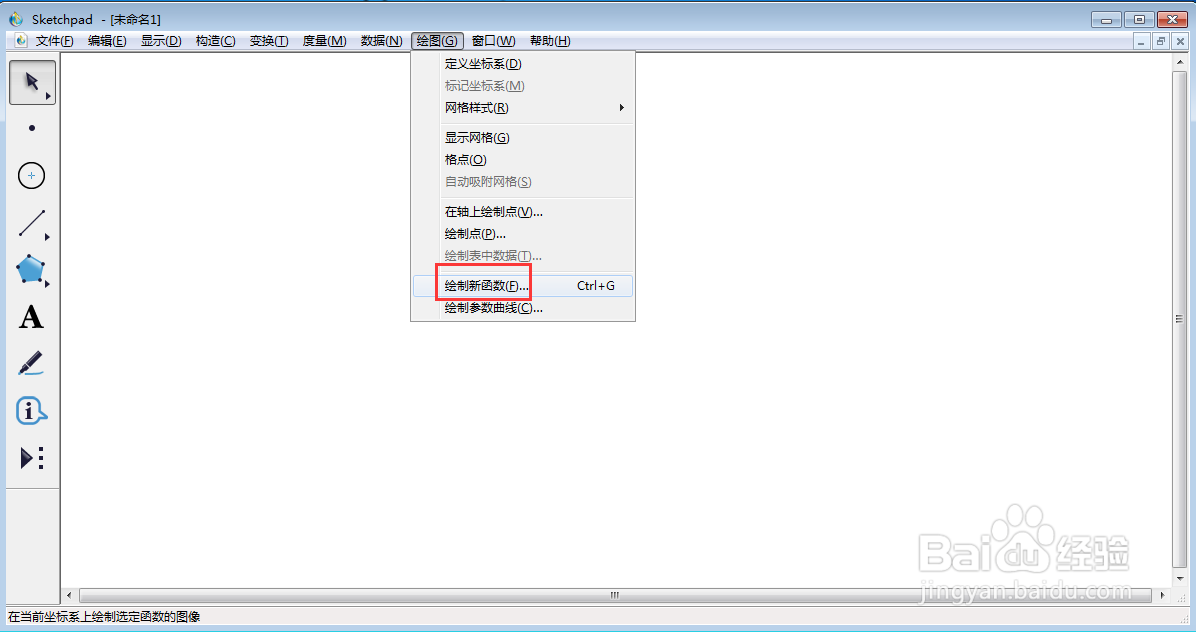
3、选择绘制新函数;

在sketchpad中创建f(x)=sin(3x+5)的函数图像

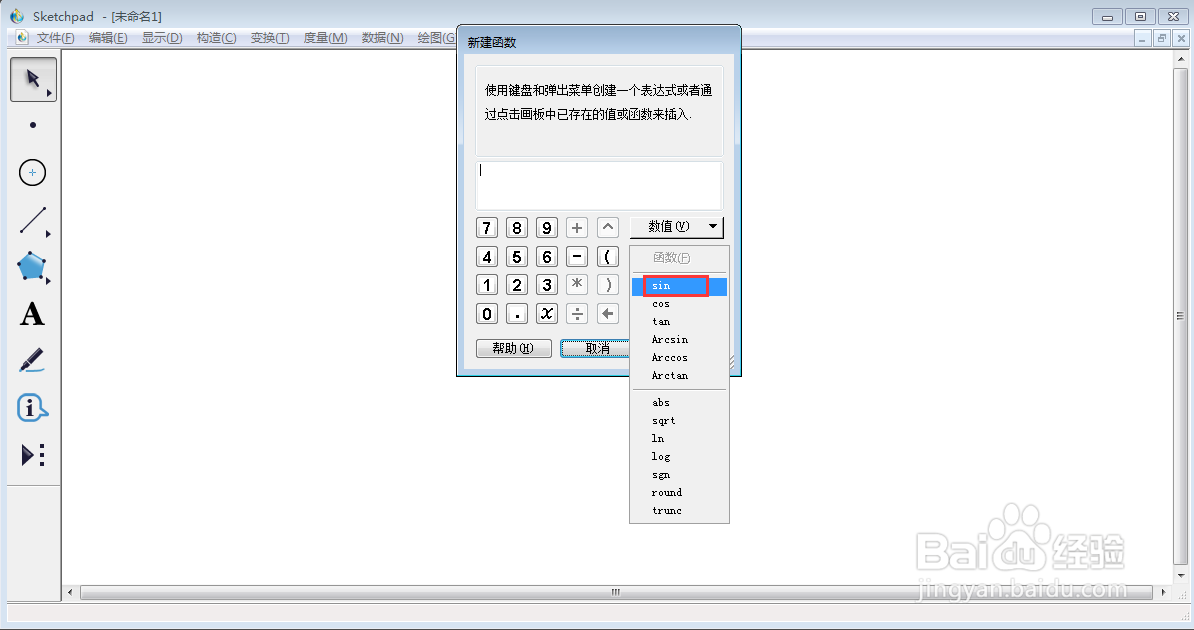
4、点击函数下面的正弦函数;

在sketchpad中创建f(x)=sin(3x+5)的函数图像

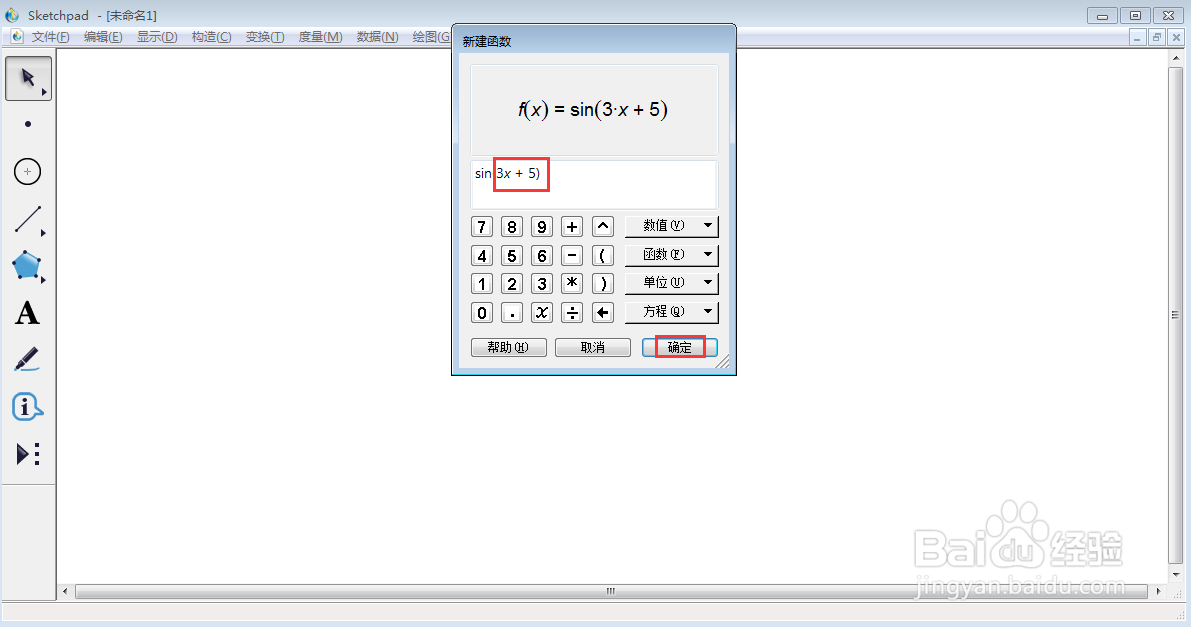
5、输入3x+5,按确定;

在sketchpad中创建f(x)=sin(3x+5)的函数图像

6、我们就在sketchpad中创建好了f(x)=sin(3x+5)的函数图像。
在sketchpad中创建f(x)=sin(3x+5)的函数图像

  • 如何在sketchpad中创建f(x)=cos(6x)的函数图像
  • 在sketchpad中创建f(x)=arccos(4x)的函数图像
  • 在sketchpad中创建f(x)=tan(10x)的函数图像
  • 如何在sketchpad中创建y=2sin(x)的函数图像
  • 如何在sketchpad中创建y=2x+3的函数图像
  • 热门搜索
    苏州三三旅游官网 菩提岛旅游 广东河源旅游景点 西安旅游景点地图 新西兰旅游景点 好运角旅游度假区 沂南旅游景点大全 马尔代夫旅游图片 金寨旅游景点大全 杭州旅游景点地图