1、JDBC是一种底层API,在访问数据库是需要在业务逻辑中直接嵌入SQL语句。JDBC不能够直接访问数据库,必须依赖数据库厂商提供的JDBC驱动程序来实现Java程序与MySql的交互。
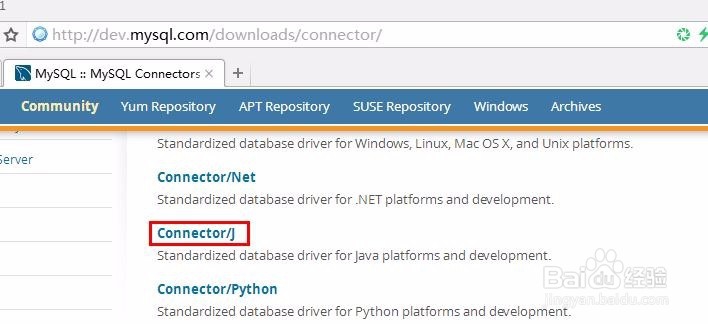
http://dev.mysql.com/downloads/connector/
点击“Connector/J”链接
2、在打开的页面,点
Platform Independent (Architecture Independent), ZIP Archive
(mysql-connector-java-5.1.38.zip)
后面的“download”链接
Tips:
当然下载
“Platform Independent (Architecture Independent), Compressed TAR Archiv”(mysql-connector-java-5.1.38.tar.gz)
也可以

3、在打开的页面,点击下面的“No thanks, just start my download.”链接
http://120.52.72.59/cdn.mysql.com/c3pr90ntcsf0//Downloads/Connector-J/mysql-connector-java-5.1.38.zip
Tips:
当然,注册一个帐户,然后再下载也可以


4、解压缩下载的mysql-connector-java-5.1.38.zip
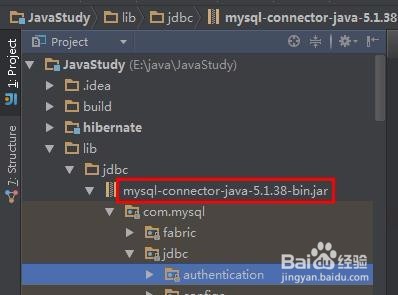
找到我们需要的mysql-connector-java-5.1.38-bin.jar

5、把mysql-connector-java-5.1.38-bin.jar添加到Project的依赖中
6、万事俱备,只剩下写代码
Code:
package jdbc;
import java.sql.*;
/**
* Created by MyWorld on 2016/4/4.
*/
public class JDBCForMysql {
public static void main(String[] args) {
Connection conn = null;
Statement statement = null;
ResultSet resultSet = null;
try {
Class.forName("com.mysql.jdbc.Driver");
String url = "jdbc:mysql://localhost:3306/test?useUnicode=true&characterEncoding=UTF8";
conn = DriverManager.getConnection(url, "mysql", "mysql");
System.out.println("Connection status, isClosed: " + conn.isClosed()); statement = conn.createStatement();
statement.executeUpdate("CREATE TABLE IF NOT EXISTS staff (id varchar(20),name varchar(20),lastModifiedTime datetime)");
for (int i = 0; i < 10; i++) {
String sql = String.format("insert into staff (id,name,lastModifiedTime) values('%s','%s',current_timestamp()) ", "no" + i, "name" + i);
statement.addBatch(sql);
}
statement.executeBatch();
resultSet = statement.executeQuery("select id,name,lastModifiedTime from staff");
ResultSetMetaData metaData = resultSet.getMetaData();
int columnCount = metaData.getColumnCount();
for (int i = 1; i <= columnCount; i++) {
System.out.print(metaData.getColumnLabel(i) + "\t");
}
System.out.println("");
while (resultSet.next()) {
for (int i = 1; i <= columnCount; i++) {
System.out.print(resultSet.getString(i) + "\t");
}
System.out.println("");
}
} catch (ClassNotFoundException e) {
e.printStackTrace();
} catch (SQLException e) {
e.printStackTrace();
} finally {
if (resultSet != null) {
try {
resultSet.close();
} catch (SQLException ignored) {
}
} if (statement != null) {
try {
statement.close();
} catch (SQLException ignored) {
}
}
if (conn != null) {
try {
conn.close();
} catch (SQLException ignored) {
}
}
}
}
}

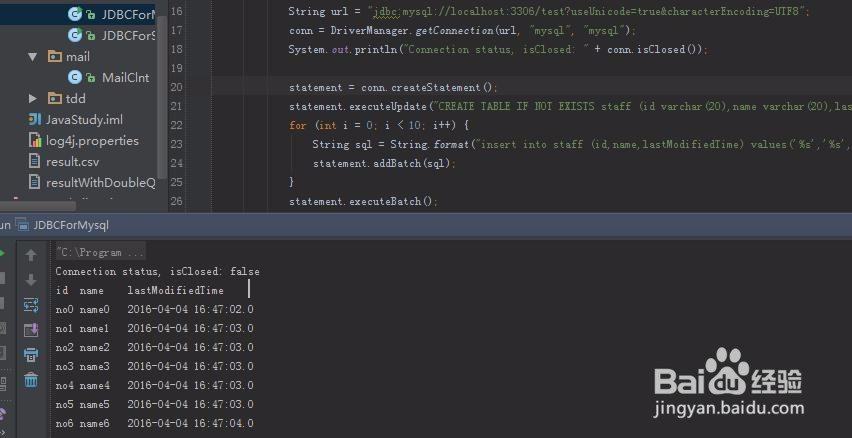
7、执行下看看结果:
Output:
Connection status, isClosed: false
idnamelastModifiedTime
no0name02016-04-04 16:47:02.0
no1name12016-04-04 16:47:03.0
no2name22016-04-04 16:47:03.0
no3name32016-04-04 16:47:03.0
no4name42016-04-04 16:47:03.0
no5name52016-04-04 16:47:03.0
no6name62016-04-04 16:47:04.0
no7name72016-04-04 16:47:04.0
no8name82016-04-04 16:47:04.0
no9name92016-04-04 16:47:04.0