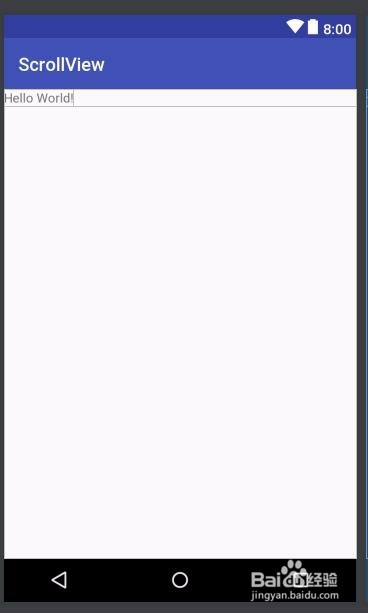
1、首先打开android main xml布局文件

2、找到scroll view 并且添加到视图
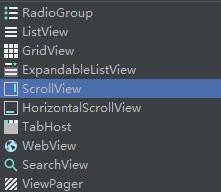
3、main的布局文件代码关键部分:
<ScrollView android:id="@+id/scrollView" android:layout_width="match_parent" android:layout_height="wrap_content" android:fadeScrollbars="false"><TextView android:id="@+id/textView1" android:layout_width="wrap_content" android:layout_height="wrap_content" android:text="Hello World!" app:layout_constraintBottom_toBottomOf="parent" app:layout_constraintLeft_toLeftOf="parent" app:layout_constraintRight_toRightOf="parent" app:layout_constraintTop_toTopOf="parent" /></ScrollView>
4、然后在strings.xml设置文本内容

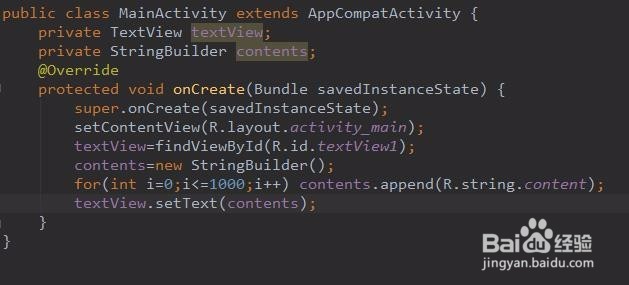
5、回到main activity中,在其Java代码中加入如图的代码:
主要是先findviewbyid,然后直接对textview操作即可。
oncreate部分
:
protected void onCreate(Bundle savedInstanceState) { super.onCreate(savedInstanceState); setContentView(R.layout.activity_main); textView=findViewById(R.id.textView1); contents=new StringBuilder(); for(int i=0;i<=1000;i++) contents.append(R.string.content); textView.setText(contents);}
6、当然我们也是可以通过Android如何使用scroll view组件来设置侧边的滚动条的状态。

7、最后的实现效果