1、打开Delphi7集成开发环境,查看默认工程的Form1窗体对应的Unit1.pas文件,发现以下代码:
type
TForm1 = class(TForm)
private
{ Private declarations }
public
{ Public declarations }
end;
var
Form1: TForm1;
这里type关键字含义是定义类型,TForm1 = class(TForm),定义TForm1继承自TForm,下边有private私有成员和public公有成员。
下边声明TForm1类的实例,全局变量Form1

2、向Form1窗体上放一个Button1,并双击Button1生成OnClick事件方法,再按F12切换回Unit1.pas文件,继续看源代码:
type
TForm1 = class(TForm)
Button1: TButton;
procedure Button1Click(Sender: TObject);
private
{ Private declarations }
public
{ Public declarations }
end;
var
Form1: TForm1;
在TForm1 = class(TForm)下面多了Button1变量和Button1Click方法,它们其实是published类型的,当该类或父类使用了“{$M+}”编译指令的情况下,默认为published成员。published成员可以在Object Inspector看到,我们可以手工加上将代码改为:
type
TForm1 = class(TForm)
published
Button1: TButton;
procedure Button1Click(Sender: TObject);
private
{ Private declarations }
public
{ Public declarations }
end;
var
Form1: TForm1;


3、在public和private分别声明方法代码如下:
type
TForm1 = class(TForm)
published
Button1: TButton;
procedure Button1Click(Sender: TObject);
private
procedure PriShowMsg();
{ Private declarations }
public
procedure PubShowMsg();
{ Public declarations }
end;
在implementation中对上述方法进行定义:
procedure TForm1.PriShowMsg;
begin
ShowMessage('私有方法调用');
end;
procedure TForm1.PubShowMsg;
begin
ShowMessage('公共方法调用');
end;
在Button1的OnClick事件方法中调用上述两个方法:
procedure TForm1.Button1Click(Sender: TObject);
begin
PriShowMsg;
PubShowMsg;
end;
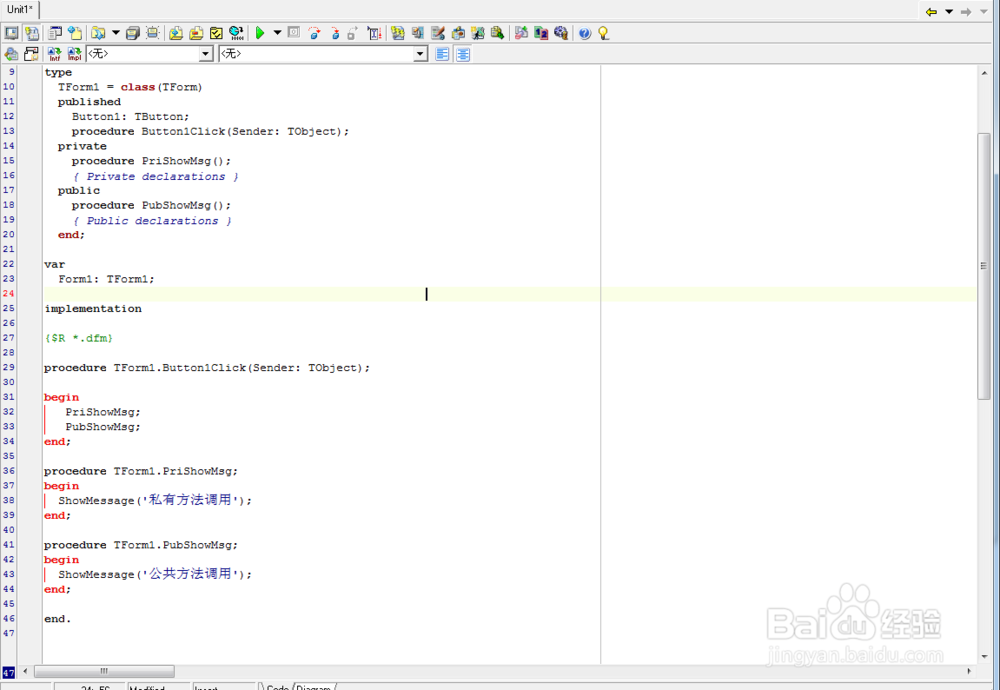
4、F9运行程序,点击Button1会先后弹出私有方法调用和公共方法调用两个对话框,证明两个方法均可调用。


5、接着在type区定义一个我们自己的类,代码如下:
TMyClass = class
procedure exeForm1Pub();
procedure exeForm1Pri();
end;
这两个过程的实现代码如下:
procedure TMyClass.exeForm1Pri;
begin
Form1.PriShowMsg;
end;
procedure TMyClass.exeForm1Pub;
begin
Form1.PubShowMsg;
end;
在Button1的OnClick事件方法中调用上述两个方法:
procedure TForm1.Button1Click(Sender: TObject);
var
myClass:TMyClass;
begin
myClass :=TMyClass.Create;
myClass.exeForm1Pub;
myClass.exeForm1Pri;
end;

6、F9运行程序,点击Button1会先后弹出私有方法调用和公共方法调用两个对话框,证明同个单元的类可以调用另一个类的公共和私有方法,这叫友元。


7、在开发界面,点击File-New-Unit新建一个Unit2.pas文件,添加代码如下:
unit Unit2;
interface
uses
Unit1;
type
TMyClass1 = class
procedure exeForm1Pub();
procedure exeForm1Pri();
end;
implementation
{ TMyClass1 }
procedure TMyClass1.exeForm1Pri;
begin
// Form1.PriShowMsg; 无法访问另一个单元的私有方法,编译不通过
end;
procedure TMyClass1.exeForm1Pub;
begin
Form1.PubShowMsg; //可以访问另一个单元的公有方法
end;
end.
在Unit1.pas的implementation引用Unit2
在Button1的OnClick事件方法中调用上述两个方法:
procedure TForm1.Button1Click(Sender: TObject);
var
myClass:TMyClass1;
begin
myClass :=TMyClass1.Create;
myClass.exeForm1Pub;
myClass.exeForm1Pri;
end;
8、F9运行程序,点击Button1会弹出公共方法调用两个对话框,证明不同单元的类只能调用另一个类的公共方法

