1、打开Vscode,新建html文件,在编辑区域输入英文感叹号“!”然后按Tab键。
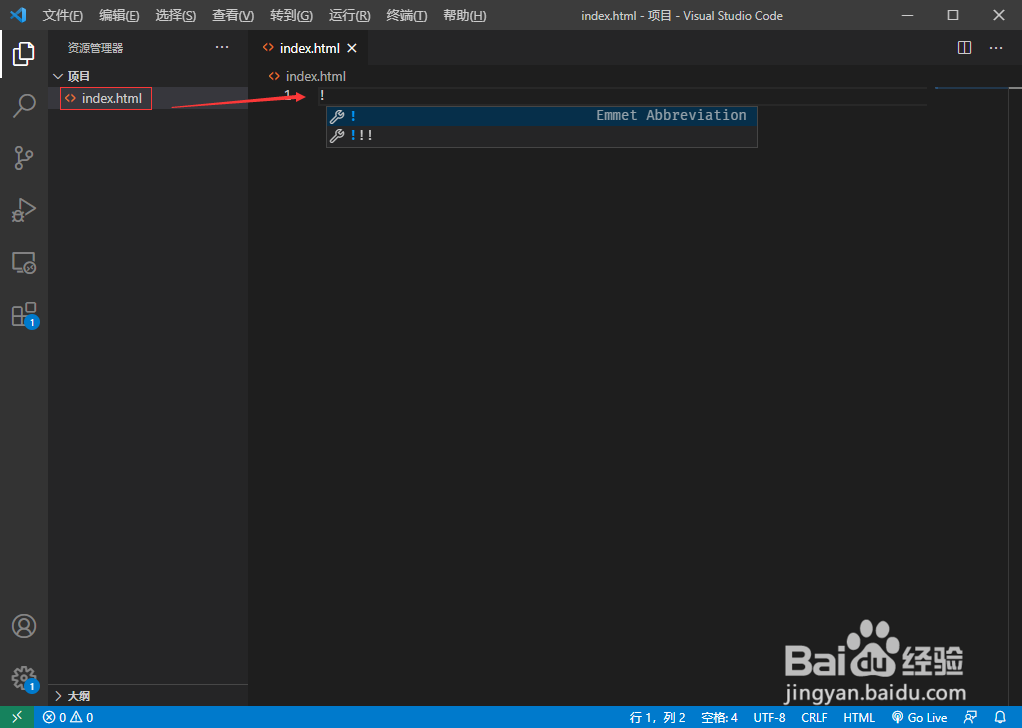
2、这样可以快速创建html模板,删除lang="en"代码,它会把网页标注成英文网页。

3、在title标签中输入网页标题。

4、然后body标签中编辑网页内容。

5、然后在head便签中插入style标签,在style标签中写css样式控制body标签中的内容显示。

6、使用浏览器打开html文件查看网页效果。

时间:2026-04-21 18:02:46
1、打开Vscode,新建html文件,在编辑区域输入英文感叹号“!”然后按Tab键。
2、这样可以快速创建html模板,删除lang="en"代码,它会把网页标注成英文网页。
3、在title标签中输入网页标题。
4、然后body标签中编辑网页内容。
5、然后在head便签中插入style标签,在style标签中写css样式控制body标签中的内容显示。
6、使用浏览器打开html文件查看网页效果。
