1、配置计算机PC0:
IP: 192.168.1.2
Submark: 255.255.255.0
Gateway: 192.168.1.1

2、配置计算机PC1:
IP: 192.168.2.2
Submark: 255.255.255.0
Gateway: 192.168.2.1

3、配置计算机PC2:
IP: 192.168.1.3
Submark: 255.255.255.0
Gateway: 192.168.1.1

4、测试连通性:
1、PC0 Ping PC2
2、PC0Ping PC1


5、配置二层交换机。
Switch>en
Switch#conf t
Switch(config )#vlan 2
Switch(config-vlan)#exit
Switch(config )#vlan 3
Switch(config-vlan)#exit
Switch(config )#int fa 0/2
Switch(config-if)#switchport access vlan 2
Switch(config-if)#exit
Switch(config )#int fa 0/3
Switch(config-if)#switchport access vlan 3
Switch(config-if)#exit
Switch(config )#int fa 0/1
Switch(config-if)#switchport mode trunk
Switch(config-if)#end
Switch#show vlan

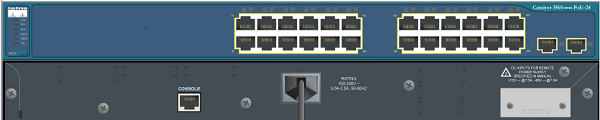
6、配置三层交换机。
Switch>en
Switch#conf t
Switch(config )#vlan 2 //新建vlan 2
Switch(config-vlan)#exit
Switch(config )#vlan 3 //新建vlan 3
Switch(config-vlan)#exit
Switch(config )#int fa 0/1 //进入0模块第1端口
Switch(config-if)#switchport trunk encapsulation dot1q //给这个接口的trunk封装为802.1Q的帧格式
Switch(config-if)#switchport mode trunk //定义这个接口的工作模式为trunk
Switch(config-if)#exit
Switch(config )#int fa 0/2 //进入0模块第2端口
Switch(config-if)#switchport access vlan 2 //当前端口加入vlan 2
Switch(config-if)#exit
Switch(config )#interface vlan 2 //进入vlan2 虚拟接口
Switch(config-if)#ip address 192.168.1.1 255.255.255.0 //配置IP地址
Switch(config-if)#no shutdown //开启该端口
Switch(config-if)#exit
Switch(config )#interface vlan 3
Switch(config-if)#ip address 192.168.2.1 255.255.255.0
Switch(config-if)#no shutdown
Switch(config-if)#end
Switch#show ip route //显示路由表
Switch#show vlan //显示vlan信息
7、测试连通性:
1、PC0 Ping PC2
2、PC0Ping PC1

