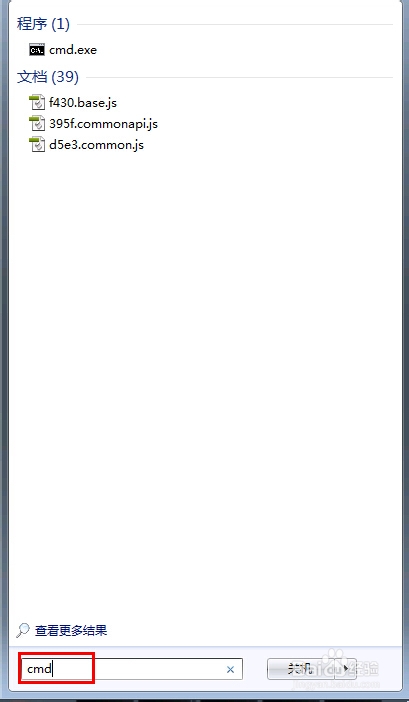
1、打开开始菜单,在运行栏输入cmd,按回车键,打开运行命令窗口。
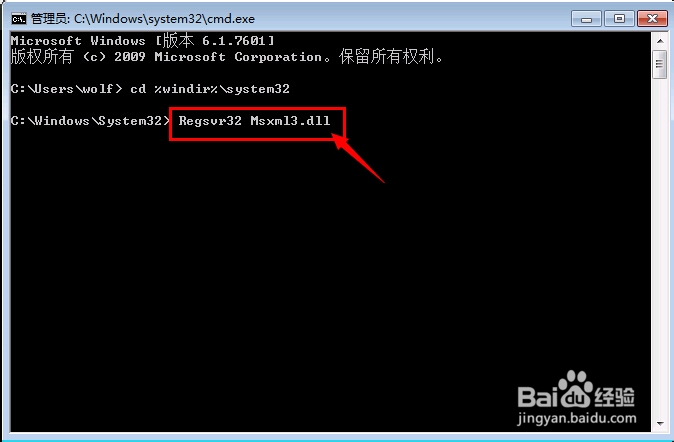
2、在命令窗口里输入: cd %windir%\system32 命令按回车键。这个命令的意思是说找到system32文件夹路径。

3、继续输入: Regsvr32 Msxml3.dll 再按回车键执行,这个过程运行完毕需要等待一段时间。一般以上总是出现:this application has requested the runtime这个问题就能解决。
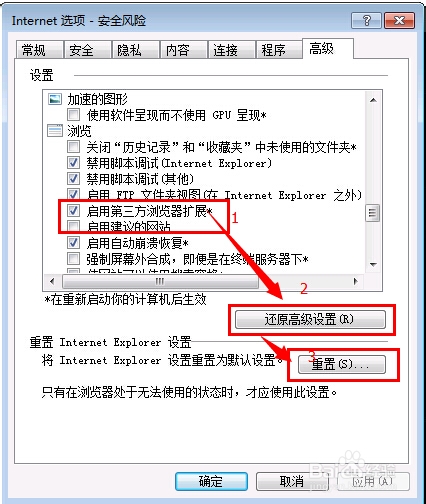
1、一般如果是运行浏览器的时候出现:this application has requested the runtime这个问题那么就先重置IE浏览器,再看看是否还是报告这个错误。
2、工具-》internet选择-》高级-》去掉√ 启用第三方浏览器扩展-》点击“还原高级设置和重置”。
1、有些程序在win7下运行,尤其是运行比较老款游戏的时候也会报错:
this application has requested the runtime
这个时候我们需要利用兼容性模式来运行该程序。
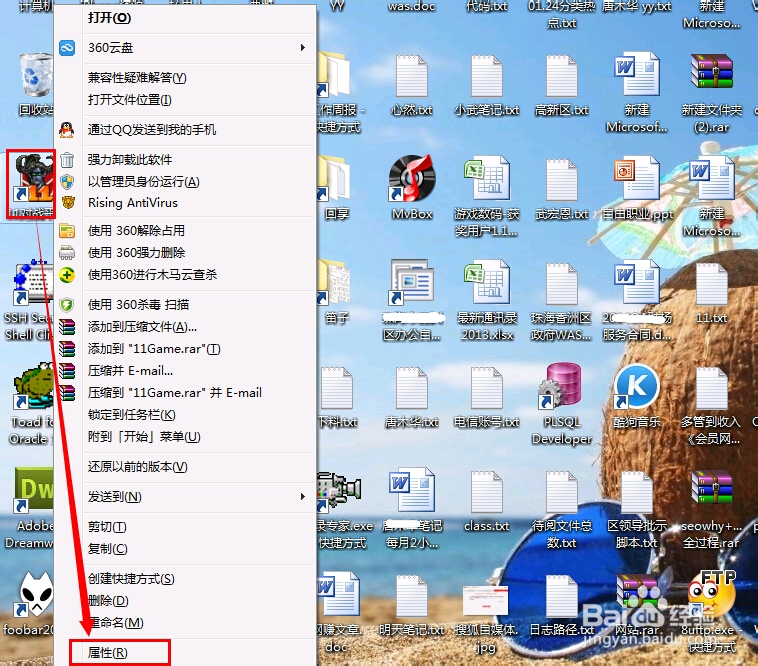
2、右键点击该程序在桌面上的图标-》选择“属性”。
3、在弹出的窗口上选择“兼容性”,勾选“以兼容模式运行这个程序”,再点击确定。如果兼容模式能运行这个程序则说明该程序在win7下不能运行,所以才报错。

