Endnote 编辑 Output Styles 时特殊符号的使用

 时间:2026-02-14 08:09:12

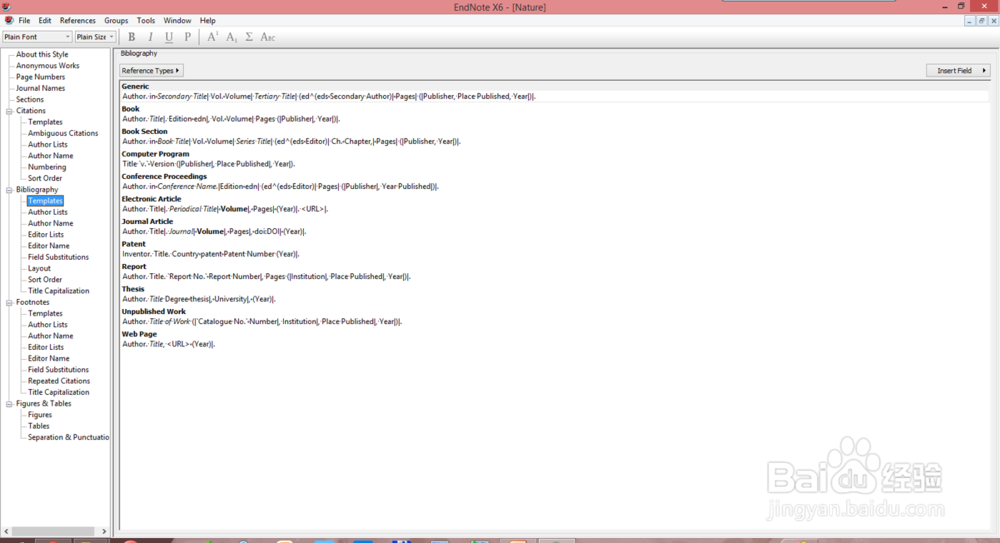
1、在style菜单中,我们可以看见许多可以设置的选项,其中的bibliography(参考目录)是我们关注的重点,当我们打开参考目录中的模版(templates)选项时,我们会注意到有许多特殊符号。
Endnote 编辑 Output Styles 时特殊符号的使用

2、这些特殊符号可不是软件的乱码,而是名副其实带有特殊功能,对参考文献格式有着重要影响的符号,可以让我们设置出我们期望的文献格式。

Endnote 编辑 Output Styles 时特殊符号的使用

1、编辑 Output Styles 有四大基本原则

Endnote 编辑 Output Styles 时特殊符号的使用

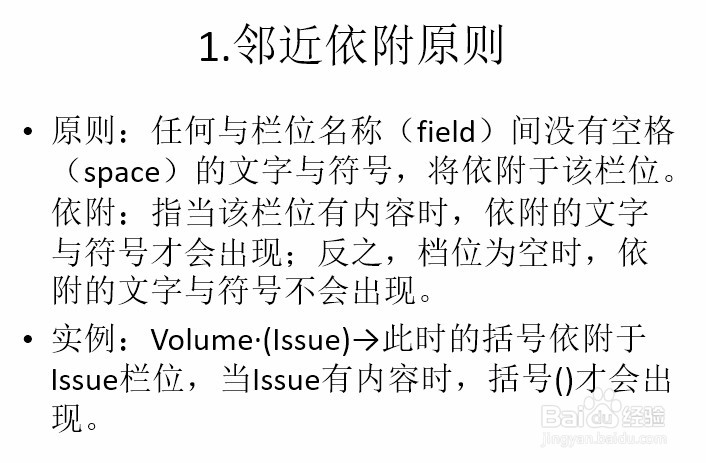
2、(1)邻近依附原则

Endnote 编辑 Output Styles 时特殊符号的使用

3、(2)前栏位优先原则

Endnote 编辑 Output Styles 时特殊符号的使用

4、(3)栏位后首个空格归该栏位,第二个空格独立

Endnote 编辑 Output Styles 时特殊符号的使用

5、(4)独立文字必出现

Endnote 编辑 Output Styles 时特殊符号的使用

1、下面介绍这些特殊符号及使用

Endnote 编辑 Output Styles 时特殊符号的使用

2、(1)Endof Paragraph

Endnote 编辑 Output Styles 时特殊符号的使用

3、(2)Tab

Endnote 编辑 Output Styles 时特殊符号的使用

4、(3)LinkAdjacent Text

Endnote 编辑 Output Styles 时特殊符号的使用

5、(4)Forced Separation

Endnote 编辑 Output Styles 时特殊符号的使用

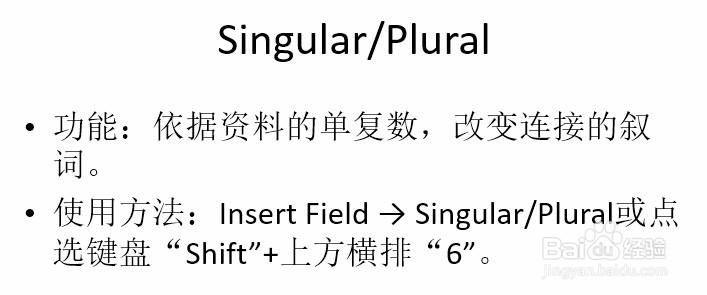
6、(5)Singular/Plural

Endnote 编辑 Output Styles 时特殊符号的使用

7、(6)FieldNames in Bibliographies

Endnote 编辑 Output Styles 时特殊符号的使用

  • Origin:将不同类型的图整合成单图(多个图层)
  • 如何将origin中数据转换为2点段图?
  • SmallPDF关闭订阅步骤
  • OriginPro 8柱形图内和边框颜色调整
  • webview如何返回上一页
  • 热门搜索
    旅游的好处 马尔代夫旅游攻略 泉州旅游 印度旅游 台湾旅游攻略 辽宁旅游 福建旅游 湖北旅游景点 唐山旅游 马蜂窝旅游网