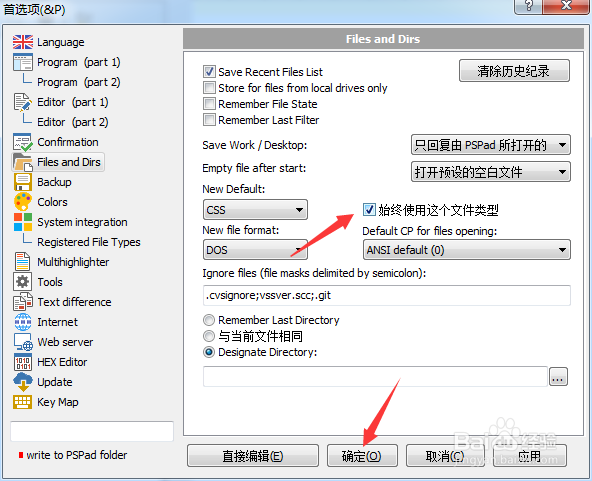
PSPad editor怎么设置始终使用这个文件类型

 时间:2026-02-12 00:21:56

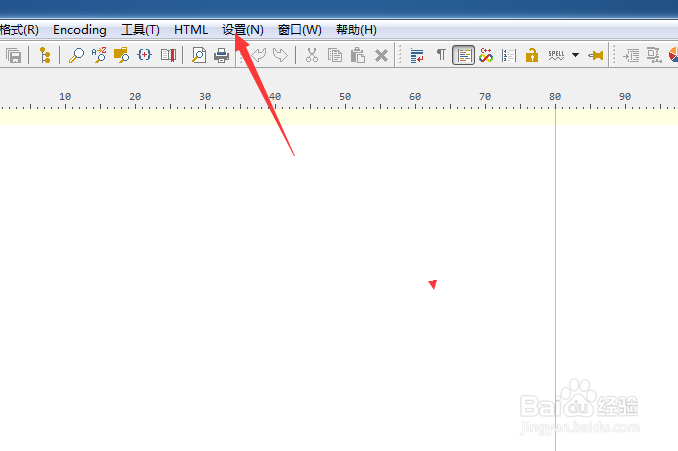
1、点击菜单中的设置菜单

PSPad editor怎么设置始终使用这个文件类型

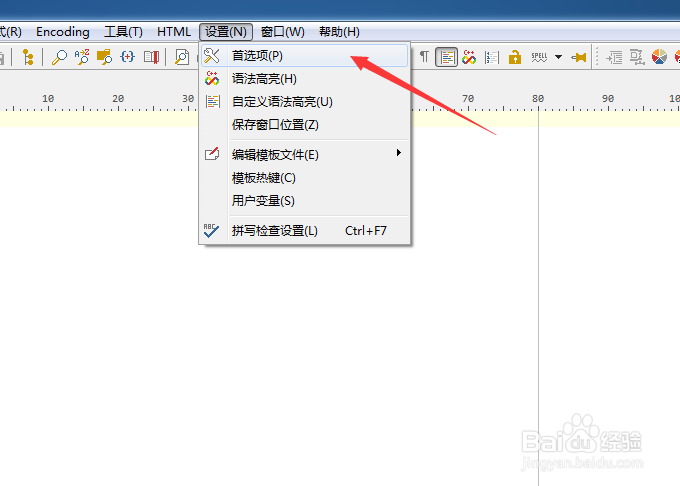
2、弹出了下拉菜单选中为首选项

PSPad editor怎么设置始终使用这个文件类型

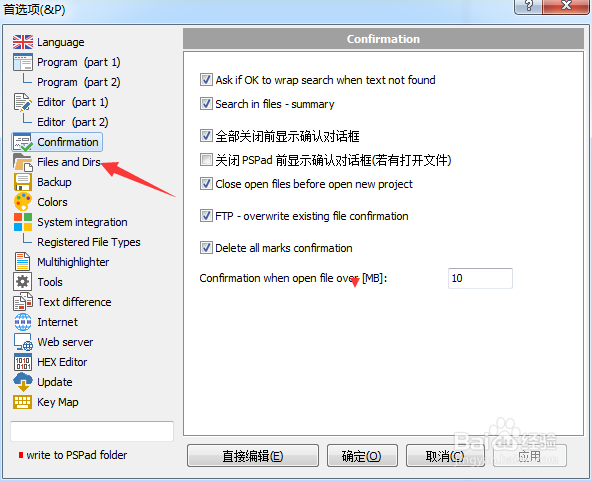
3、点击左侧中files and dirs选项

PSPad editor怎么设置始终使用这个文件类型

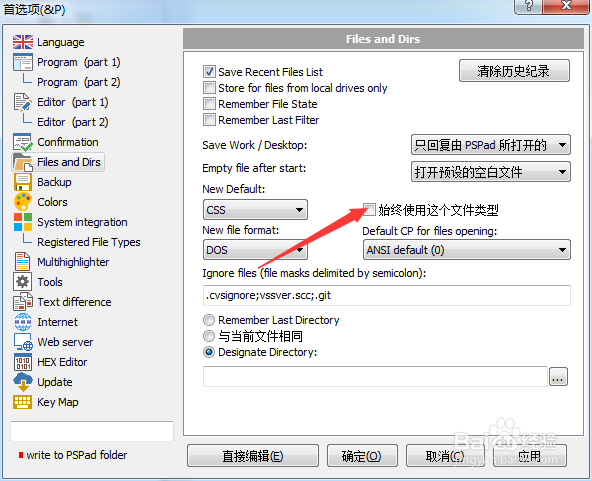
4、勾选上始终使用这个文件类型选项

PSPad editor怎么设置始终使用这个文件类型

5、勾选上始终使用这个文件类型选项之后,点击确定

PSPad editor怎么设置始终使用这个文件类型

  • PSPad editor怎么工具栏图标集为pspad
  • PSPad editor怎么菜单图标集为PSpad
  • PSPad editor怎么设置搜索结果为默认值
  • PSPad editor怎么设置标签宽度
  • PSPad editor怎么设置搜索结果为下
  • 热门搜索
    夏天去哪里旅游凉快 河南旅游景点排行 朱家角古镇旅游攻略 重庆旅游百事通 香港澳门旅游攻略 海南省旅游局 湄洲岛旅游 理县旅游 木格措旅游 增城旅游