PowerShape 2017怎么设置标记为旧样式

 时间:2024-10-29 16:02:47

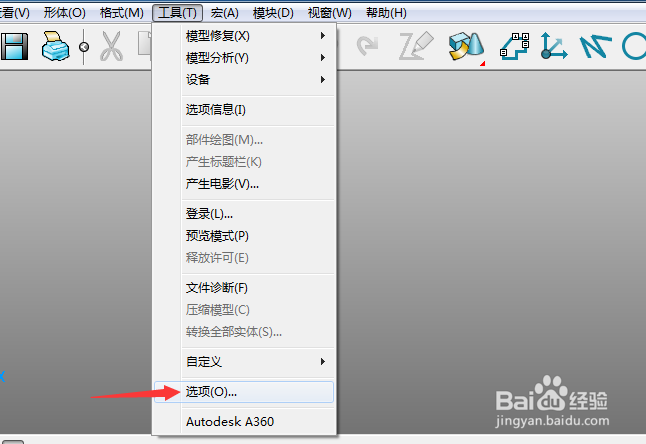
1、首先,点击菜单中的工具菜单,弹出了下拉菜单选中为选项

PowerShape 2017怎么设置标记为旧样式

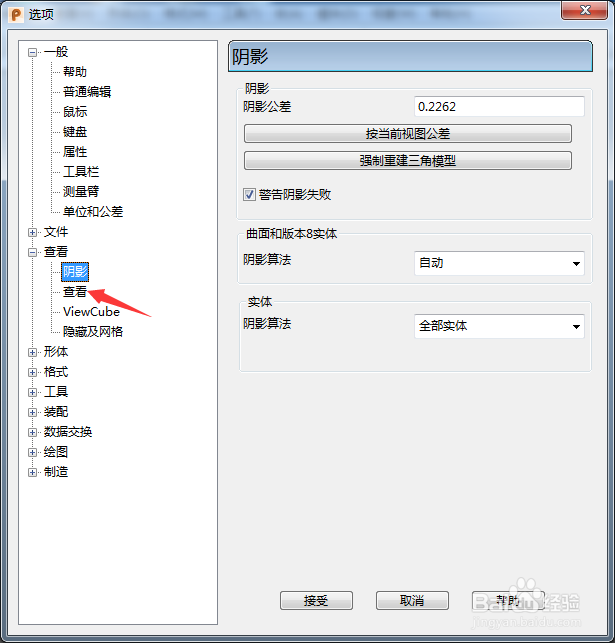
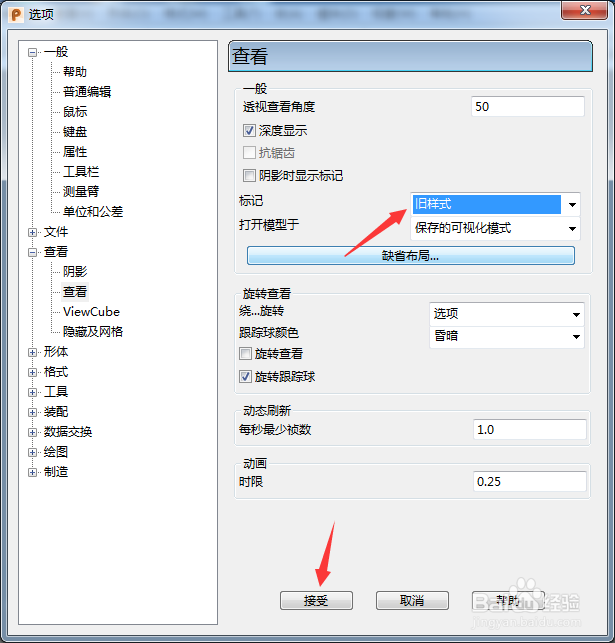
2、点击左侧中查看选项

PowerShape 2017怎么设置标记为旧样式

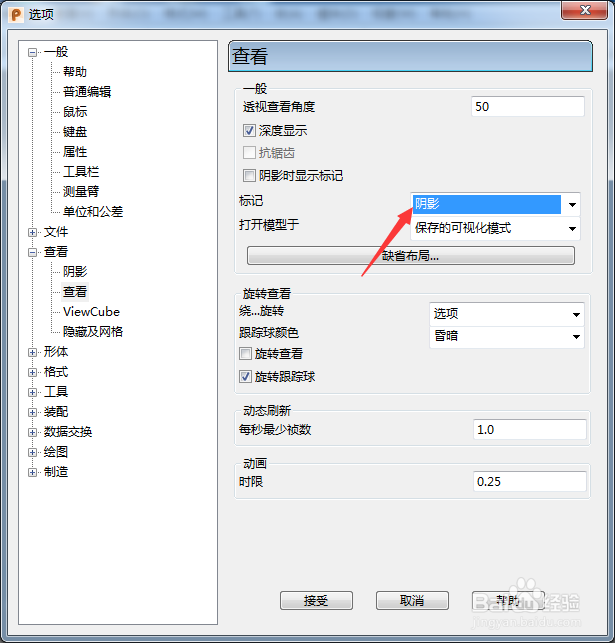
3、点击标记选项

PowerShape 2017怎么设置标记为旧样式

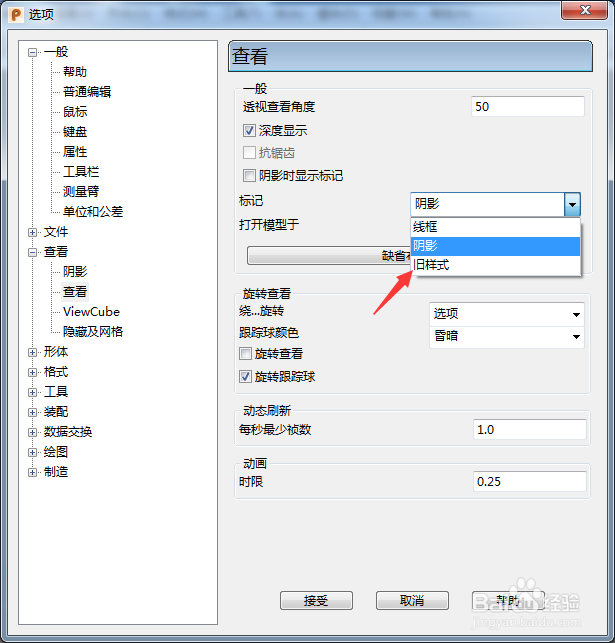
4、弹出了下拉菜单选择为旧样式

PowerShape 2017怎么设置标记为旧样式

5、选择为旧样式选项之后,点击确定按钮

PowerShape 2017怎么设置标记为旧样式
  • PowerShape 2017怎么开启零始端曲率
  • PowerShape 2017怎么设置viewGube大小为极小
  • PowerShape 2017怎么设置固定圆弧
  • PowerShape 2017怎么关闭自动主平面
  • PowerShape 2017怎么关闭确认半径
  • 热门搜索
    旅游胜地英文 夏天去哪里旅游比较好 江浙沪旅游景点排行 旅游管理就业方向 上海有哪些旅游景点 旅游网团购 海洋旅游 团购旅游网 乌镇旅游团 广东省旅游景点