EmEditor怎么设置通过滚动位置移动光标

 时间:2024-11-23 01:53:12

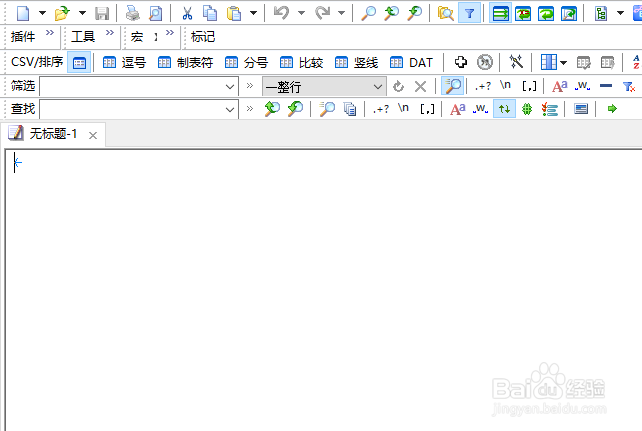
1、打开一个EmEditor的界面中

EmEditor怎么设置通过滚动位置移动光标

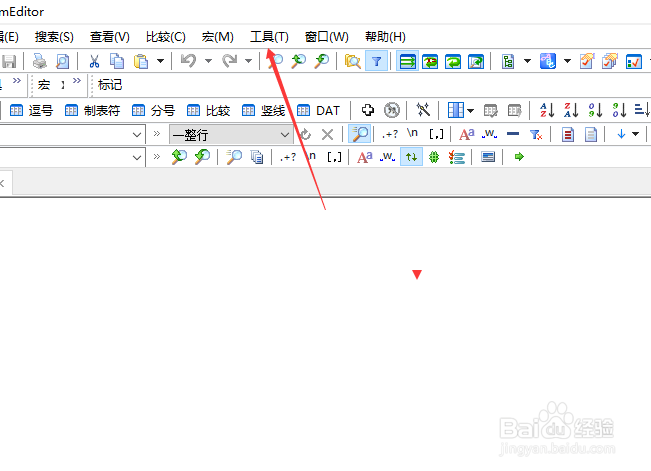
2、点击EmEditor菜单工具菜单

EmEditor怎么设置通过滚动位置移动光标

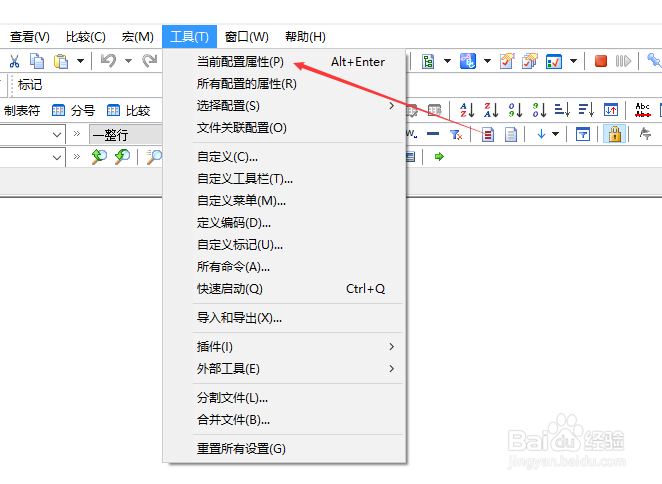
3、弹出了下拉菜单选中当前设置属性

EmEditor怎么设置通过滚动位置移动光标

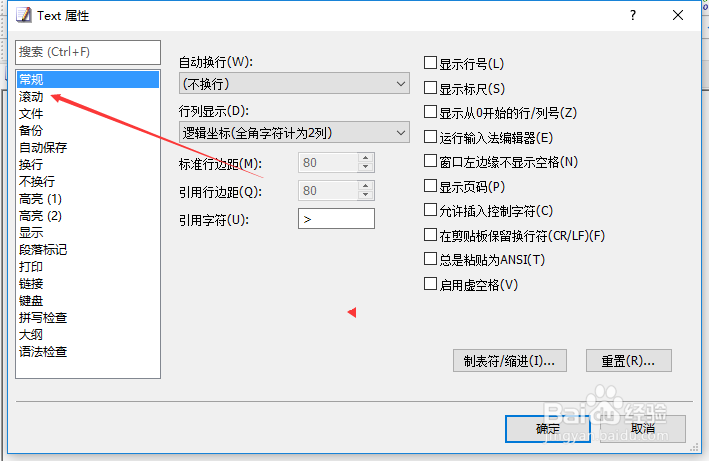
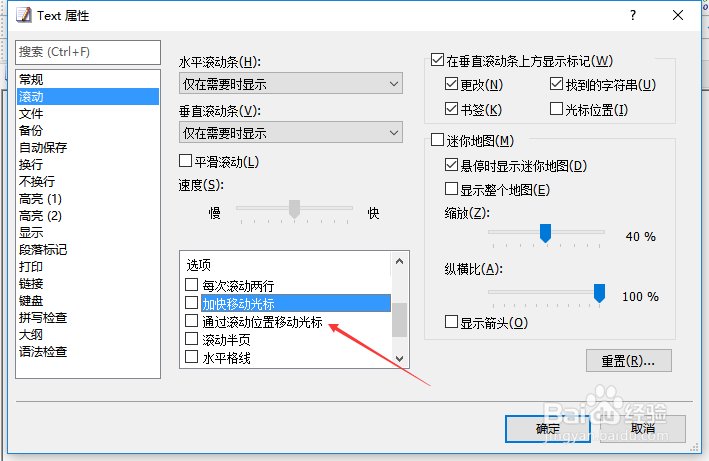
4、点击左侧中滚动选项

EmEditor怎么设置通过滚动位置移动光标

5、勾选通过滚动位置移动光标选项

EmEditor怎么设置通过滚动位置移动光标

6、勾选通过滚动位置移动光标选项之后,点击确定

EmEditor怎么设置通过滚动位置移动光标
  • EmEditor怎么设置找到的字符串
  • EmEditor怎么设置每次滚动两行
  • EmEditor怎么设置垂直线
  • EmEditor怎么设置三维外观
  • EmEditor怎么关闭通过滚动位置移动光标
  • 热门搜索
    迪拜旅游公司 桂林旅游游记 去凤凰旅游攻略 成都旅游集散中心 兵马俑旅游攻略 山西运城旅游 盐城旅游团 丝路旅游 广东省内旅游景点 涉外旅游